






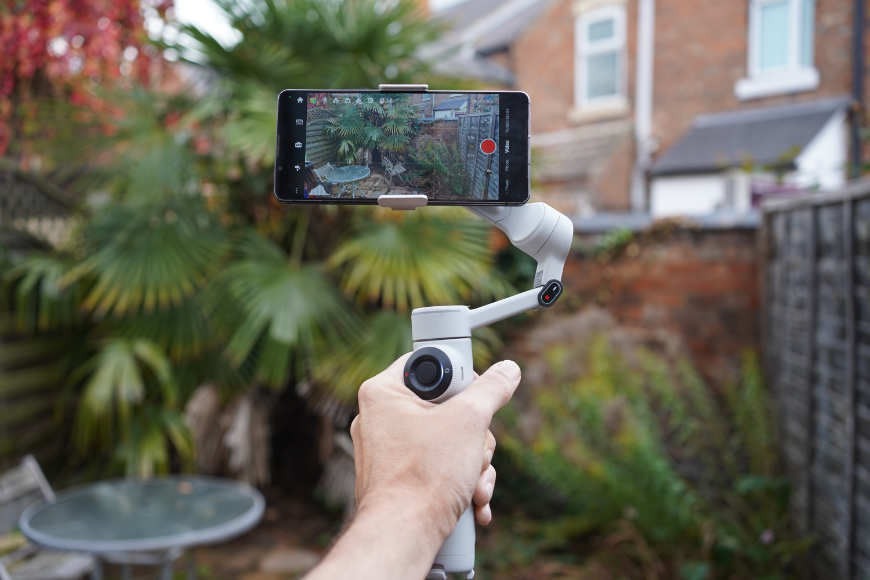
Insta360 Flow 2 Pro Review: Smarter Smartphone Filming
Can the Insta360 Flow 2 Pro elevate your phone videos? We put its stabilization, smart tracking and creator-friendly features to the test.
Photography Gear Reviews | By Andrew Dilks | Last Updated: October 24, 2026
Shotkit may earn a commission on affiliate links. Learn more.
This is a review of the Insta360 Flow 2 Pro smartphone gimbal.
Smartphone gimbals are powerful tools for content creators looking to expand their repertoire of professional-looking shots.

Versatile smartphone gimbal combining 3-axis stabilization, AI subject tracking and a built-in selfie stick and tripod.
The Insta360 Flow 2 Pro is a highly capable 3-axis smartphone gimbal stabilizer that brings together an eclectic range of features at an attractive price point.
This review breaks down these features in detail and explores how the Insta360 Flow 2 Pro can suit a range of content creation styles.
Insta360 Flow 2 Pro Specs
- Impressive all-in-one form factor
- AI Tracker provides true app independence
- Rugged and durable build quality
- Smooth 360° infinite panning
- Easy-to-use gesture controls
- Built-in teleprompter function
- AI Tracker for Android sold separately
- Not weatherproof
- Gimbal Weight: Approximately 357g (12.6oz), excluding the magnetic phone clamp.
- Magnetic Phone Clamp Weight: Approx. 25g (0.9oz).
- Folded Dimensions: 97.9 × 178.4 × 36.7mm (3.9 × 7.0 × 1.4 inches).
- Unfolded Dimensions: 121.1 × 282.1 × 54.0mm (4.8 × 11.1 × 2.1 inches).
- Built-in Selfie Stick: Extends up to 210mm (8.3 inches).
- Built-in Tripod Dimensions: 94mm extended length and 204mm extended diameter (approximately 3.7 and 8.0 inches, respectively).
- Mounting Point: Standard 1/4″ threaded mount at the base.
- Pan Range: 360° continuous infinite rotation.
- Roll Range: -390° to 135°.
- Tilt Range: -99° to 231°.
- Max Control Speed: 120° per second.
- Battery Type: Li-ion 2S.
- Battery Capacity: 1100mAh (8.5 Wh).
- Operating Runtime: Up to 10 hours on a single charge.
- Charging Time: Approx. 2 hours via 5V/2A input.
- Charging Port: USB-C.
- Power Output: The gimbal can charge a connected phone via its USB-C output port.
- Compatible Phone Weight: 130g to 300g (4.6 to 10.6oz).
- Compatible Phone Thickness: 6.9mm to 10.0mm (0.3 to 0.4 inches).
- Compatible Phone Width: 64mm to 84mm (2.5 to 3.3 inches).
- Magnetic Clamp Force: 40N secure closed-loop hold.
- Wireless Connectivity: Bluetooth 5.0 and NFC pairing, with Apple DockKit native tracking supported on compatible iPhones.
- Operating Temperatures: -10°C to 40°C (14°F to 104°F).
- Charging Temperatures: 0°C to 40°C (32°F to 104°F).
The Insta360 Flow 2 Pro offers a wide range of features for content creators, including advanced AI tracking technology.
With shooting modes that echo more expensive mirrorless camera gimbals and a raft of dedicated tools for solo content creators, it’s one of Insta360’s flagship models.
Modes such as Free Tilt allow beginners to attempt complex camera movements, while the 360° continuous pan feature enables sweeping camera movements and tracking across a full rotation.
A built-in teleprompter for on-camera presentations also makes it well suited to creating content for platforms such as TikTok and Instagram Reels.
Whether shooting a hike in the wilderness or educational content, the Insta360 Flow 2 Pro has a mode or feature that facilitates the task.
Let’s break down the Insta360 Flow 2 Pro’s features and modes in more detail.
What’s Included
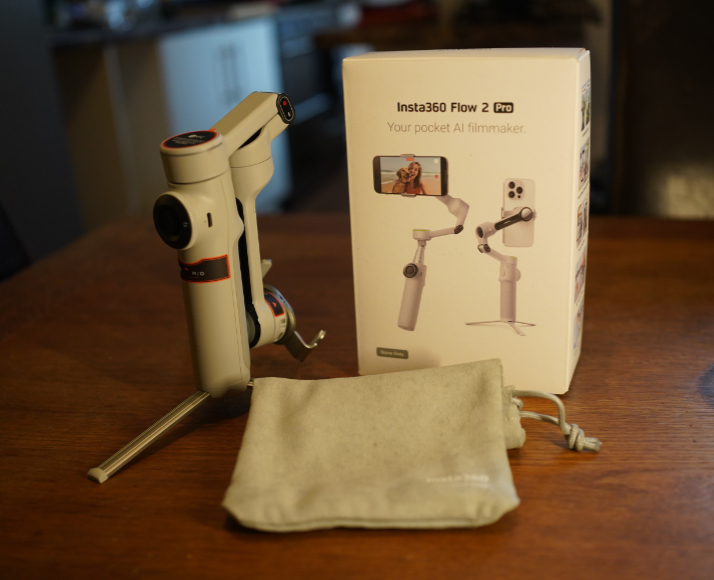
The Insta360 Flow 2 Pro is available with a selection of accessories, depending on the bundle chosen.
The standard package includes the essentials for attaching a compatible smartphone and getting started with filming.
Here’s everything that’s included in the standard bundle for the Insta360 Flow 2 Pro gimbal:
- Insta360 Flow 2 Pro Gimbal (which also features the built-in tripod, selfie stick, and selfie mirror)
- Magnetic Phone Clamp (for securing your phone to the stabilizer)
- USB-C to USB-A Charging Cable
- Protective Pouch (soft storage bag)
- User Manual & Quick Start Guide
- Insta360 Stickers
An AI Tracker bundle is also available, adding a separate tracking module that is particularly useful for Android users who want to track subjects while using third-party camera apps.
This add-on is covered in more detail below in the section on overall tracking capabilities and user options.
A separate Creator Bundle offers a wider selection of accessories, including:
- Flow Spotlight (clip-on fill light)
- Flow Grip Cover (protective sleeve for the handle)
- USB-C to USB-C Camera Cable
- USB-C to Lightning Power Cable
- Flow Carry Bag (upgraded travel case)
Insta360 also offers additional accessories, including a backpack mount for hands-free carrying and a rugged case for transport.
Ease of Use & Setup
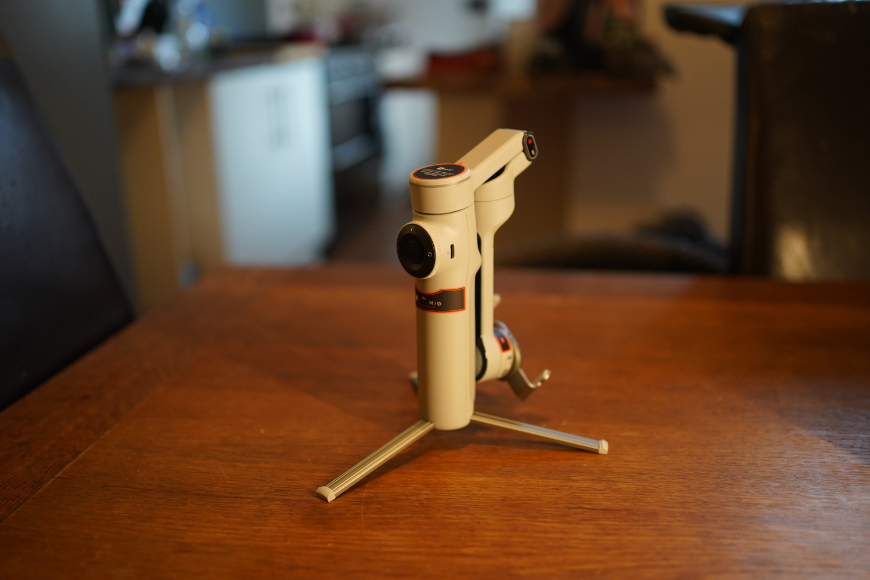
Setting up the gimbal is straightforward, with easy connection to the app via Bluetooth.
Initial setup is straightforward: unfold the gimbal, attach your phone to the clamp according to the instructions, and you’re ready to shoot.
The built-in tripod and selfie stick are easy to use, and pairing the Insta360 app to the device via Bluetooth takes a couple of minutes.
For the controls, expect a steeper learning curve, particularly if you’re unfamiliar with gimbals, with a range of modes accessible via the SmartWheel and other buttons.
With so many shooting modes and additional functions to learn, it can take some practice before operating the gimbal feels intuitive.
Fortunately, the app does an exceptional job of onboarding the basic setup and more advanced features, softening what might otherwise be a daunting experience.
App Experience & Features
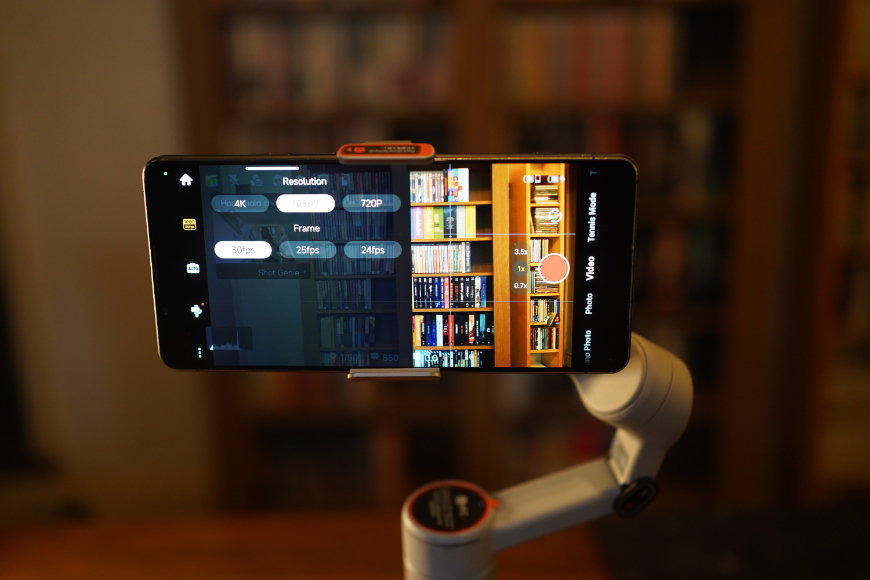
There’s a wealth of impressive options you can control the gimbal with via the Insta360 app.
Once you install and connect the Insta360 app, the Flow 2 Pro’s full range of possibilities comes to life.
If the options feel overwhelming at first, the app guides users through a logical, coherent workflow.
The app offers a wide range of video and photo modes, including panoramas, slow motion, time-lapse recording, and Dolly Zoom.
Additional settings allow users to adjust ISO, shutter speed, white balance, exposure compensation, and other shooting parameters.
Taking time to master the basics and experiment with advanced settings can help produce more creative results.
While not everyone will need features such as the teleprompter or Pro Framing Grid, their inclusion makes the Insta360 Flow 2 Pro more versatile for a range of projects.
Battery Life & Charging
On a full charge, expect to get up to ten hours of shooting, delivering ample coverage for most casual content creators.
Recharging is relatively swift, with a full charge taking approximately two hours using a 5V/2A power source.
Battery life also depends on how you use the gimbal; frequent, demanding movements can increase motor power consumption and reduce runtime.
It also doubles up as a power bank, with a USB-C output port that can be used for charging phones and other devices.
Build & Appearance
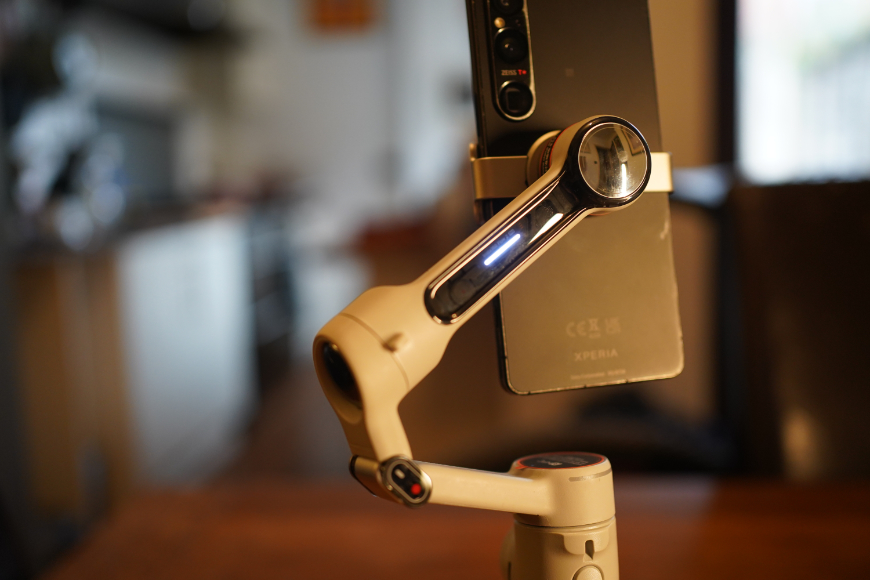
The Insta360 Flow 2 Pro punches above its weight with superior build quality and ergonomics.
With its understated, smooth appearance, the Insta360 Flow 2 Pro fits neatly into the brand’s overall sleek design philosophy.
While it’s slightly heavier than some smartphone gimbals, the Flow 2 Pro weighs about 357g before you add the 25g magnetic phone clamp.
This gives it a reassuringly solid feel without making it cumbersome, which allows it to be wielded with confidence.
The folding and extendable components feel responsive without being flimsy, making it easy to extend the selfie stick or deploy the tripod.
Thanks to its folding design, the gimbal is compact enough to fit into a small day bag or, potentially, a large jacket pocket, making it convenient for spur-of-the-moment filming.
Ergonomics & Handling
Using the Insta360 Flow 2 Pro is a breeze thanks to intuitive controls and a lightweight build.
The combination of satisfyingly chunky and form-fitting makes the Insta360 Flow 2 Pro a real pleasure to wield and explore the full potential of shots it has to offer.
With intuitive controls that respond to simple movements, it lets you focus on orchestrating complex gimbal moves.
While the automatic stabilization is largely effective, the joystick allows for precision control to fine-tune camera movements to perfection.
If the camera movement starts to get confusing or disorienting in certain modes, simply use the trigger button to recentre the gimbal.
There’s an eye-watering amount of shooting modes on offer, but fortunately the smooth handling affords a level of control that lessens the learning curve.
Shooting Modes
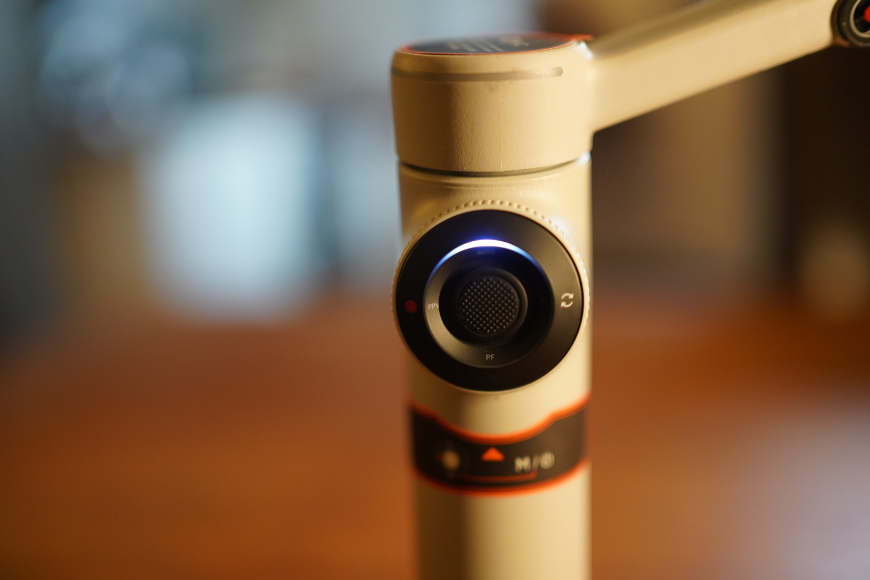
The centralized controls make switching between shooting modes seamless.
The breadth and functionality of the shooting modes featured in the Insta360 Flow 2 Pro span both the hardware and software.
On the gimbal unit, this begins with the default auto mode, with follow mode, pan follow mode, FPV mode, and lock mode building out the selection.
There are also special operation modes, including activation plus mode to boost responsiveness, free tilt mode for unrestricted vertical framing, and specialized tracking.
In the app, this already impressive selection expands to include capture modes such as time-lapse and slow motion.
For budding cinematographers, there’s a cinematic 2.35:1 aspect ratio with film aesthetic filters, while TimeShift creates fast-forwarded hyperlapse videos.
Add Hoop Mode for basketball tracking and Live Mode for compatible third-party streaming apps, and the Insta360 Flow 2 Pro becomes a versatile creative tool for content creators.
Tracking Performance
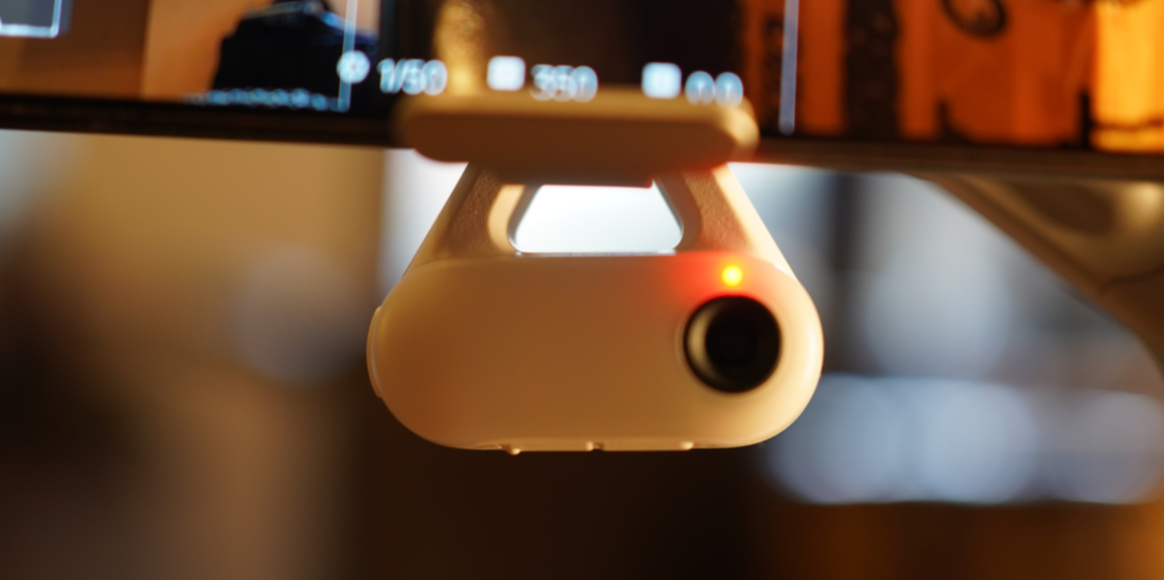
If you’re using an Android smartphone, you can pick up a dedicated AI tracker for the Insta360 Flow 2 Pro.
Perhaps the standout feature of the Insta360 Flow 2 Pro is its tracking capability. Deep Track 4.0, which operates within the Insta360 app, can track people, animals, and objects.
Compatible iPhones can use Apple’s native DockKit tracking, while Android users can use Deep Track 4.0 within the Insta360 app or purchase the Insta360 AI Tracker.
There are also more advanced tracking and subject selection options available via the app, which will be the go-to method for many users.
Tracking can be activated in several ways, including button presses, manual framing in the app and gesture controls.
It’s responsive, with added scope thanks to the 360-degree infinite pan, and handles re-identifying human subjects exceptionally well if they step behind obstacles.
The gimbal also supports multi-person tracking through Deep Track 4.0 in the Insta360 app, making it useful for filming sporting events, concerts and other group activities.
Achieving the best results will take some experimentation, whether this is using a different shooting mode or activating Active Plus Mode for fast action.
Insta360 AI Tracker
If you’re shooting with the Insta360 Flow 2 Pro on iPhone, it comes with Apple DockKit technology for instant, AI-powered subject tracking.
Android users who want tracking in third-party apps can purchase the Insta360 AI Tracker separately and attach the module to the back of their smartphone.
The accessory also enables tracking in compatible third-party apps on both iOS and Android, which can be useful when recording directly through platforms such as Instagram or TikTok.
As a bonus, the AI Tracker has LED lights with three brightness and color temperature settings for extra fill lighting in dim conditions.
It also offers smart gesture control to start and stop tracking, another impressive feature that strengthens its appeal for solo content creators.
Here are the stats for the Insta360 AI Tracker:
- Tracking Technology: AI-powered Deep Track (Deep Track 4.0 / Apple DockKit integration)
- Pan Tracking Range: 360° infinite pan rotation.
- App/Platform Compatibility: Supports tracking in compatible third-party camera apps, video-call apps, and livestreaming apps on iOS and Android; functionality may vary by app.
- Subject Recognition: Human face/body tracking, multi-person tracking, and pet tracking (cats and dogs).
- Control Features: Gesture controls for starting or stopping tracking, plus joystick controls for adjusting the gimbal’s framing.
- Built-in Fill Light: Integrated fill light with three colour-temperature settings and adjustable brightness.
- Physical Integration: Compact, phone-mounted tracking module with an integrated fill light.
The AI Tracker is a useful optional accessory for Android users and iPhone users who want to track subjects while recording in compatible third-party apps.
Overall Performance
The Insta360 Flow 2 Pro packs an impressive amount of hardware and app functionality that makes it an exceptionally flexible device.
For everyday solo content creation, it’s a convenient all-in-one solution for capturing creative shots at a moment’s notice.
The built-in selfie stick and tripod help keep gear to an absolute minimum, while the streamlined controls feel reliable and responsive.
The overall experience feels polished, from the gimbal’s smooth movement to the app’s wide range of options for more advanced shots.
How I Tested the Insta360 Flow 2 Pro
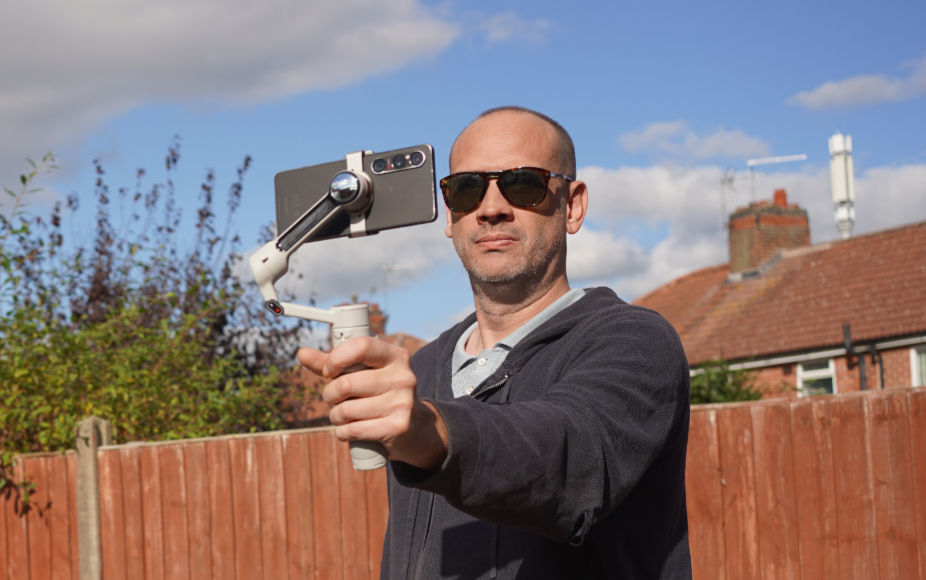
When testing the Insta360 Flow 2 Pro, I used a Sony Xperia Android smartphone along with the AI tracker module.
I took the gimbal on a series of outdoor shoots over hikes in the countryside to evaluate its features, ergonomics, and battery life.
After reviewing the core features and native app integration, I shot a variety of footage across different terrain using the gimbal’s shooting modes.
These modes, such as the 360-degree infinite pan and free tilt mode, were also tested by combining walking, running, and navigating obstacles.
This included performing obstruction tests to gauge the AI tracking capabilities, as well as how effectively it continued tracking when other subjects entered the frame.
Alongside testing for multi-person confusion, the Insta360 Flow 2 Pro’s animal and vehicle tracking performance was also assessed.
In addition to testing the app-agnostic hardware tracking, I evaluated the overall stability and app features.
Alternatives to the Insta360 Flow 2 Pro
Several alternatives to the Insta360 Flow 2 Pro are available for solo creators, starting with the basic, budget-friendly Insta360 Flow.
The original model retains the pocket-friendly design and built-in selfie stick, but lacks more advanced features, like 360-degree panning and DockKit integration.
Another budget option is the AOCHUAN M2 Pro, which offers standalone tracking and an integrated RGB fill light.
If you’re happy to increase your budget, consider the Zhiyun Smooth 5S AI smartphone gimbal, which has a 300g payload capacity and an integrated fill-light arm rated at 680 lux.
Value for Money
With a robust selection of core shooting modes, powerful AI tracking options, and rugged, ergonomic hardware, the Insta360 Flow 2 Pro delivers excellent value for money.
While it’s among the more expensive smartphone gimbals, serious solo vloggers and budding filmmakers can get a great deal of mileage from what’s on offer.
Advanced features, such as Free Tilt mode, set it apart from its rivals in terms of shot options, while the durable build should help it withstand regular use.
That said, Android users who want app-agnostic AI tracking will have to invest in the AI Tracker module, which increases the final cost.
Insta360 Flow 2 Pro Review | Conclusion
Insta360’s Flow 2 Pro is a feature-rich smartphone gimbal that delivers an enjoyable shooting experience for novices and experienced content creators.
With features including world-class AI tracking and creative shooting options, solo creators in particular can significantly up their content game.
If you’re looking for a smartphone gimbal with a wide range of creative shooting modes at a lower cost than a full camera setup, the Insta360 Flow 2 Pro is worth considering.
Versatile smartphone gimbal combining 3-axis stabilization, AI subject tracking and a built-in selfie stick and tripod.

Andy Dilks is an experienced landscape photographer and former games industry veteran. When he isn’t taking photos or reviewing the latest tech gadgets, you can find him hiking and wild camping in the Peak District.
👋 WELCOME TO SHOTKIT!
🔥 Popular NOW:
