






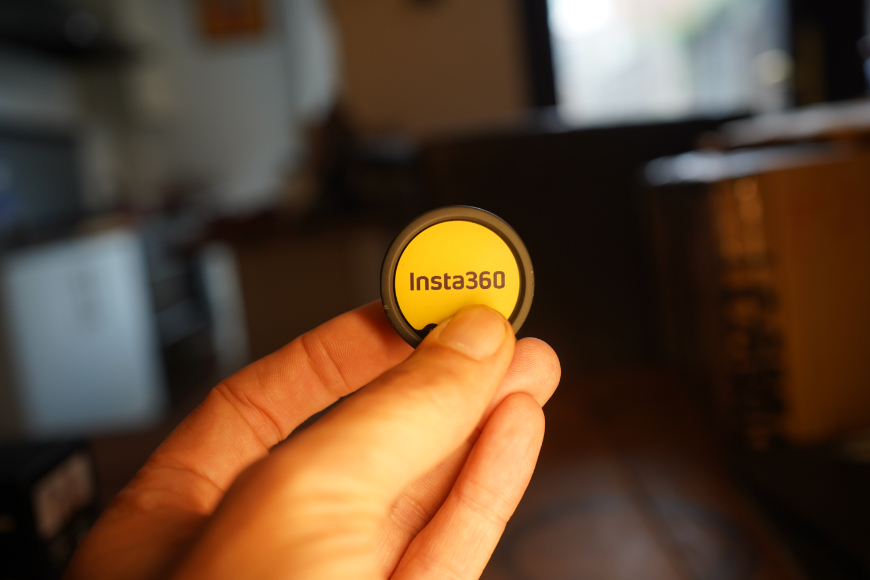
Insta360 Mic Pro Review: Small Mic, Big Creative Potential
Our Insta360 Mic Pro review explores its audio quality, noise cancellation, recording features and more to help you decide if this wireless mic is worth buying.
Photography Gear Reviews | By Andrew Dilks | Last Updated: October 24, 2026
Shotkit may earn a commission on affiliate links. Learn more.
This is a review of the Insta360 Mic Pro.
Insta360 leads in content creation, and the Insta360 Mic Pro accessories offer enhanced quality and workflow.
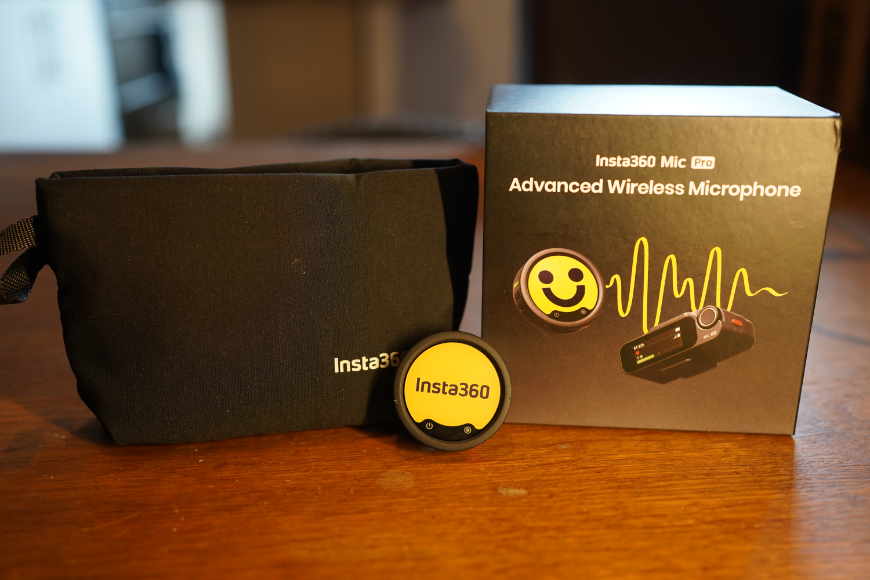

Compact wireless mic with versatile pickup modes, AI noise cancellation and 32-bit float internal recording.
The Insta360 Mic Pro delivers professional-grade 32-bit float audio recording, presented in a stylishly compact form.
Read on for a breakdown of the core features, build quality, and overall experience when using the Insta360 Mic Pro.
What is the Insta360 Mic Pro?
- 32-bit float recording
- Superior AI-powered noise cancellation
- 32GB internal storage
- Selectable directional pickup patterns
- Customizable E-Ink display
- Transmitters are on the bulky side
- Premium price
Insta360 Mic Pro Stats:
- Transmitter Display: 1.22″ 6-color customizable E-Ink display
- Microphone Array: 3-mic capsule array per transmitter
- Selectable Pickup Modes: Omnidirectional, Super-directional (Shotgun), Cardioid, and Figure-8
- Audio Bit Depth & Sample Rate: 32-bit float / 24-bit internal recording at 48kHz
- Max Sound Pressure Level (SPL): 130dB SPL @ 10% THD
- Signal-to-Noise Ratio (SNR): 72dB (A-weighted)
- Equivalent Noise: 22dB (A-weighted)
- Onboard Memory: 32GB per transmitter
- Wireless Transmission Range: Max 400 meters
- Connectivity Options: Supports 4 TX + 1 RX (four tracks) and 2 TX + 4 RX configurations, plus direct Bluetooth connection to select Insta360 cameras
- Bluetooth Protocol: Bluetooth V5.4
- Battery Operation Time: Up to 10 hours (Transmitter), Up to 11 hours (Receiver), Up to 30 hours (with Charging Case)
- Transmitter Weight: 19.7g
While perhaps best known for its 360-degree action cameras, the brand offers an eclectic range of filmmaking products oriented towards action-focused content creators.
In addition to its impressive selection of action and modular cameras and AI-powered gimbals, Insta360 has also addressed the inherent audio limitations of these cameras.
One solution is the Insta360 Mic Pro, the brand’s flagship wireless audio system that delivers 32-bit float internal recording with broader camera compatibility.
The Insta360 Mic Pro removes the need for bulky receivers by pairing over high-fidelity 48 kHz Bluetooth directly to compatible Insta360 bodies.
The receiver also supports timecode, including LTC input and output, helping synchronise audio and footage in multi-camera productions when configured correctly.
Let’s break down these and other features in more detail, along with the various accessories included with the microphones.
Insta360 Mic Pro – What’s in the box
The Insta360 Mic Pro wireless mic comes with a cloth bag and other handy accessories.
Unbox the Insta360 Mic Pro, and you’ll find everything you need to get up and running, whether you’re shooting on a smartphone or a dedicated DSLR or mirrorless camera.
Here’s a rundown of the contents included in the package:
- 2× Mic Pro Transmitters (TX) — Featuring customizable E-Ink displays that retain the selected image even when turned off.
- 1× Mic Pro Receiver (RX) — Equipped with a touch control screen for quickly adjusting settings on the fly.
- 1× Charging Case — Powers and houses the transmitters and receiver, extending the potential shoot duration.
- 1× Mobile Phone Adapter (USB-C) — For direct receiver-to-phone digital connections.
- 1× 3.5mm Camera Audio Cable — Connects the receiver to mirrorless and DSLR camera ports.
- 1× USB-C Charging Cable — For recharging the main case or units.
- 2× Button Magnets — Allow easy, magnetic attachment of transmitters onto clothing.
- 2× Back Clips — Alternative clip mounts for clothing attachments.
- 2× Furry Windshields — Deadcats to block wind noise during outdoor shoots.
- 1× Storage Carry Pouch — Keeps the remaining loose accessories safe and organized.
Insta360 also offers additional accessories that expand the Mic Pro’s functionality, including lavalier mics for more discreet recordings.
Technical Specifications
The transmitter’s logo can be replaced with bespoke user branding for podcasts and other media.
The Insta360 Mic Pro is well-specced for content creation, vlogging, and interviews, with a three-mic array that offers impressive recording flexibility.
The Mic Pro has a frequency response of 20 Hz–20 kHz with the low-cut filter disabled, narrowing to 100 Hz–20 kHz when the filter is enabled.
This can help reduce low-frequency rumble, and while it won’t eliminate all background noise, the results are nevertheless impressive.
Additionally, microphone sensitivity is rated at -38 ±1dBV at 1kHz, along with a maximum sound-pressure level of 130dB SPL at 10% THD and a 72dB signal-to-noise ratio.
The Mic Pro supports 24-bit recording, with 32-bit float available for internal recordings on the transmitter.
This is particularly useful for interviews and commentary recorded in changing environments, as it provides greater flexibility to adjust audio levels in post-production.
Transmitters come with 32GB of internal storage, in case you need a local backup recording due to wireless connectivity issues.
This combination of multiple pickup patterns, along with hi-res internal recording and storage, makes it a much more flexible option compared to similarly priced alternatives.
Design and Build Quality
If there’s one area where the Insta360 Mic Pro stands out, it’s the unconventional design of the transmitter, with its bold 1.22-inch E-Ink display.
This six-color display, with an image resolution of 240 x 208 pixels, is a genuinely unique approach to lavalier microphone design.
While its relative bulk compared to slimmer, more discreet lav mics may deter some, the ability to use bespoke designs allows content creators to directly apply their branding.
It’s also designed to prevent distracting flickering by using E-Ink panel technology instead of conventional OLED and LCDs.
The displays are also handy for when shooting multiple people, allowing filmmakers to set up unique visual identifiers for each speaker.
While the transmitter is on the bulkier side, it’s built to last, with a sturdy casing and robust clip for quickly attaching and detaching to clothing.
The receiver unit expands the functionality for multi-device support, connecting up to four transmitters into a central hub.
It shares the same durable plastic build quality as the receiver, with a crisp visual display for monitoring audio signals, battery life, and signal strength.
Everything feels tactile to use, with the kind of intuitively placed buttons and user workflow that Insta360 users have come to expect.
Performance and Sound Quality
Audio quality is what counts the most for microphones, and the Insta360 Mic Pro punches above its weight to deliver clear and dynamic recordings.
The 32-bit float audio recording makes the most of the three-microphone array, particularly with vocal delivery.
There’s also strong consistency, with the four different digital processing modes – omnidirectional, cardioid, super-directional, and figure-8 – adapting to changing environments.
Most users will likely stick to the omnidirectional mode, but it’s nice to have the option to refine your setup depending on unique scenarios.
AI-powered noise cancellation does a great job of cutting out noise without compromising the speaker, further reinforcing the Mic Pro as a top contender for active content creators.
Wireless Connectivity and Range
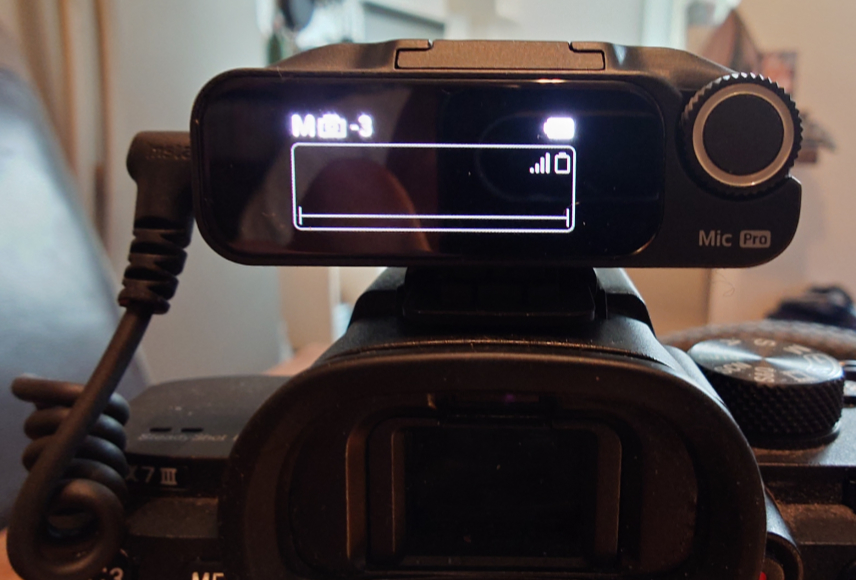
The Insta360 Mic Pro can be used with standard cameras via the included receiver and connecting cable.
The Insta360 Mic Pro uses the standard 2.4GHz wireless transmission system through its dedicated receiver, along with Bluetooth5.4 support.
Through the 2.4GHz connection, range is stated to extend to up to 400 meters in an interference-free environment, well beyond most users’ requirements.
Practical tests conducted for this review saw a solid connection over 100 meters with variable lines of sight due to trees and other obstacles.
The Mic Pro connects to a range of devices via the appropriate USB-C, Lightning, or 3.5 mm connection, alongside compatible Insta360 cameras via Bluetooth.
This expands functionality beyond the solo content creator, delivering full timecode synchronization support for bigger productions.
Battery Life and Power Options
Battery performance is ample, with each Insta360 Mic Pro transmitter containing a 240mAh lithium-ion battery for approximately 10 hours of operating time.
They reach a full charge in around an hour, with a handy feature that gives around 90 minutes from a five-minute charge.
Bundles vary in their included accessories; with the charging case, the Mic Pro system offers up to 30 hours of combined operating time, according to Insta360.
Whether charging from the case or another power source, the transmitters recharge swiftly, making them practical mics for day-to-day recordings.
Unless you’re shooting in the wilderness for several days, the built-in battery life and quick recharging provide more than enough power for most users.
Ease of Use and Setup
Designed for a streamlined approach to content creation, the functionality and setup speed are in line with much of Insta360’s other products.
The Mic Pro can connect directly to compatible Insta360 cameras via Bluetooth, while other devices can be connected using the appropriate receiver and cable or adapter.
Initial pairing and configuration are relatively swift, which is handy for quickly setting up and capturing ad hoc audio recordings.
Additionally, storing the Mic Pro components in the charging case automatically pairs them, so they’re good to go straight out of the box.
Dig into the Mic Pro’s extended feature set, and there’s a wealth of options you can experiment with to get the most out of what’s available.
Multiple pickup patterns, recording options, and NR modes can be overwhelming at first, but configurations can be refined through experience.
Mastering these is far from essential, with generally solid audio recording performance from default settings.
Additional accessories, such as the windscreens and magnetic mounts, all attach easily, with a consistently rugged build quality.
Price and Value for Money
The Insta360 Mic Pro combines a range of premium features, from 32-bit float recording to onboard storage, and its pricing reflects that.
Fortunately, Insta360 has released the Mic Pro in multiple packages, from the basic, single transmitter option to the complete four-transmitter kit.
The Mic Pro comes in different configurations, so the best-value option depends on how many transmitters and receivers you need, with prices starting from around US$199.99 for one of each.
The Mic Pro’s advanced recording options, multiple pickup modes, and noise-cancellation features may justify its higher price for creators who need that flexibility.
On the other hand, those who mainly record straightforward dialogue may find a simpler wireless microphone system sufficient.
Casual content creators who aren’t looking for extensive multi-camera options and timecode syncing may find the high-spec option overkill.
How I Tested the Insta360 Mic Pro

I tested the Insta360 Mic Pro in several environments, recording dialogue in locations ranging from busy streets to quieter countryside settings.
I assessed voice clarity, background-noise handling, and wireless stability under these different conditions.
I tested the transmitter’s internal recording function and connected the receiver to a Sony a7 III via the 3.5 mm camera audio connection.
This allowed me to compare the internal recordings with audio captured through the camera and weigh up any differences.
All features, from the mic array settings to E-Ink customization, were also tested to assess quality, versatility, and user-friendliness.
Additional tests evaluated the mic’s performance when linked to the Insta360 app, from customized wallpapers to audio and device control functionality.
Alternatives to the Insta360 Mic Pro
The compact wireless audio market has increased in recent years as more people take up vlogging, with several alternatives to the Insta360 Mic Pro.
If you’re not fully invested in the Insta360 ecosystem, the DJI Mic Mini is a budget-friendly alternative at a similar price point.
While its transmitters are smaller for more discreet recording, this model does lack the superior 32-bit float audio that makes the Insta360 Mic Pro so compelling.
For an even more affordable alternative, you can opt for the HMKCH Wireless Lavalier Microphone, which is a true entry-level option.
The direct competitor for the Insta360 Mic Pro is the DJI Mic 2, which matches many of the same features for DJI-oriented content creators.
Finally, for a more uncompromising, professional audio setup, the RØDE Wireless PRO delivers the additional specs needed for multi-camera videography and broadcast productions.
FAQ’s
In case you have any additional questions about the Insta360 Mic Pro, here are some answers to commonly asked questions:
What devices are compatible with the Insta360 Mic Pro?
The Insta360 Mic Pro is compatible with a wide range of devices, including Insta360 cameras, DSLRs, mirrorless cameras, smartphones (USB-C or Lightning with the appropriate adapter), tablets, and computers.
Compatibility may vary depending on the specific third-party camera models, so check the product specifications before purchasing.
How far is the wireless transmission range?
The Insta360 Mic Pro offers an impressive wireless transmission range, allowing creators to record audio from a considerable distance using a stable connection.
Actual range depends on factors like the recording environment, obstacles, and signal interference, with optimal performance in open areas with a clear line of sight.
How do I reduce background noise when using the Insta360 Mic Pro?
For the best audio quality, use the included windscreen when recording outdoors, and position the microphone close to the speaker’s mouth.
You should also avoid rubbing against clothing, and enable any available noise-reduction features if supported by your device or recording app.
Insta360 Mic Pro Review | Conclusion
Insta360’s latest premium release is another win for the brand, bringing professional-level audio recording quality and in-depth customization for dedicated content creators.
The E-Ink feature is a clear selling point for anyone looking for on-camera branding, transforming the potential downside of the bulky transmitter into a unique asset.
With built-in 32-bit float internal recording and onboard storage, the Insta360 Mic Pro is also ideal for run-and-gun filmmakers who need robust post-production tools to even out recordings.
While the Insta360 Mic Pro might be overkill for casual creators, those looking for pro-level performance and customization won’t be disappointed.
Compact wireless mic with versatile pickup modes, AI noise cancellation and 32-bit float internal recording.

Andy Dilks is an experienced landscape photographer and former games industry veteran. When he isn’t taking photos or reviewing the latest tech gadgets, you can find him hiking and wild camping in the Peak District.
👋 WELCOME TO SHOTKIT!
🔥 Popular NOW:
