






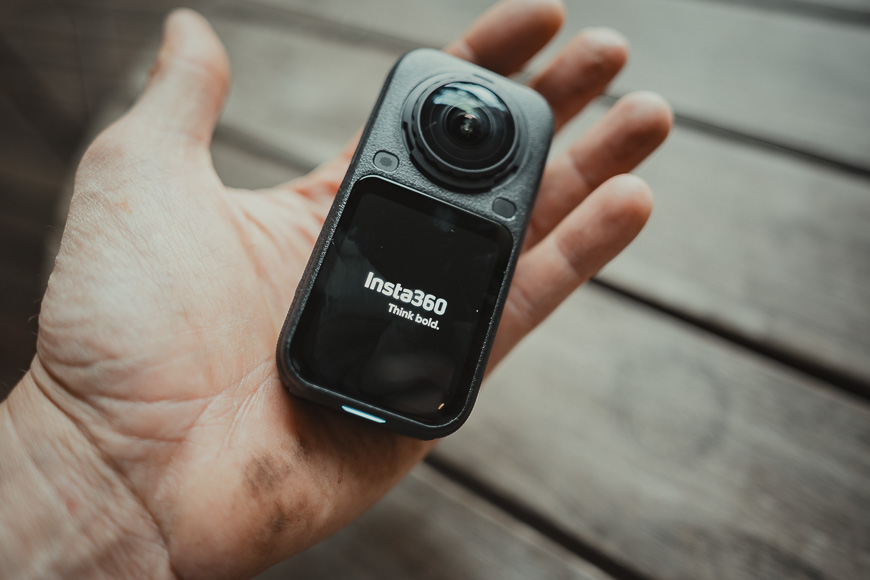
Insta360 X6 Review: Is It Worth Upgrading From the X5?
Another year, another flagship 360 degree action camera from Insta360... but is it worth your hard earned cash? We take a closer look in this X6 review.
Camera Reviews | Photography Gear Reviews | By Jeff Collier | Last Updated: October 27, 2026
Shotkit may earn a commission on affiliate links. Learn more.
After testing the Insta360 X6 for two weeks, I’m convinced it’s one of the best cameras available for capturing action without worrying about composition.
The larger sensors, 8K recording at up to 50fps, improved battery life, and compact body make it a meaningful upgrade on paper.
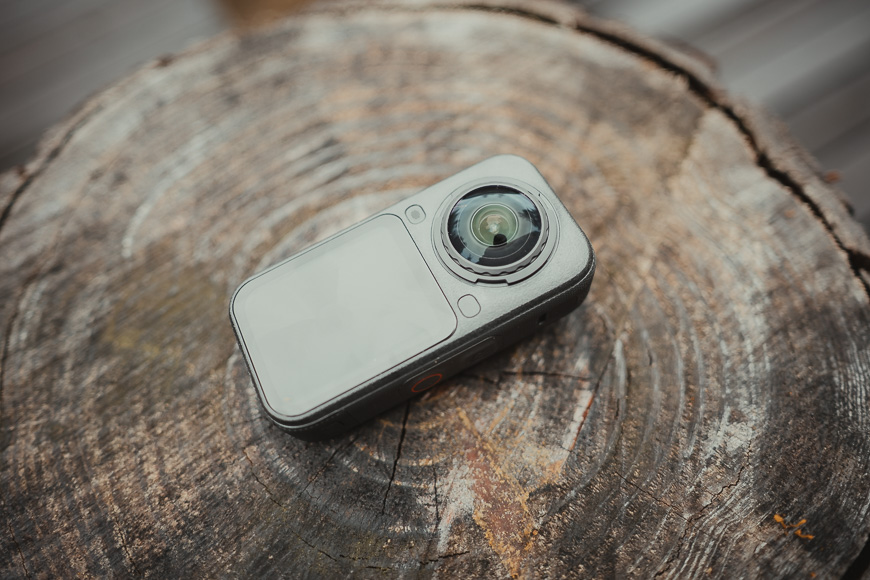

Compact, rugged, and waterproof 360-degree camera offering excellent image quality, 8k video, and easy mobile editing.
More importantly, the camera remains wonderfully easy to use in situations where pointing a conventional camera would be difficult or distracting.
However, X5 owners shouldn’t automatically reach for their wallets. The difference in good light is relatively modest, and many of the X6’s biggest improvements are aimed at serious video creators.
Insta360 X6 Review Summary
- Excellent 360 image quality
- Record first and choose your framing later
- Improved low-light performance
- 8K 360 video at up to 50fps
- Longer battery life than the X5
- Compact, rugged, and waterproof
- Replaceable lenses
- Built-in storage
- Excellent stabilisation
- Easy mobile editing and reframing
- Expensive
- Editing 8K footage is demanding
- Mobile app can feel cluttered
- Limited compatibility with X5-specific accessories
- Not a must-have upgrade for most X5 owners
- Pro video features are wasted on casual users
What Is the Insta360 X6?
The Insta360 X6 is a dual-lens 360-degree action camera.
Unlike a conventional action camera, which records only what’s directly in front of the lens, the X6 captures everything around it.
You can concentrate on riding, swimming, driving, or spending time with your family and decide where the camera should point afterwards.
That “shoot first, frame later” approach is still the biggest reason to buy an Insta360 camera.
I tested the X6 for two weeks, taking it on gravel cycling rides through the Tweed Valley in northern New South Wales, into the local pool with my grandkids, and out the window of my car using the Invisible Selfie Stick.
I’m not a video creator, so I won’t be showing any of the videos I recorded. There are plenty of excellent YouTubers who have already produced detailed footage comparisons and pushed the camera’s video modes much harder than I would.
Instead, this review concentrates on what the X6 is like to own and use as a photographer, hobbyist, or creator who wants interesting footage without turning every outing into a video production.
Insta360 X6 Specifications
- Dual 1/1.1-inch sensors
- 8K 360 video at up to 50fps
- 5.7K high-frame-rate 360 recording
- 5K/60fps flat video
- 4K/120fps flat video
- 120MP 360 photos
- 10-bit colour
- I-Log and Dolby Vision support
- PureVideo low-light mode
- FlowState stabilisation
- 360-degree Horizon Lock
- 2.32-inch OLED touchscreen
- 47GB of usable internal storage
- MicroSD card support
- 2,600mAh removable battery
- Waterproof to 20 metres without a housing
- Replaceable lenses
- Approximately 196g
- 50 x 100 x 40mm, including the lenses
Design and Build Quality
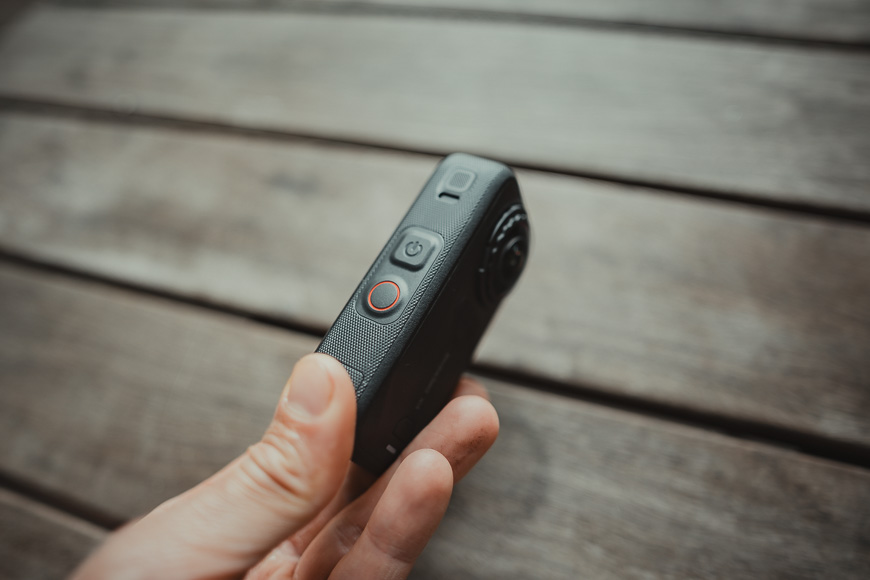
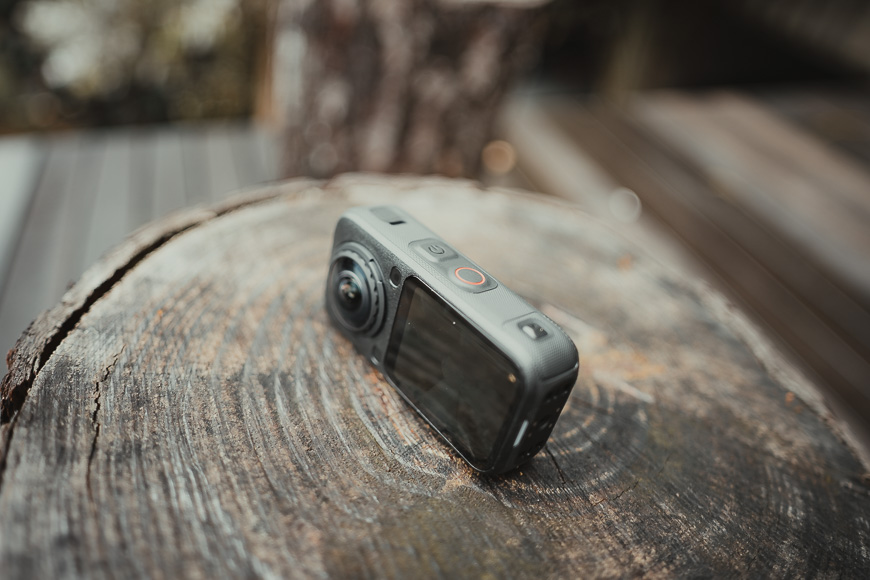
The first thing I noticed was that the X6 no longer has the tall, narrow shape traditionally associated with Insta360’s X series.
It’s shorter and wider than the X5, giving it a stockier appearance. It weighs roughly the same, but the lower profile makes sense when the camera is mounted on a bicycle, helmet, selfie stick, or vehicle.
For cycling, the shorter body feels less exposed than the X5. It doesn’t protrude as far from a mount, although the two bulbous lenses remain vulnerable by design.
That vulnerability is unavoidable with a 360 camera. Both lenses need an unobstructed view to capture the entire scene, so they extend beyond the camera body and can’t be fully protected without affecting the image.
Fortunately, the X6 introduces Insta360’s second-generation replaceable lens system. The company says the new lenses are substantially more scratch-resistant, easier to replace, and cheaper than the X5 replacements.
I didn’t deliberately test those claims by throwing the camera down a gravel road, but replaceable lenses provide welcome peace of mind. Anyone who has used a 360 camera around rocks, bicycles, children, or swimming pools will understand why.
The camera feels solid and well-made, with a textured exterior that’s easier to grip with wet or sweaty hands. The battery and USB-C doors close securely, and the controls are straightforward once you’ve spent a little time with them.
My only design-related frustration is accessory compatibility. The X6 retains a standard quarter-inch thread and works with common mounts and compatible magnetic quick-release accessories.
However, its revised dimensions mean cases, batteries, dive housings, and other accessories shaped specifically for the X5 generally won’t fit.
That adds to the real cost of upgrading.
Screen and Controls
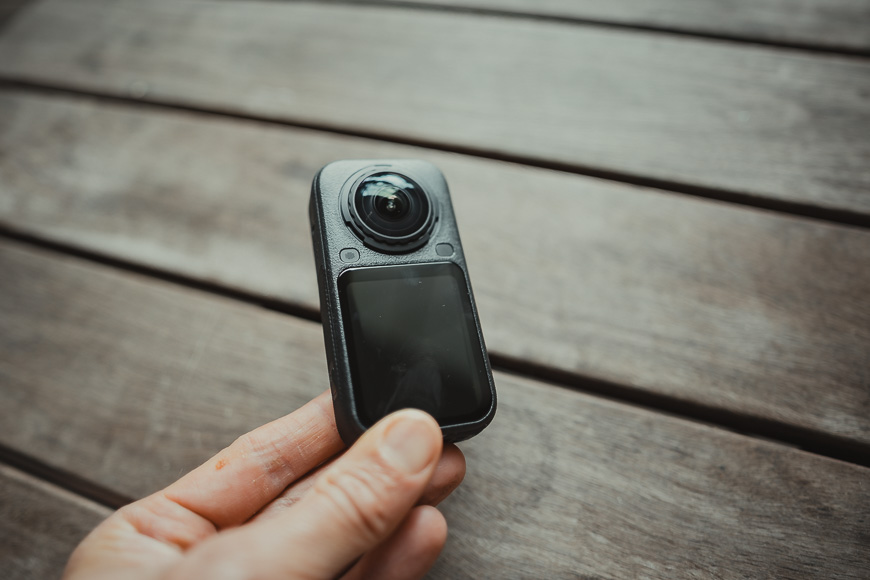
The new 2.32-inch OLED touchscreen is bright, sharp, and easy to see outdoors.
A screen on a 360 camera isn’t as important for composition because the camera captures everything, but it’s still useful for selecting modes, checking settings, reviewing clips, and confirming that the camera is recording.
The interface is responsive, and the main controls are logical. You can swipe between shooting modes, adjust resolution and frame rate, or change more advanced settings without constantly reaching for your phone.
I appreciated this on the bike, where I wanted to start recording and get moving rather than spend time navigating menus.
The shorter body means the X6 doesn’t feel quite as natural in the hand as the X5’s longer design. That said, I generally used it on the Invisible Selfie Stick or attached to something, where the new proportions were an advantage.
Image Quality
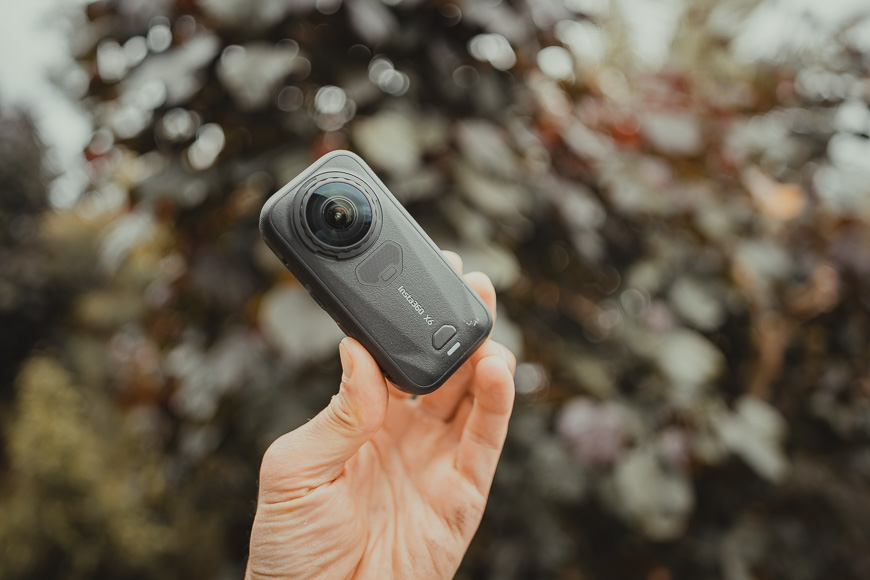
The headline improvement is the pair of 1/1.1-inch sensors, which are larger than the 1/1.28-inch sensors in the X5.
The X6 still records 8K 360 footage, but the maximum frame rate has increased from 30fps to 50fps. This gives fast movement a smoother appearance while retaining the detail needed for reframing.
That matters for activities such as cycling. A 360 camera records a vast spherical image, but your finished video only displays a cropped section of it. Starting with more resolution and cleaner detail gives you greater freedom to choose an angle later without the resulting footage immediately falling apart.
In good daylight, the X6 produces crisp, colourful results with excellent stabilisation. The improvement over the X5 is visible, but it isn’t dramatic. Anyone expecting the X5 to suddenly look outdated will be disappointed.
The advantage becomes clearer in poor or changing light.
Gravel rides often pass between bright open roads and heavily shaded sections, which can be challenging for a small-sensor camera. The X6 holds shadow detail more convincingly and produces a cleaner image than earlier generations.
Its PureVideo mode also does an impressive job in low light, although no 360 action camera can match a large-sensor mirrorless camera once conditions become genuinely dark.
The X6 now records 10-bit colour across its shooting modes. Serious video creators will appreciate the additional flexibility when colour grading, particularly when using I-Log. Dolby Vision recording is also available for creators who want a more polished HDR result with less manual work.
Those features are less relevant to me. I’d rather have an attractive result without spending hours grading footage. Thankfully, the standard colour modes produce pleasing footage straight away.
The camera can also capture 120MP 360 photos, up from 72MP on the X5. There’s plenty of detail in good light, and the ability to extract multiple compositions from a single image is entertaining.
However, I still see the X6 primarily as a video camera. Its 360 stills are useful and fun, but they don’t replace a conventional camera when maximum photographic quality is the priority.
Stabilisation and the Invisible Selfie Stick
FlowState stabilisation remains one of the Insta360 system’s strongest features.
The footage from my gravel rides remained remarkably steady despite the rough surface and constant vibration. Horizon Lock also keeps the finished view level, even when the camera is leaning or moving unpredictably.
The clever part is that this happens without needing to aim the camera precisely. I could ride naturally and choose whether the finished clip looked forwards, backwards, sideways, or towards me when editing it.
The Invisible Selfie Stick creates the effect that the camera is floating nearby. The stick sits within the blind area where the two lens images meet, allowing Insta360’s stitching software to remove it from the final footage.
Mounting the X6 outside the car produced angles that would otherwise require a chase vehicle, a drone, or a much more complicated rig.
As always, the stick isn’t literally invisible in every situation. Poor alignment, nearby objects, or awkward positioning can reveal stitching errors and strange artefacts.
You’ll also have to be mindful of where the shadow of the stick falls, which could ruin any illusion of invisibility.
Used correctly, though, the result remains one of the easiest ways to create dramatic drone-like footage with minimal equipment.
Using the X6 in Water
The X6 is rated waterproof to 20 metres without a separate housing, compared with 15 metres for the X5.
That’s more than enough for swimming pools, snorkelling, rain, and most casual water activities.
Taking it into the local pool with my grandkids demonstrated why 360 cameras work so well for family use. I didn’t need to direct anyone or repeatedly ask them to redo something because the camera was pointing the wrong way. I could join in, let the camera capture the scene, and find the best moments later.
As with other 360 cameras, underwater stitching can be imperfect because water changes how light passes through the lenses. A dedicated Invisible Dive Case is the better solution for serious underwater recording, especially if clean 360 stitching is important.
For splashing around in a pool, however, being able to use the camera without another bulky housing is convenient.
Battery Life and Storage
Battery life is one of the X6’s more practical improvements.
The new 2,600mAh battery is larger than the X5’s 2,400mAh unit. Insta360 claims up to 140 minutes of 8K/30fps recording, although real-world results will vary with resolution, temperature, screen use, wireless connections, and how frequently you stop and start recording.
The important point is that the X6 lasts noticeably longer than the X5.
For day trips and shorter rides, I was less concerned about constantly checking the battery level. Serious users will still want a spare, but casual creators may get through an outing on one battery if they record selectively.
The battery is removable, which is preferable to relying on an internal battery, and fast charging can take it from empty to 80% in around 24 minutes with suitable charging equipment.
The X6 also includes 47GB of usable internal storage. It isn’t enough for a full day of high-resolution 360 recording, but it’s extremely useful when you forget a memory card or fill one unexpectedly.
Considering the size of 8K files, I’d still recommend buying a fast, high-capacity microSD card.
Editing and the Insta360 App
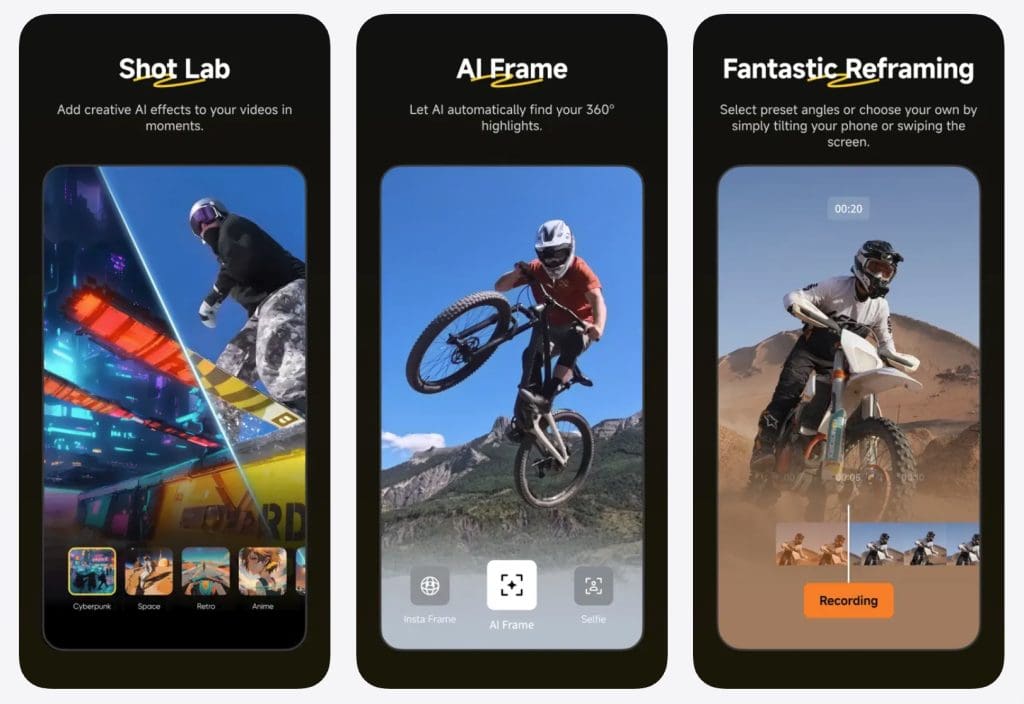
Capturing everything is easy. Choosing what to show is where the work begins, and as with all the best 360 cameras, having infinite possibilities can get overwhelming quickly.
Thankfully, Insta360 has the most mature 360 editing ecosystem I’ve used, and the mobile app makes reframing footage approachable. You can change the camera angle with keyframes, track a subject, create transitions, apply effects, and export conventional horizontal or vertical videos.
The app can also identify highlights and assemble clips automatically. This is useful for hobbyists who want something shareable without learning a full editing program, although the results don’t always match the choices I would make myself.
There are so many tools, templates, effects, and AI features that the app can occasionally feel rather cluttered. To me it seems more interested in showing what it can do than helping you reach the feature you actually need.
Editing 8K 360 footage also demands a capable phone or computer. Longer projects quickly consume storage, battery power, and processing resources.
The desktop Insta360 Studio application is the better option for more precise work, while experienced creators can incorporate the footage into a broader editing workflow.
The flexibility is excellent, but buyers should understand that 360 footage is rarely finished when they press the stop button. You’re trading the effort of framing during capture for more decisions afterwards.
Insta360 X6 vs X5
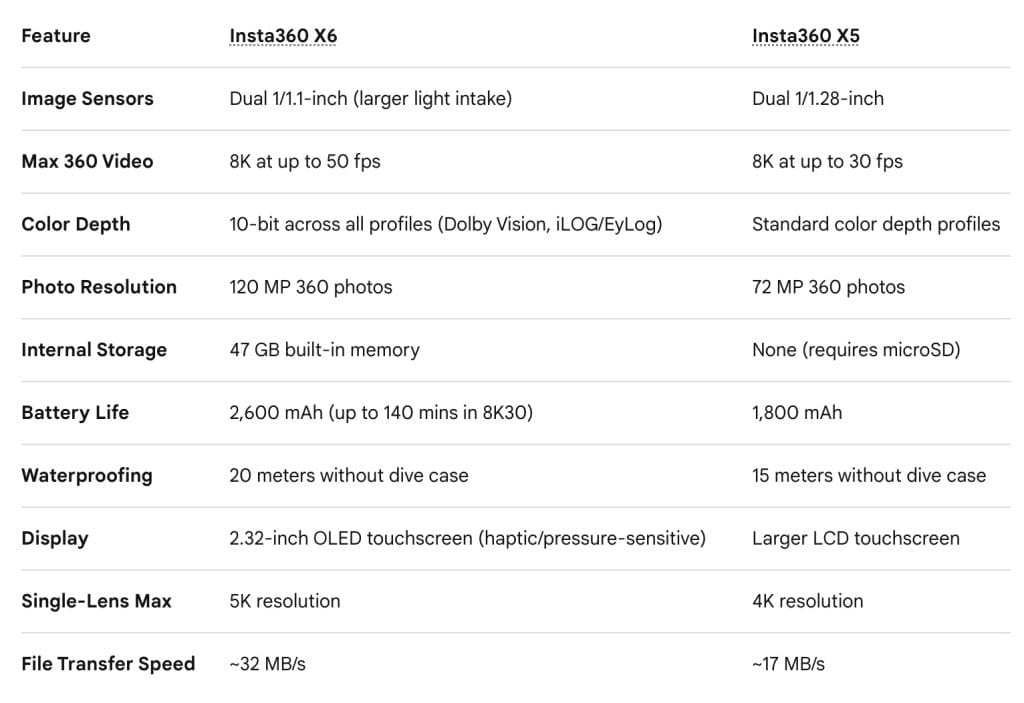
I owned the X5, so can make a subjective comparison here and say with confidence that the X6 improves on the X5 in almost every important area.
Its larger sensors deliver cleaner footage, especially in low light. It records 8K at up to 50fps rather than 30fps, captures higher-resolution photos, offers broader 10-bit support, and has a longer-lasting battery.
It’s also shorter, waterproof to a greater depth, and includes internal storage. The brighter OLED screen and updated replaceable lenses are welcome quality-of-life improvements.
However, the X5 remains a very capable camera.
In bright conditions, the difference in image quality is smaller than the specifications suggest. Both cameras offer excellent stabilisation, replaceable lenses, 8K capture, effective low-light processing, and access to Insta360’s mature editing platform.
The X6 is clearly better, but that doesn’t automatically make it better value.
Should X5 Owners Upgrade?
For most X5 owners, I don’t think the X6 is an essential upgrade.
If you mainly shoot outdoors in good light, edit for social media, and are satisfied with 8K/30fps footage, the X5 continues to do an excellent job.
An upgrade makes more sense if you regularly record fast action at the highest resolution, work in low light, need the longer battery life, or want 10-bit footage for serious colour grading. The shorter body and increased waterproofing may also matter for specialist mounting or underwater use.
Remember to account for accessories. Batteries and fitted cases from the X5 generally won’t transfer to the new camera, reducing the value of upgrading for anyone who has invested heavily in the older system.
Owners of the X4, X3, or an earlier 360 camera will see a much more substantial improvement. If you’re buying your first 360 camera and can afford it, the X6 is the more future-proof choice.
A heavily discounted X5, however, could be the smarter option for beginners who aren’t sure how often they’ll use a 360 camera.
Final Thoughts
The Insta360 X6 is the best X-series camera Insta360 has made.
Its image quality, stabilisation, battery life, waterproof construction, and “record everything” freedom make it an exceptional tool for cyclists, travellers, families, action-sports enthusiasts, and creators.
What I enjoyed most was not having to behave like a video creator. I could concentrate on the ride, swim with my grandkids, or enjoy the drive without constantly thinking about where the camera was pointing.
That freedom is the real appeal of the X6.
It’s expensive, the editing process still requires time, and the improvements over the X5 are more evolutionary than revolutionary for casual users. Existing X5 owners should upgrade only if the larger sensors, faster 8K recording, longer battery life, or professional colour options solve a specific limitation.
For everyone else, (particularly anyone moving from an older model), the Insta360 X6 is a remarkably versatile camera that can capture shots conventional action cameras simply can’t.
Compact, rugged, and waterproof 360-degree camera offering excellent image quality, 8k video, and easy mobile editing.
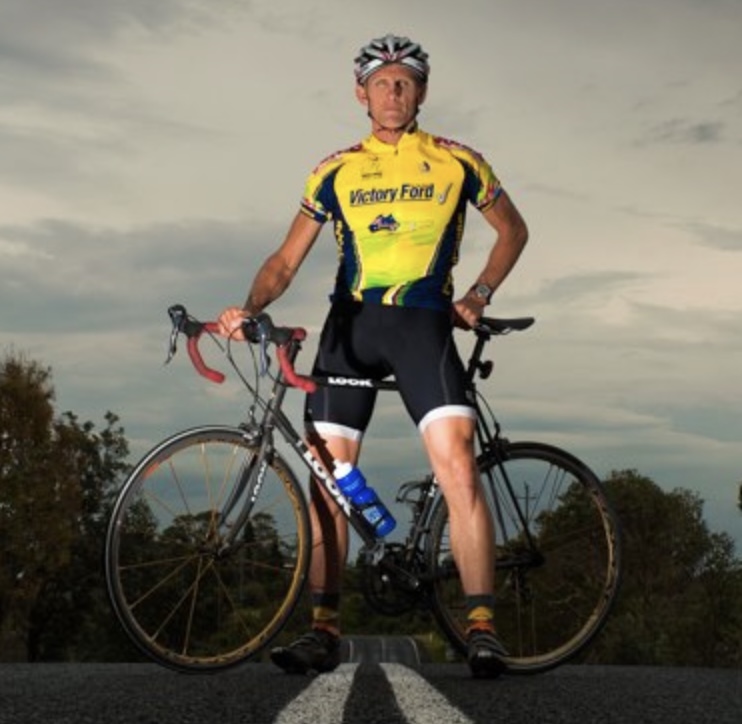
Jeff Collier is an experienced film photographer who enjoys experimenting with modern digital photography equipment, software and apps. He’s also an ex-world champion triathlete and avid cyclist, clocking hundreds of km each week in the beautiful Tweed Valley of northern NSW, Australia.
👋 WELCOME TO SHOTKIT!
🔥 Popular NOW:
