







Notegpt.io Review: Can AI Improve Your Image Editing?
Is NoteGPT.io worth it for image edits? This review explores its prompt-powered tools, results, and whether it delivers for creators.
AI | Software | By Jeff Collier | Last Updated: April 21, 2026
Shotkit may earn a commission on affiliate links. Learn more.
Considering how many AI image editing options there are, you can find pretty much any feature you need just with a quick Google search.
But Notegpt.io looks to go a bit further. Rather than being a standalone image editor, it’s an entire suite designed to be used for any AI-related task.
It’s also worth noting that despite the similar name and branding, NoteGPT is not affiliated with OpenAI or ChatGPT.
Let’s dive into how the tool fares when it comes to different aspects of editing images using AI.
Notegpt.io Basics
As mentioned, the tool is an entire AI suite that not only edits images but also transcribes video, creates articles, and even makes presentations from scratch.
This is all done through different AI models, so the results you get will largely be based on the model in question.
For image editing, it uses Nano Banana, one of the most popular and consistent AI image processors available (and made by Google).
In general, this AI image editor should produce solid results so long as you provide images that aren’t incredibly blurry or low-quality. And with that, let’s move on to the basic features of Notegpt.io.
AI Image Editing Features
One of the biggest notes here is that Notegpt.io has a shared credits system with the rest of the AI tools. This has both upsides and downsides.
For one, you get a fairly generous allotment of image credits daily (for any kind of AI manipulation). However, if you’re like me and occasionally want to perform any kind of bulk editing, you should know that even the “unlimited” plan comes with daily and monthly restrictions.
But on the plus side, that also means the entire suite of AI tools (image-related and otherwise) is relatively inexpensive overall.
Now, of course, that won’t actually help you create or edit images, so let’s dive into the tool’s hallmark AI image editing features.
Image Generation
Generating new images from scratch is something that most “good” AI editors should do.
However, Notegpt arguably fails if you need any sort of scientific or statistical accuracy to support your images.

You don’t even have to zoom into the picture to see what a mess it is in terms of displaying information.
But once I zoomed in, one of the major problems I discovered with the basic Nano Banana model is that it isn’t consistent in text generation.
I’m thinking that because the tool is primarily a pure image generator, it actually can’t source data for text. Rather, it makes guesses based on training images and then just jumbles them all together.
If you actually want to put in text, you’ll need to explicitly include the specific text the AI should put in and where in the prompt. Even then, I’ve found that in some cases the AI failed to properly generate it.
This means the tool is arguably more useful when trying to generate purely “artistic” images (i.e., where there’s no text involved).
Simply put, if you want an image of a dog, you’ll likely get a solid one (even if you need to regenerate the image a few times to get the correct look of the specific breed).
When I used the more advanced Nano Banana 2 model, the image turned out much better. However, this uses up credits much faster (despite what the model selector tooltip suggests).

Image-to-Image AI
One subset of image generation that works slightly better is image-to-image creation.
This allows you to take an existing image (such as a photo) and turn it into a completely different style. I’ve used it to make images into cartoons, comics, or even watercolors.
The impressive thing here is that the tool also accepts textual input beyond style changes and can implement small edits into the result.
As for the styles, the more “artistic” interpretations are generally better. The AI seems to have more training data in this regard and can eschew some of the realism constraints when working in the image generation mode.
Remove or Change Background
The AI background remover is a relatively simple yet powerful tool here, and one that starts showcasing the accuracy and speed of the Nano Banana model.
In testing, it did a solid job overall. The tool was able to separate the subject from the background quickly, even in images with fairly complex scenes, and most of the key foreground elements were preserved accurately.
That said, it isn’t flawless. Finer details—especially things like hair, edges, or intricate textures—can sometimes come out uneven or slightly distorted, as you can see in the example below.

Part of the reason for this is that the tool doesn’t allow for manual prompting or refinement. Instead, it automatically generates what it considers the most likely result based on the image, which works well in most cases but can struggle with more nuanced details.
Furthermore, I also discovered that you also can’t manually choose or mark the objects considered to be a part of the foreground.
This can be helpful at times, since it speeds up editing if you’re working with a few images at once. But it can also make the process slower since it makes assumptions about what the “object” is that might not be the same as what you intended.
Somewhat annoyingly, the option to change the background is located in an entirely different part of the image editing suite, and for some reason, the two AI tools have different prompt abilities.
The background changer also inexplicably has image editing options with three separate settings for image styles. Using one automatically fills the prompt textbox with a preset (that you can change).

However, given that the tool is only supposed to change the background, the auto-prompter can actually work against that goal.
Object Remover
While the background remover works all on its own, the object remover is much more detailed.
You get the ability to precisely describe what you want to remove from the image (be it a specific object or a part of the background). Alternatively, you can use the “Brush” mode to select the object manually.
With the text prompter, I found you need to be as precise as possible with the description, with absolute references to its location usually working better than vague “remove people on the left” instructions.

When working with relatively simple images where it’s quite clear what you can remove, the AI does work quite well (and fast). It can detect people, animals, or objects in the background to remove and fill in the blank with the pattern that matches.
Do note that this is not quite perfect in terms of generating the leftover image. If you’re trying to remove something with a complex background behind it, expect a relatively still pattern that might clash with the rest of the image.
Headshot Generator
This is arguably one of the best uses of the AI tool since it leverages its ability to replicate existing images.
The headshot generator simply takes an existing photo of you, then changes the pose, clothes, and background to match a specific style.
The “style” wording here is important, as you get nine stock options to choose from. When you do, the AI fills in the prompt automatically (which you can still change if needed).

This means that the tool will almost always generate consistent results between different starting images (since it has the same automatic prompt).
As for the actual quality of the headshots, in my opinion, the faces generated can look overly symmetrical. This might not be a bad thing, but the fact that the AI might distort the face can be a bit worrying.
On the plus side, the AI can detect the general facial features (such as eye shape, color, lip width, etc.) and apply them to the finished product most of the time.
Overall, since the AI has multiple styles to choose from and automatically creates prompts, you’re far more likely to get a good result than not.
Along with headshot generation, the tool can create a passport or ID image you can save and send in a digital form when you need your documents renewed. It can also work well as an image for LinkedIn and other social media platforms.
Similar to the headshot generator, the images created are pretty high-quality. In fact, the result is almost identical to the “ID Photo” option. You also get a lot more “stock” options to choose from.
This is where the “prompt power” of Notegpt.io comes in. Since all you’re doing is selecting from a preset of settings, you don’t have to worry about the AI not understanding your instructions.
Clothes Changer
If you want to use the ID generator but feel that the clothing options are limited, Notegpt.io also has a separate clothes-changer tool to accommodate it.
The tool accepts either image or textual input. For images, make sure to provide a high-resolution image of clothing from the front, as that’s the most likely option to give you a good application.
When combined, the headshot generator and clothes changer allow you to technically cycle between dozens of ID styles.
Image Extension
This is technically a subset of image generation, but in this instance, it starts with an actual image and extends it to the given border.

And while the image generation with Nano Banana can be a bit iffy, the AI is much better suited to editing an existing image.
In most cases, the results you get are what you might expect, especially when you want to extend stationary objects or the background. The AI will apply a similar pattern or “know” where to end an object.
Do note that the same can’t be said for humans or animals. While the AI often nails the correct limb orientation (and number), it can generate odd-looking results at times.
That’s why I highly recommend checking the created image extremely carefully for details. The UI allows you to take the result and further refine it with image editing, but it will eat up the monthly credits to do so.
Pricing
Now, this is one of the objectively worst parts of Notegpt.io. Simply put, there’s no free account option for the tool.
While you can technically make a “free account” and log in with any email, you get only two image credits per month. This is across all types of AI tools, and most options actually require two or more credits per image.
Even worse, trying out various options is sometimes simply not possible.
When I logged onto a different PC and tried to use a feature on a free account, the tool displayed an error message when I tried uploading an image to edit, but still “ate” the image credit for processing it.
This resulted in the first attempt to get a sample of a feature being hit with a large ad for purchasing a Premium subscription.
Speaking of which, the tool has a generally unfavorable monthly subscription rate if you only need image generation, since you can either get access to the entirety of the AI suites or nothing.
However, at the lowest subscription option (the Pro version priced at US$9 per month), you get only 50 image credits per month (which can restrict you to fewer than 15 images edited since some AI tools require two to six credits, and “regenerating” just uses more credits).
This makes the tool very expensive to try out if you’re just looking for barebones image editing options occasionally.
The flip side of this is that the higher subscription tiers allow you much greater access to the AI tools as a whole. This means you can use the rest of Notegpt for video editing, content writing, and even general SEO and marketing fairly well.
Who Is Notegpt For and Final Verdict
Given the tool’s ability to insert prompts all by itself at the click of a button, Notegpt makes AI image editing more streamlined for the average user who doesn’t have extensive photography knowledge.
This is helped by a UI with a multitude of straightforward options and converters designed to do one thing.
However, this goes out of the window when you consider the relatively steep price of using the tool constantly, and that some features are not as intuitive as they should be.
For example, the background changer tool, something that is usually a given on even a mobile app, is needlessly complicated and spliced with general image editing. This can create a feeling of “over-editing” an image when it doesn’t need to be.
As such, it’s pretty clear that Notegpt isn’t really meant for the average user who just wants to edit one or two images per week for use on the occasional social media post.
Instead, the suite is targeted at dedicated social media influencers, entrepreneurs, or smaller teams who want a multitude of AI options in one place.
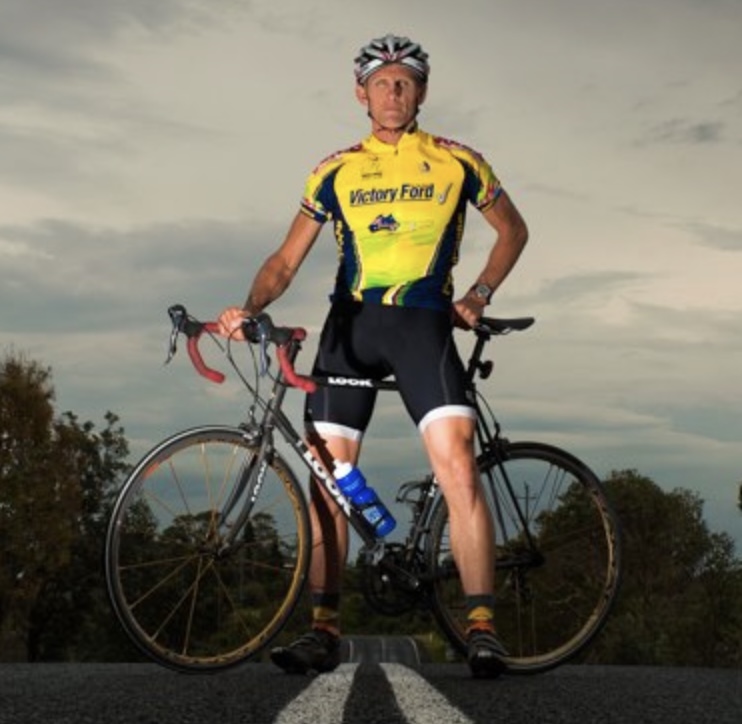
Jeff Collier is an experienced film photographer who enjoys experimenting with modern digital photography equipment, software and apps. He’s also an ex-world champion triathlete and avid cyclist, clocking hundreds of km each week in the beautiful Tweed Valley of northern NSW, Australia.
👋 WELCOME TO SHOTKIT!
🔥 Popular NOW:
