






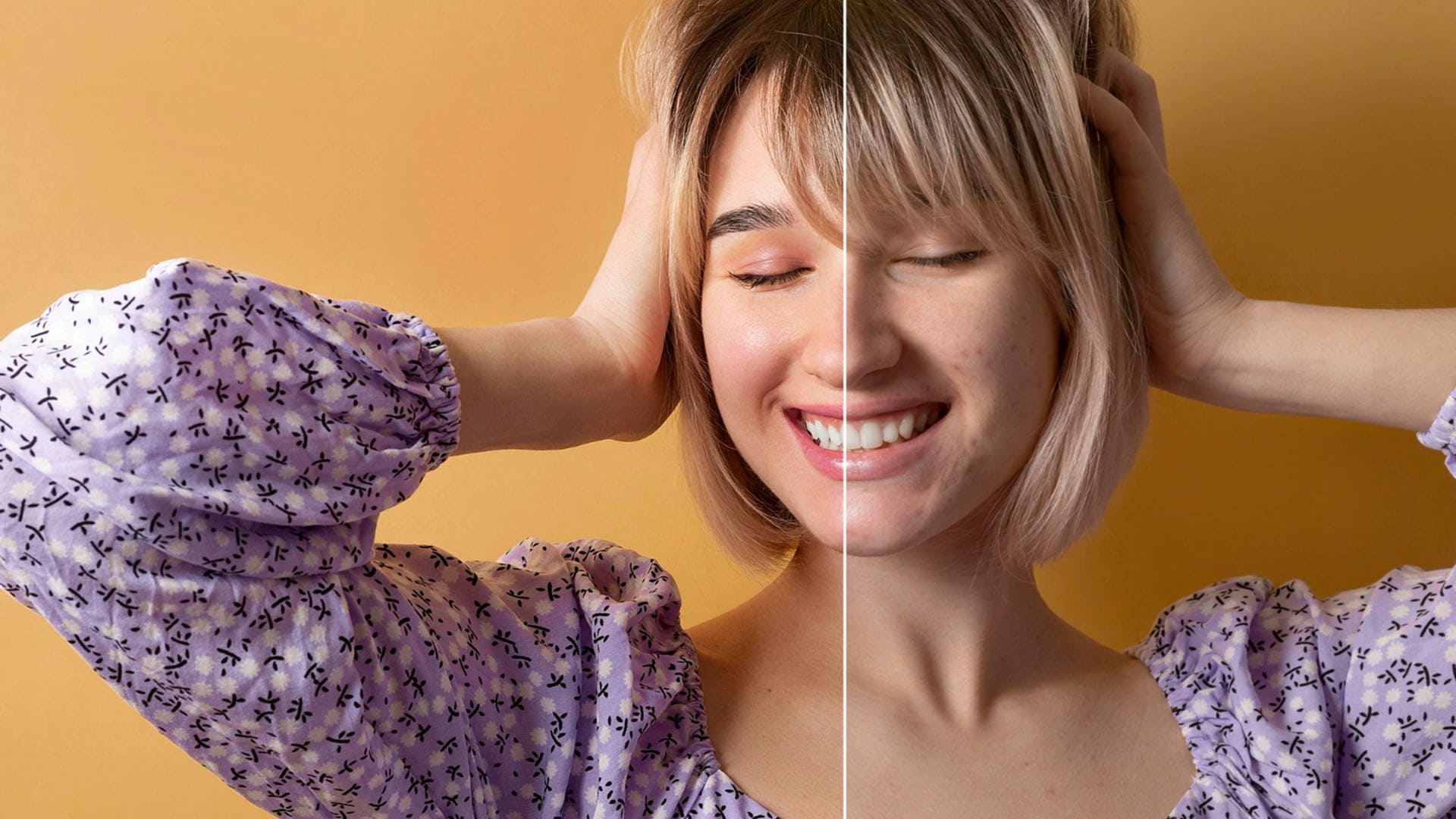
How Good Is Banana Pro AI for Photo Enhancement?
Banana Pro AI claims to be one of the best AI image editing and generation suites, but can it live up to the hype? Find out in my Banana Pro AI review.
AI | Software | By India Mantle | Last Updated: June 10, 2026
Shotkit may earn a commission on affiliate links. Learn more.
In the age of AI, photo editing is arguably much easier than ever before. Gone are the painstaking, time-consuming processes of the past; now there are simple AI tools that anyone can use to help them touch up portraits and clean up landscapes.
The only problem is separating the best AI image editors from the rest. Banana Pro AI claims to be one of the better options on the market, not just for AI-powered image editing, but also for image and video generation, too.
I’d heard of this tool and had even been recommended it by a fellow photographer, but wasn’t sure how useful it truly was. So, I decided to put it to the test. Read on for my full and frank impressions of Banana Pro AI, focusing primarily on its AI image editing and enhancement capabilities.
What Does Banana Pro AI Offer?
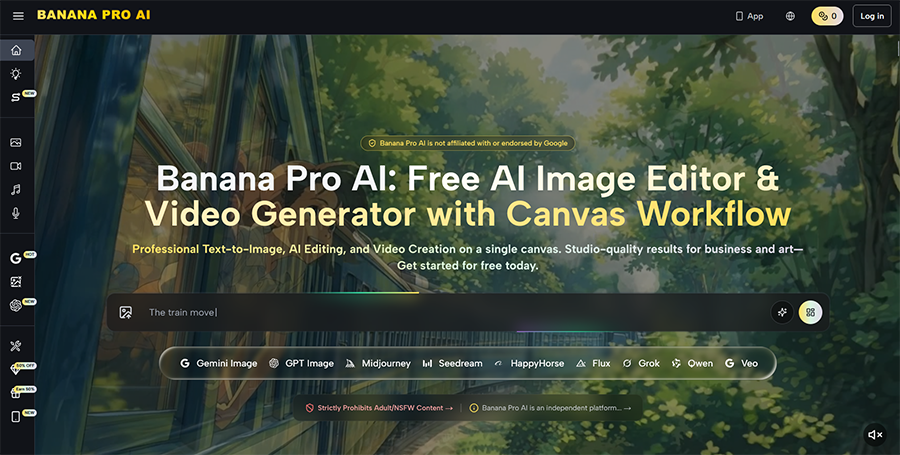
Before I get into the details of what Banana Pro AI can do and how I used it to enhance some of my photos, here’s a quick introduction to the platform itself.
In a nutshell, Banana Pro AI is a comprehensive AI image and video generation and enhancement platform. It gives users access to a wide range of AI models, which they can then use for making images and videos or editing either real or generated content in exciting and unusual ways.
Despite the name, which sounds similar to Google’s Nano Banana Pro image generator, Banana Pro AI isn’t directly affiliated with Google in any way. It does, however, offer access to Nano Banana Pro (Gemini 3 Pro Image), along with other models, like Midjourney, Seedream 5.0 Lite, and GPT-4o Image.
You can use these models to make and enhance content in various ways, and Banana Pro AI also offers an Asset Library for storing your creations, plus a node-based workflow system for more advanced tasks. New features are added to the platform often, and it also has a mobile app version.
Key Features of Banana Pro AI for Photo Editing and Enhancement
As explained above, Banana Pro AI isn’t just a photo editing or enhancement platform. It’s a vast generative AI suite, suitable for creating all kinds of content, from pictures to videos and even voices and music, using the latest and greatest generative models.
For this review, however, which is aimed at photographers and photo editors, I’ll focus on the image editing capabilities of the platform.
AI Photo Editor
For photo editing and enhancement on Banana Pro AI, the main tool to use is the AI Photo Editor. As the name suggests, this was made specifically with image editing in mind, allowing users to harness the power of AI to make all kinds of adjustments, like background removals and upscaling.
Here’s a closer look at how it works.
The main screen of the Banana Pro AI Photo Editor, like most features on this platform, is well-organized and intuitive. There’s a drop-down menu at the top that allows you to choose between different AI models to assist you in your editing, upload buttons to add your images, and a prompt window.
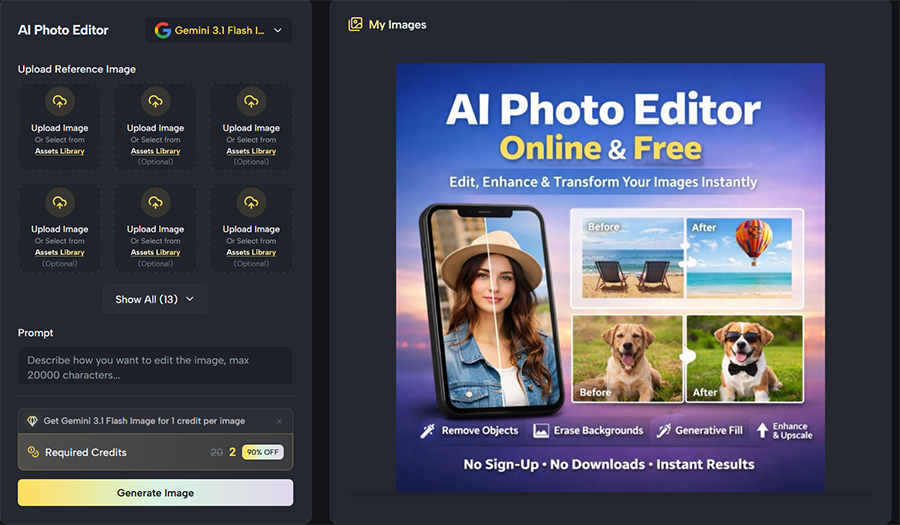
The first step is to choose a model to work with. At the time of writing this review, Banana Pro AI offers Gemini, GPT, Qwen, and Grok image editor models, though more may be added and some may be removed over time, as the platform is regularly updated.

Next, I can upload the images I want to work with. Banana Pro AI offers the ability to upload a single image or multiple pictures, which can then be combined. You can add a picture of a beach, for example, as well as a person, and combine them into one image with the power of AI.

I then type in my prompt, which, in this case, involved the woman in the red dress standing on the beach, before selecting my desired image size, resolution, and the number of images I wish to generate. Depending on your payment plan, you can also opt to show your creations publicly or keep them private.

Finally, it’s simply a matter of clicking the “Generate Image” button and waiting a couple of minutes at most for the process to complete.
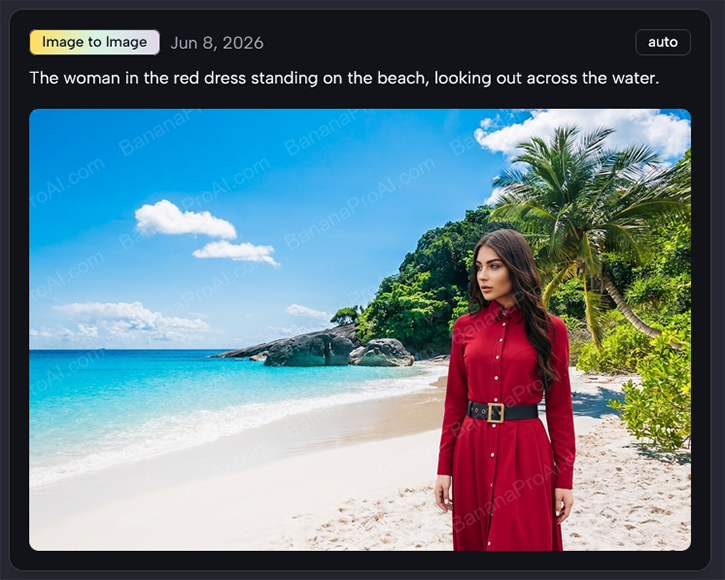
This was the result of quite a simple prompt and a couple of standard reference images, but the more detail you add to your prompt, the more control you have over the results.
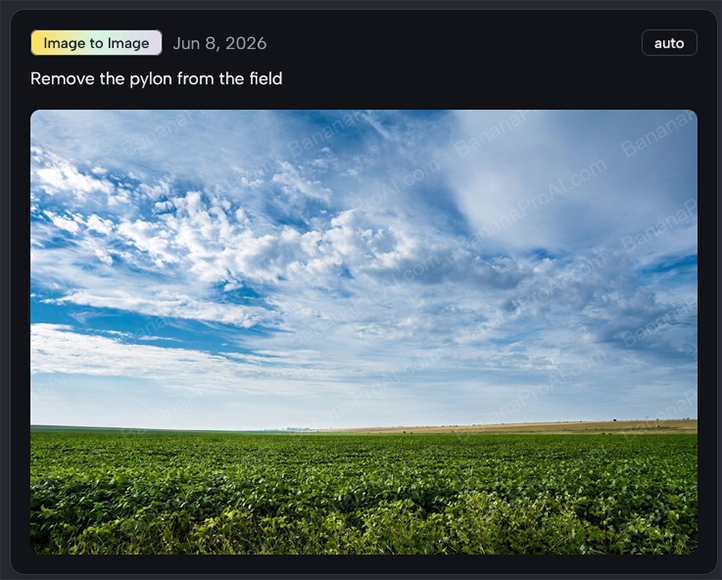
This tool works well for removing unwanted elements from images, too. Here, for example, I shared a picture of a field with a pylon in it and asked the AI to remove the pylon while keeping the rest of the image the same.
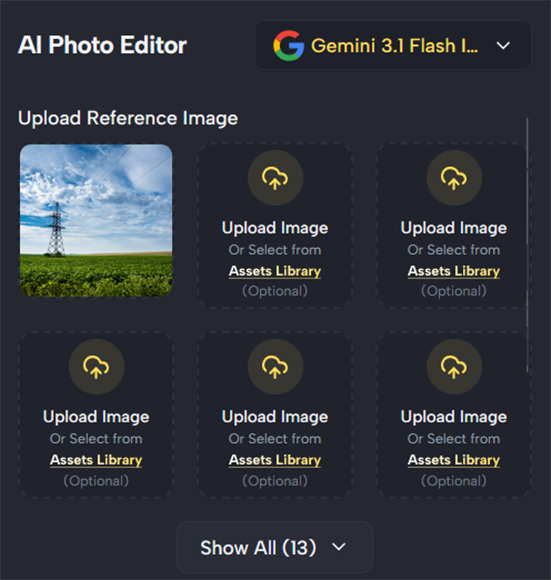
Again, the whole process took less than two minutes, and the results were exactly as I hoped:
For enhancing portraits, too, I found that Banana Pro AI generally worked very well. Here, I uploaded an image of a young woman and asked the AI to improve the clarity and fix a few imperfections, as well as change the background to plain white to help the subject stand out more.

After fine-tuning my prompt and adjusting the other parameters, I generated my new image:

The AI did exactly what I wanted, leaving the model’s pose and expression intact while cleaning up the background, making her hair look neater, and slightly adjusting her complexion.
I repeated these kinds of tests with various photos and continued to enjoy successful results. Now and then, I did have to rewrite my prompt or retry the generation to get the desired effect, but most of the time, the AI gave me the desired outcome with the first request.
AI Image Generator
While the AI Image Editor is the main tool to use for editing images, you can also try working with Banana Pro AI’s Image Generator, too.

This works a lot like the editor. You can upload reference images, choose from a range of AI models, select from different image sizes, resolutions, etc., and type in a prompt to make the changes you want to see in your images.
The bonus of using the AI Image Generator is that you get access to models that aren’t available in the editor, like Z-Image Turbo. I found that some of these models were particularly good at certain editing tasks, like color correction or fixing lens flare.
Results can vary, however, which is one of the downsides of this platform in general. There are so many models to choose from that it may take time for you to learn what they do well and where they’re less efficient, and you may have to use up some of your credits during that initial experimental stage.
It’s worth noting, too, that the AI Image Generator also usually uses more credits than the AI Image Editor, though it can sometimes produce even more impressive results.
Here, for example, I uploaded a relatively low-resolution image of a bird on a branch and asked the AI to upscale it, making it sharper and crisper and bringing the bird into clearer view.
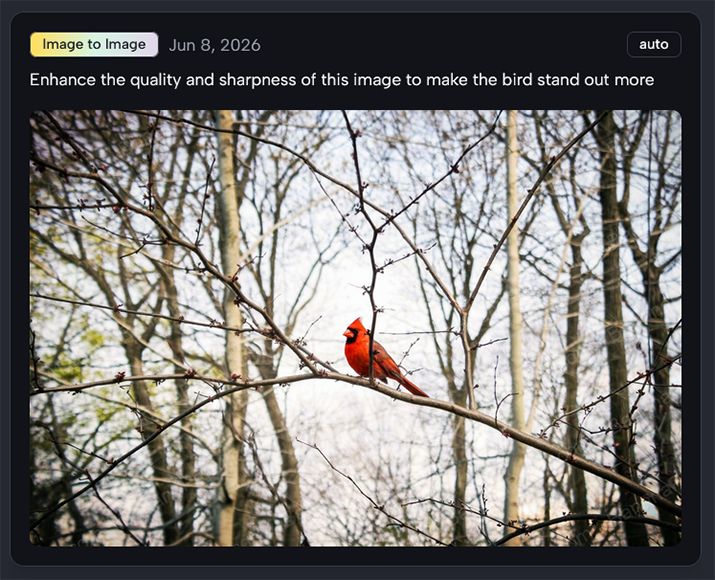
Compared to the original picture, this image is significantly sharper. The AI has slightly blurred the background to bring the subject of the image into sharper focus and made some minor color adjustments, too, giving me a picture that is overall much better than the one I started with.
Pricing

If you’ve used almost any AI platform like this before, you’ll know that the vast majority use credit-based payment systems. Banana Pro AI is no different. You can subscribe to different payment plans, or tiers, and receive varying amounts of credits each month or year, depending on how you choose to pay.
You spend credits every time you use an AI feature or function, like generating an image or editing a photo. Some functions (and models) cost much more than others, so it’s important to spend time with the platform to understand the most affordable and best value options to avoid wasting credits.
As for the payment tiers, there are three of them:
- Entry Level: At $29.90 per month, this level gives you 800 credits per month. If you pay the yearly price up front ($100), it comes out to $8.30 per month for 2,400 annual credits.
- Mid-Tier: You get 1,800 credits a month for a $49.90 monthly rate, or 21,600 credits if you pay the annual price of $360 up front (which works out to $30 per month).
- High Tier: The most expensive monthly plan costs $99.90 per month for 4,000 monthly credits. Or you can pay $599 for the year ($49.90 per month) and get 48,000 credits.
In general, the annual prices work out significantly cheaper than the monthly ones, so if you can afford to pay a larger fee up-front and intend to use Banana Pro AI for the long-term, it’s worth considering the annual packages. The site also lets you buy one-off credit packs whenever you need them.
In addition, I also want to mention that Banana Pro AI does offer a limited free tier for new users, too. This gives you just 10 credits to start with, though you can earn more by logging in each day and completing small challenges. You can also get 60 additional credits with a weekly check-in.
Overall, I’ve tested multiple platforms like this and feel that Banana Pro AI’s pricing is in line with many others. It’s not exceptionally affordable, nor is it overly expensive, and the value you get from it will depend on how often you use it and how many of its tools and features are useful to you.
As a photographer first and foremost, I had little interest in most of the generative features of this platform, but I found the image editing and enhancement tools helpful. If you’re in a similar situation, the entry-level subscription may be enough for you, as you won’t necessarily need too many credits.
The Final Verdict: Is It Worth It for Photo Enhancement?
Thousands of users have flocked to Banana Pro AI purely and simply for its generative AI capabilities. That’s understandable, as it’s one of the most comprehensive AI image and video generation suites I’ve seen, with so many models and such a rich range of features to choose from.
However, I approached Banana Pro AI from a completely different angle. Rather than concerning myself with its generative powers, I wanted to see how useful this toolkit could be to the likes of commercial and even amateur photographers who want to simplify and streamline their editing workflows.
So, returning to my titular question: how good is Banana Pro AI as far as editing and enhancement go? Well, in my experience, it’s quite impressive. Almost all of my tests produced great results; the AI always seemed to know exactly what I wanted and made the desired changes quickly and efficiently.
For tasks like brightening up dark images, restoring old and grainy photos, or breathing new life into images that are perhaps a little flawed, Banana Pro AI is ideal. I’ve also found it useful for removing objects from my photos or adding stylish filters and effects, without spending hours in an editor.
It can be a huge time-saver if you use it correctly, but there are some caveats. Firstly, you have to remember that every action costs credits, and you can churn through credits quite quickly if you’re not careful, so it’s important to pick and choose your actions.
Secondly, while Banana Pro AI may be ideal for surface-level editing or quite broad-stroke changes, you might have some trouble making more minor or specific adjustments. It can take time and demand a certain amount of trial and error to write the correct prompts.
With that in mind, it may be easier to work with a conventional editor in some situations and switch over to Banana Pro AI for larger tasks, which is what I found myself doing.
Overall, it’s not perfect, nor can it ease all of your editing concerns or take on every task imaginable, but Banana Pro AI is still a decent tool to add to your arsenal. It’s fairly priced, efficient, and pleasant to work with, producing strong results on the whole. And it’s getting stronger, with new features being introduced all the time.

As the General Manager of Shotkit, India Mantle brings with her a lifelong love for photography that she developed during her childhood, watching her father document their family moments with his Nikon EM. In her free time, you find her enjoying the awe-inspiring natural beauty of her home, Northern Rivers, Australia.
👋 WELCOME TO SHOTKIT!
🔥 Popular NOW:
