






MYPOSTER AI Photobook Review: Can AI Layouts Replace Manual Album Design?
Discover MYPOSTER AI, the automated tool that offers to create a complete and cohesive photobook in minutes, saving users hours of time and hassle.
AI | Software | By India Mantle | Last Updated: November 11, 2026
Shotkit may earn a commission on affiliate links. Learn more.
Photobooks are a wonderful way to preserve precious memories in physical form, either to look back on yourself or to share as gifts with friends and family. In the past, however, making a photobook could require considerable time and effort. MYPOSTER AI Photobook aims to change that.
This AI tool, which is part of the larger MYPOSTER custom photo printing platform, analyzes your photos and uses them to create photobooks, arranging them in a logical order and applying layouts automatically to save you time.
As someone who has spent entire evenings piecing together photobooks, picture by picture, this tool sounded like a dream come true. So, I decided to put it to the test. Read on through my MYPOSTER AI Photobook review for my full impressions, pricing details, and more.
What Does MYPOSTER AI Photobook Offer?
Before I get into the nitty-gritty of how MYPOSTER AI Photobook actually works, how much it costs, and how good it actually is, let’s cover the basics.
MYPOSTER AI Photobook is just one feature of the MYPOSTER platform, which is a German e-commerce company and custom photo printing service. It’s been around since 2011 and has steadily improved over the years, embracing new technologies and offering a wider selection of features over time.
Like other photo printing services, MYPOSTER offers custom prints in various sizes, framed pictures, calendars, collages, wall art, and other products. Users upload their images, select the sizes and types of products they want, and place their orders for delivery.
The platform also offers photobooks with different themes, sizes, and types to choose from. Then, in October of 2025, a new type of photobook appeared on the MYPOSTER website: an AI-generated photobook.
The idea is simple: instead of users having to sort and arrange their photos, choose layouts, and reposition their pictures one page at a time, the AI handles much of the work for them.
At a time when more and more people want to have physical versions of their favorite photos, rather than leaving them on devices or cloud storage servers, this feature seems like an excellent addition to the MYPOSTER platform.
I know from experience how tricky and time-consuming it can be to make a photo book, and I’ve also heard people say that they’d love to create their own but don’t have the time. In theory, the MYPOSTER AI Photobook feature is perfect for these individuals, but it all depends on how well it actually works.
How Does MYPOSTER AI Photobook Work?
Now, let’s take a look at how MYPOSTER AI Photobook actually works in practice.
I prepared some wedding photos to make a sample photobook using this tool. Below, I’ll show you how I went about it, the options and tools the platform provides to help users customize their creations, and the results of the AI’s work.
The first step is to find the MYPOSTER AI Photobook feature.
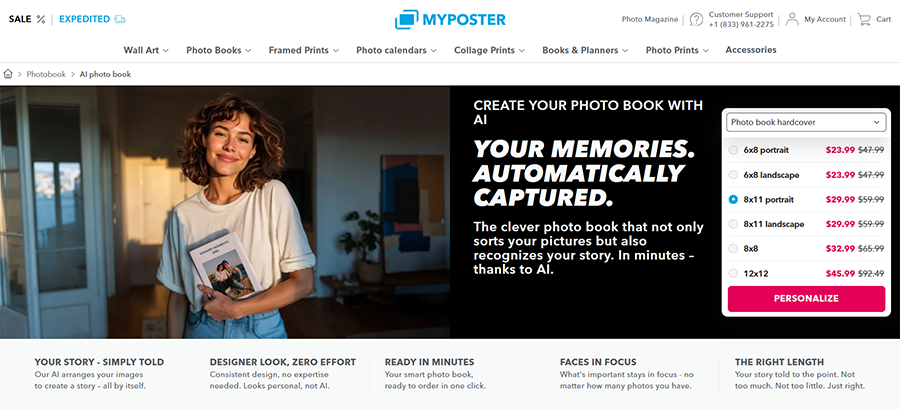
Fortunately, this is simple. From the MYPOSTER homepage, I hover over the “Photo Books” menu and select the “AI Photo Book” tool.
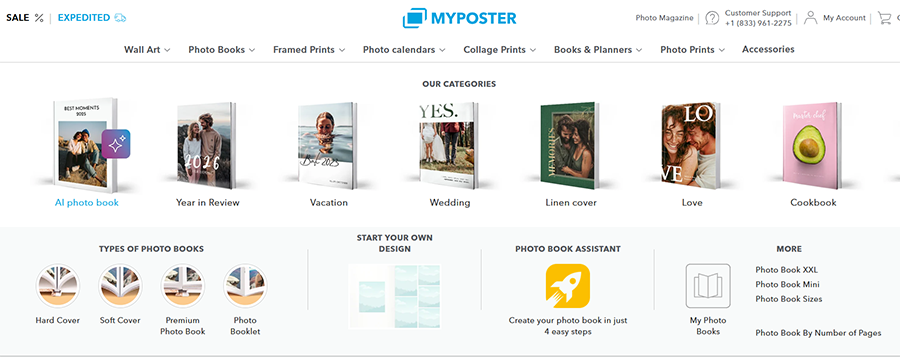
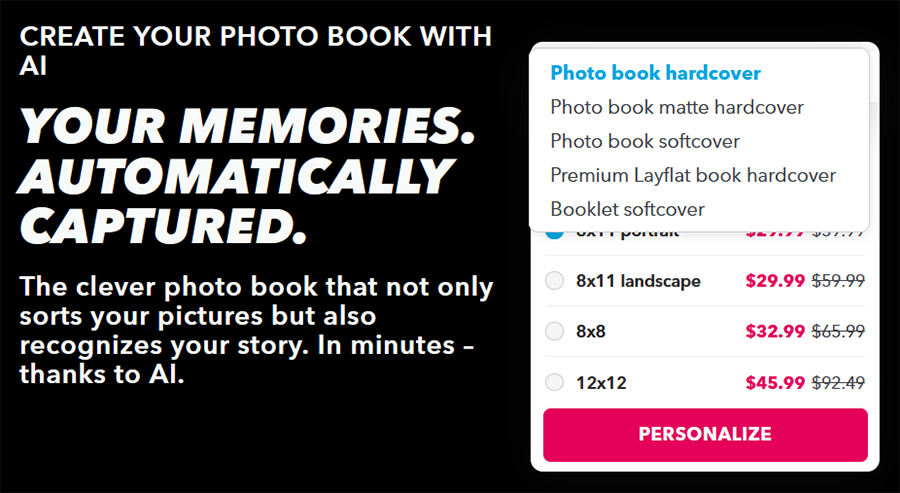
Once I’m on the MYPOSTER AI Photobook main page, I’m given the option to choose between different photobook sizes, ranging from 6×8 all the way up to 12×12.
The site also lets me choose between different book styles, including hardcover, softcover, and premium.
I like the fact that it also shows the pricing for each option, though it’s worth noting that the final price depends largely on how big the book actually ends up being, and there are also shipping and handling fees to add on.
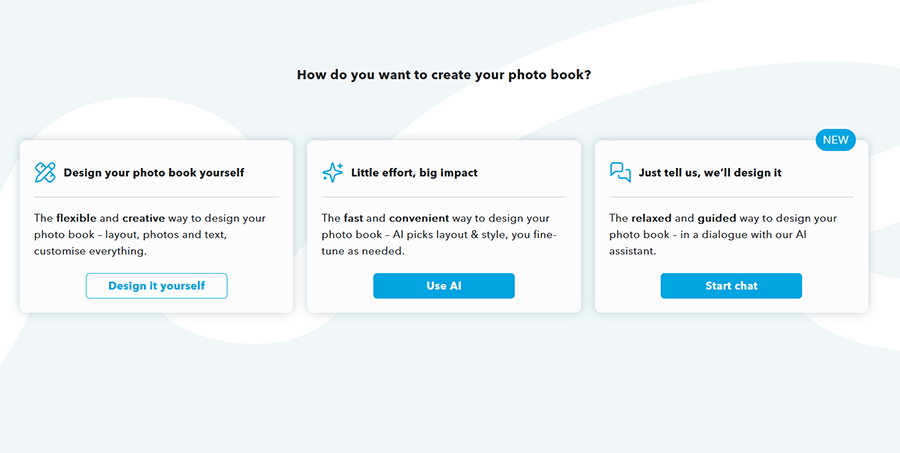
Having made my selections, I clicked the “Personalize” button and was taken to the screen below, which offers three different ways to make my photobook.
There’s a classic manual option, which doesn’t involve AI, as well as two AI-powered methods. One lets you chat with the AI to describe what you want your book to look like, while the other is a more semi-assisted option that gives you some manual control over rearranging images and adjusting the book’s theme.
I’ll show you how both methods work, beginning with the “Little effort, big impact” option.
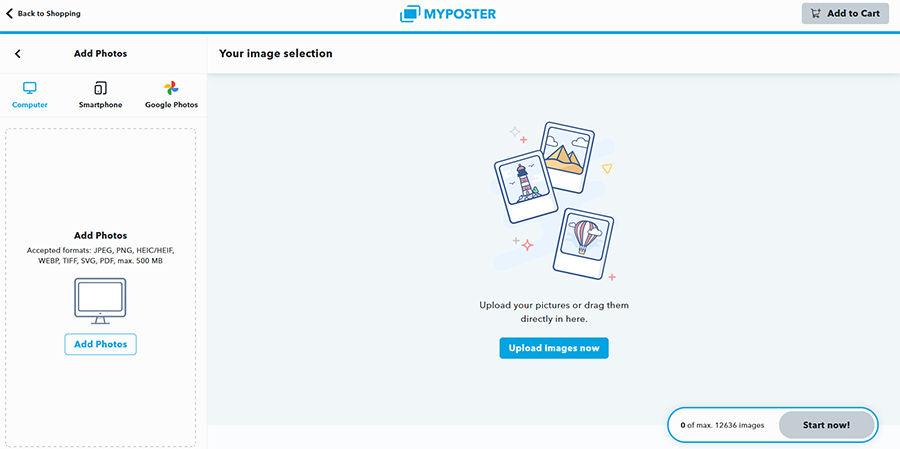
After choosing my method, I was invited to upload my images, and I appreciated the fact that MYPOSTER provides several straightforward options here: I was able to upload pictures from my computer, smartphone, or even my Google Photos account.
The platform supports popular image formats, including JPEG, PNG, and HEIC, and allows individual files of up to 500 MB.
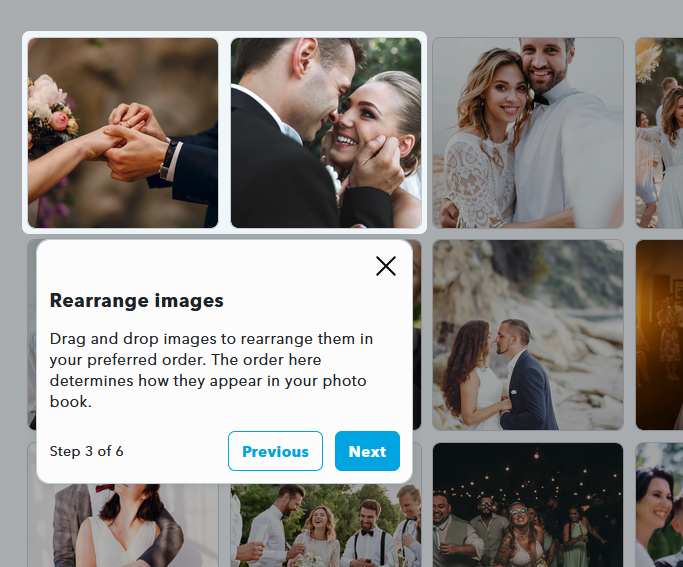
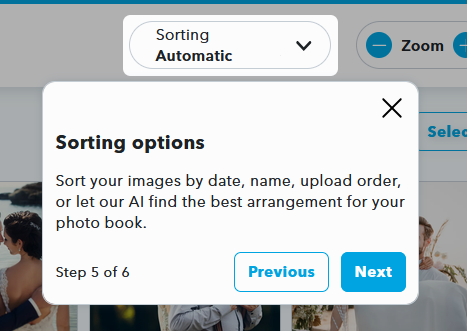
I uploaded a collection of simple wedding photos for the purposes of this test, and MYPOSTER then provided a quick tutorial, guiding me through the various features and functions that were available to me.
It showed me, for example, that I could easily rearrange my images by dragging and dropping them into different positions. It’s worth noting that I also had the option to simply allow the AI to choose whatever order it thought was best, too.
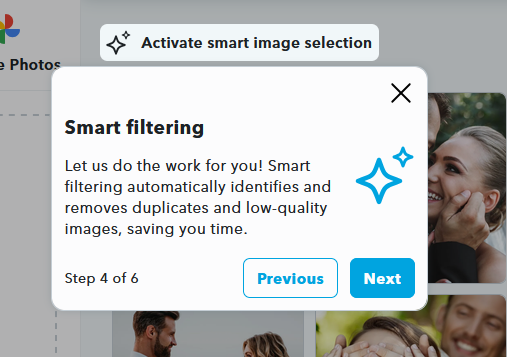
MYPOSTER AI Photobook also has a “Smart Filtering” feature, which is basically designed to automatically cull duplicates or low-quality images. So if you accidentally upload multiple copies of the same picture or a blurry image, the AI can find and remove it for you.
There are also several sorting options available. You can arrange your photos by date, title, or upload order, or let the AI choose the sequence.
After making my selections and uploading around 30 photos, I clicked the button to create my photobook. While it was being generated, the site asked me to confirm the book type and size again.
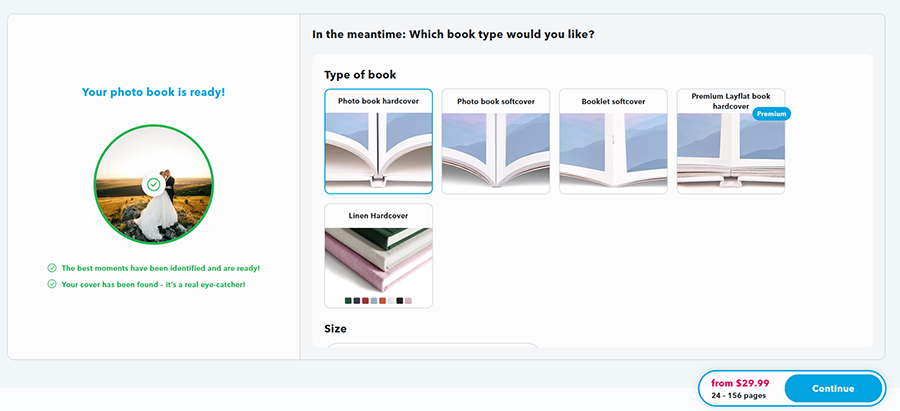
Within less than a minute, my book had been generated. The AI had generated a cover, choosing a photo it felt was best, and filled out the rest of the book, adding images in a neat and aesthetically pleasing fashion across the various pages.
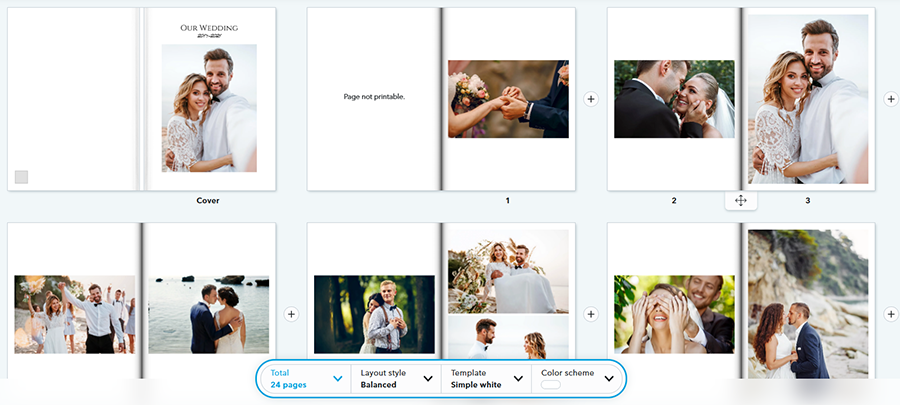
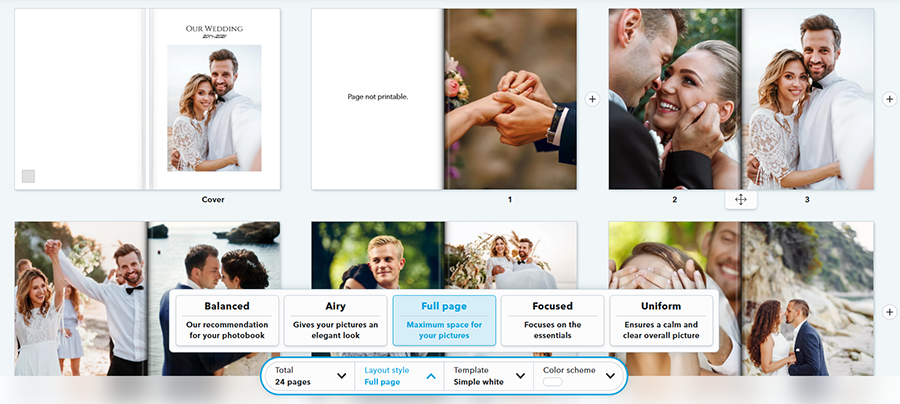
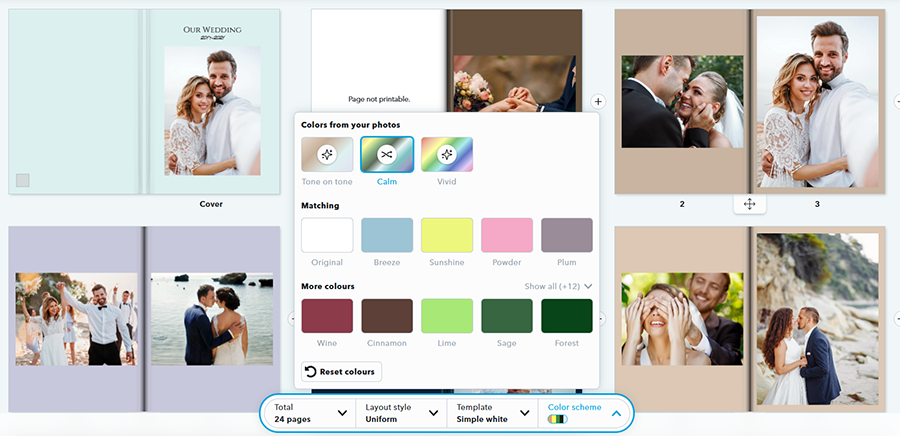
But the best part was still to come, as I was given an impressive amount of control over the book’s final look. I could use the buttons at the bottom of the screen to change the length of the book, adjust the layout, switch between templates, and even change the color scheme.
I could make all the images stretch out to cover full pages, with no blank spaces, for example.
I could also select the “Calm” color palette, which added soft, neutral background tones to each page.
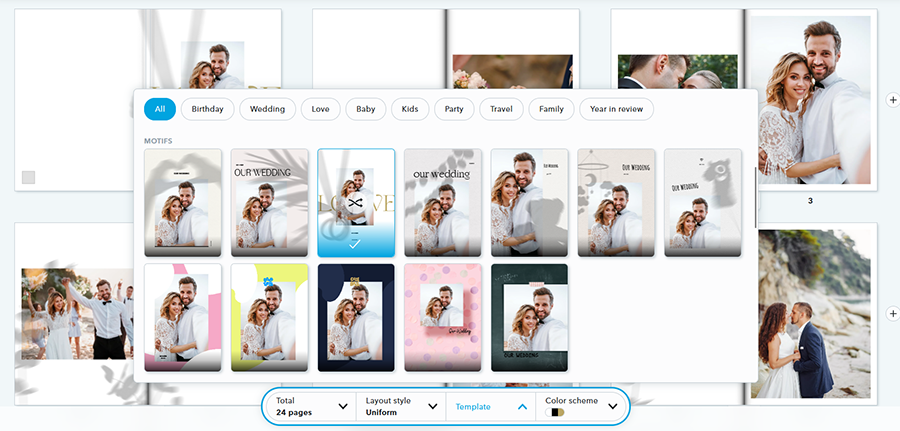
The templates were also impressive: there were dozens of options to choose from, divided into various categories, like “Love,” “Wedding,” and “Travel.”
What’s more, I also retained full manual control over my book’s layout: MYPOSTER allowed me to click, drag, and drop photos to move them between pages.
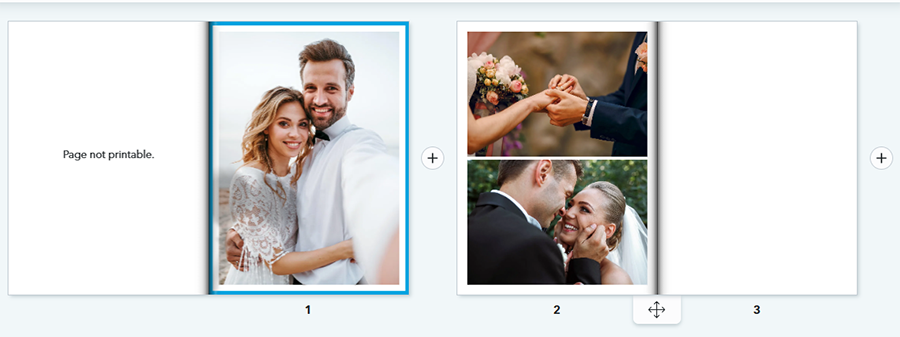
Overall, I was very impressed with how this feature worked. The AI did a good job of arranging the photos in a sensible order and choosing a simple, clean theme to complement the images.
I was also glad to see that I still had plenty of control over my book before placing my order.
However, I felt like there was more that the AI could still do to help me, and after the initial process was done, it basically felt as though I was using a standard photobook maker. With that in mind, I wanted to try out the other book-building option, which uses a chatbot-style interface.
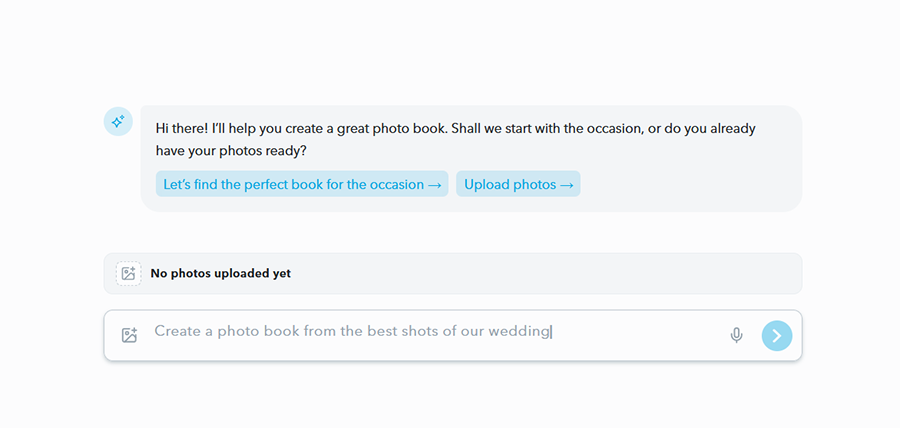
After opening up the chat with the MYPOSTER AI, I shared my wedding photos with it, told it I was a wedding photographer and wanted to create a book that showed off some of my favorite shots, and let it get to work.
Within seconds, it had generated a book similar to the previous one.
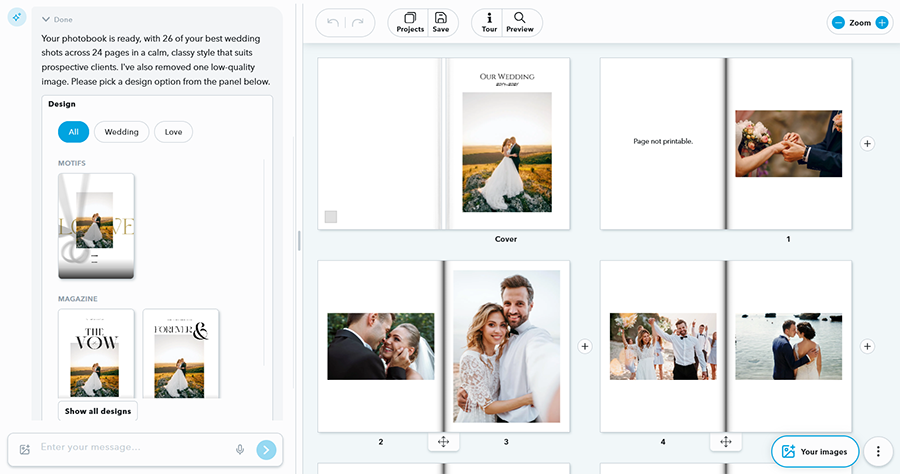
However, in this mode, I could still drag and drop photos, but there weren’t as many buttons on the screen for changing things like the theme, layout, etc.
Instead, an AI chat window appeared on the left side of the screen, where I could ask the AI to make changes.
For example, I could request a more elegant layout or ask it to make all the pages green. It also provided useful recommendations for alternative themes I might like.
While this tool may take a little getting used to for those who prefer a more “hands-on” approach, I really appreciated its simplicity, and I think beginners or users who simply want to save the most time possible will love this option, as it’s the fastest way to make a great book.
Another downside worth noting is that, at least for now, this is the only AI-powered feature on the entire MYPOSTER platform. I’d love to see more added in the future, especially since the photobook tool works so well, and I feel it could prove useful for generating the likes of calendars and collages.
Pricing
Prices for MYPOSTER AI Photobooks start at just $23.99 (without shipping), but can rise quite substantially.
The price you pay is based on three main factors:
- Size: Bigger books obviously cost more money, since they involve more ink and materials. Beyond the $23.99 price for 6×8 books, the cost rises to $45.99 for 12×12 books.
- Type: Prices can also vary depending on whether you want a simple softcover book, which is the cheapest option, or a more elegant hardcover product.
- Length: The more pages your book contains, the higher the final price is likely to be. Adding more photos may increase the page count.
You also need to account for shipping costs. MYPOSTER offers free standard shipping on qualifying U.S. orders of $99 or more, although shipping charges and eligibility should be checked at checkout.
I’ve reviewed other custom photo printing platforms in the past and feel that MYPOSTER’s pricing is relatively in line with the industry standard. It’s not particularly cheap, nor is it excessively expensive, and I like the fact that the site often offers discounts and deals, like free delivery.
The Final Word – Is MYPOSTER AI Worth It?
Overall, having tested this feature quite extensively and played around with the various tools and customization options, I’m left with a thoroughly positive impression of MYPOSTER’s AI Photobook.
As I said at the beginning of this review, I know how frustrating it can be to make photo books. It takes time to pick and upload all the different images, position them correctly on the pages, and so on, and it can take even longer if you’re indecisive or inexperienced with photo book maker tools.
Time isn’t the only issue; since some makers can be quite tricky to work with, many people struggle to make the photo books they want. They can struggle to pick the right theme or color scheme, for example, and may end up with a product that looks somewhat basic or bland.
MYPOSTER AI Photobook takes much of the hassle out of the process, and it allows even complete novices to make truly professional-grade photo books with only minimal effort required. At the same time, it still offers the flexibility and freedom that more technical users expect to perfect their creations.
There are some downsides: I wish that MYPOSTER offered more AI features, for example, and the pricing can quickly add up if you want a larger, more premium product. Shipping is quite expensive, too, and there is still a learning curve, even when working with AI.
In addition, despite AI’s help, you may still need to spend some time moving photos around or making a few adjustments before you’re fully satisfied and ready to order. But even with that in mind, this is a very easy-to-use tool that’s capable of producing excellent results.

As the General Manager of Shotkit, India Mantle brings with her a lifelong love for photography that she developed during her childhood, watching her father document their family moments with his Nikon EM. In her free time, you find her enjoying the awe-inspiring natural beauty of her home, Northern Rivers, Australia.
👋 WELCOME TO SHOTKIT!
🔥 Popular NOW: