






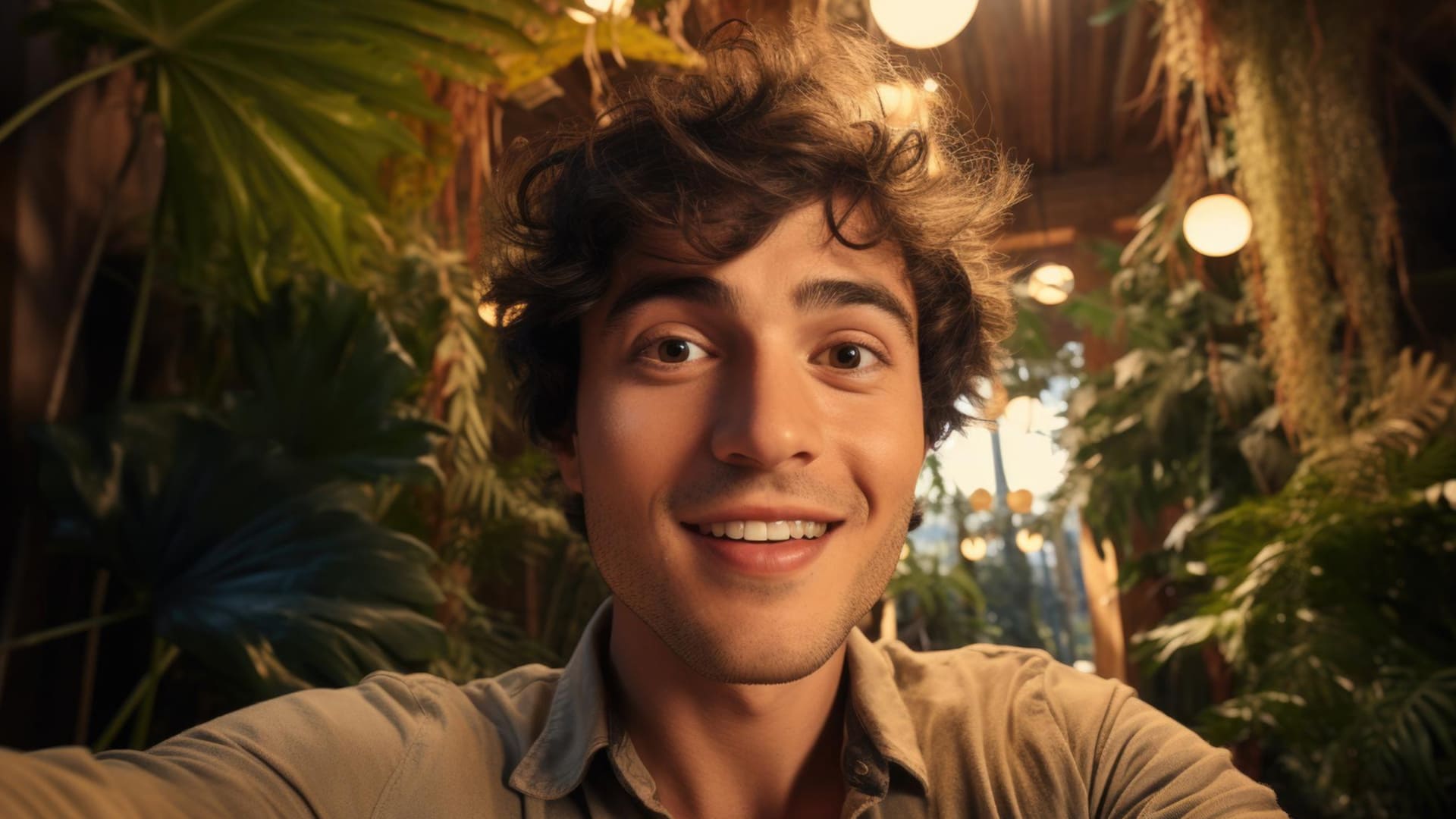
Pose AI Review: Can AI Make Hundreds of Headshots From a Single Selfie?
Discover Pose AI, the AI generator that claims to be able to make hundreds of headshots and AI videos of subjects with just a single selfie for reference.
AI | Software | By India Mantle | Last Updated: October 18, 2026
Shotkit may earn a commission on affiliate links. Learn more.
With generative AI, it’s possible to create countless pictures or videos of yourself or other subjects in almost any setting or scene imaginable. However, this is usually quite a time-consuming process, as AI models often require several dozen reference images in order to produce high-quality results.
Pose AI takes a different approach. It claims to be able to create hundreds of headshots, professional-grade photos, and even video clips of a person in a multitude of styles, starting with a single selfie.
I thought that this sounded a little too good to be true, so I decided to put Pose AI to the test. Read on through my Pose AI review to see exactly what I thought and a step-by-step, illustrated breakdown of how this tool’s key features actually work.
What Does Pose AI Offer?
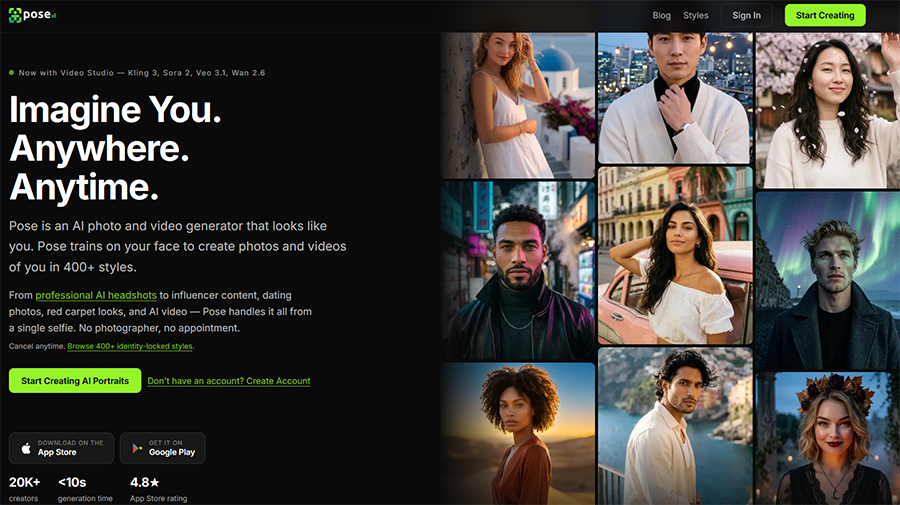
If you haven’t heard of it before, Pose AI is the name of an AI image and video generation platform that you can access as a web app in your browser of choice, or as a mobile app for both Android and iOS devices.
While it offers quite a broad range of features, the core functionality of Pose AI is that it can take just one selfie of you and use it to generate a veritable library of realistic images, showing you in different settings, locations, outfits, and so on.
It does this through the use of “identity locking” technology and generative models, such as Google’s Nano Banana 2, to reproduce the subject’s physical characteristics as consistently as possible across subsequent generations.
So, whether you want to make professional headshots to add to your resume or LinkedIn profile, some dating pictures for your newest app profile, or fun images in an array of other styles, you can do so very quickly and easily via this app, without the usual process of sharing multiple selfies before you can start.
Pose AI has proven quite popular since its release, attracting tens of thousands of users and earning some strong average ratings across the Google Play and Apple App Stores, who cite its ease-of-use, convenience, and speed, since it typically takes just a few seconds to generate images.
Key Features of Pose AI
Now you know the basics of Pose AI; let’s take a closer look at what it can actually do, focusing on its image generation abilities to start with, before looking at some of its additional tools and functions.
Image Studio
One of the main reasons people download or sign up for Pose AI is to try its Image Studio.
This is where you can upload a selfie and use various AI models to create dozens or even hundreds of stylish and exciting pictures of yourself in a broad array of settings and themes.
To access it, I simply had to log into my account and click on the “Image Studio” option in the sidebar menu on the left of the dashboard.
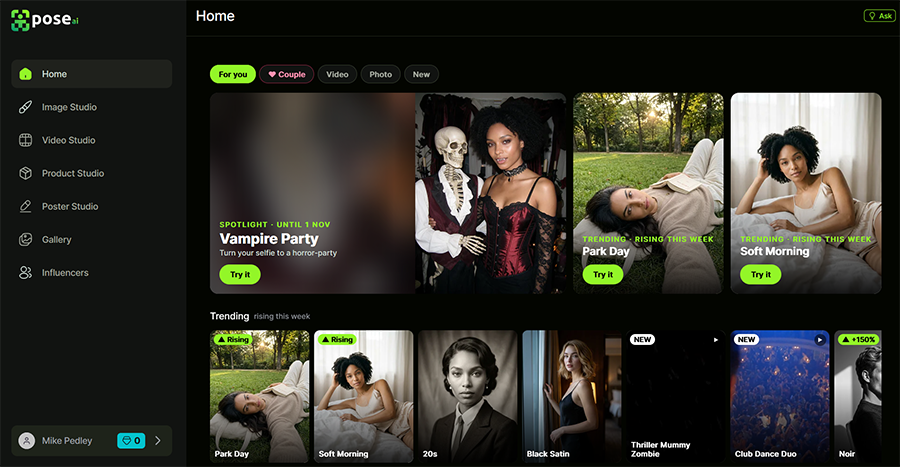
Once in the Image Studio, I was invited to upload one or more images of myself, or another subject, to use as reference pictures.
As previously mentioned, you only need one picture for this to work, but it should be of reasonably high quality. Pose AI recommends using a picture in which the subject is looking straight at the camera, with their full face in view, for the best results.
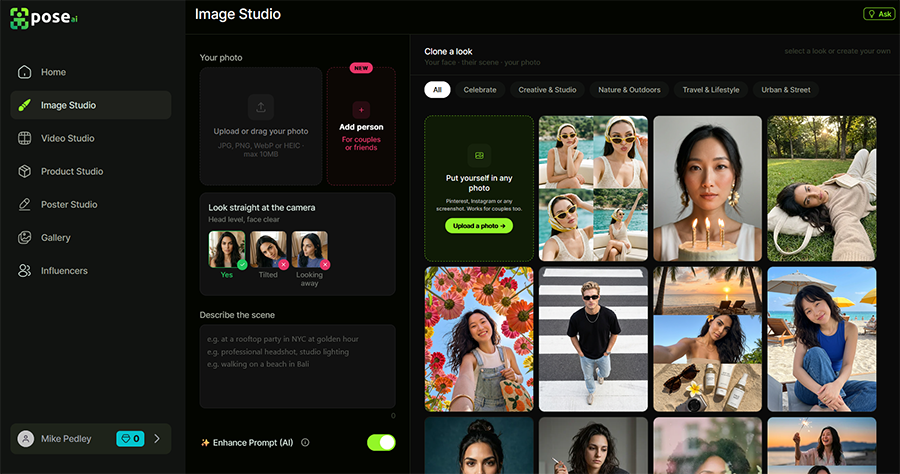
I clicked on the “Upload” button and was able to load a photo from my computer, but you can also drag and drop images or use pictures that you’ve saved to your library in previous sessions, too.
If you want to generate pictures with multiple subjects, Pose AI also offers the option to add a secondary image of someone else.
It also offers a selection of AI “influencers” you can use as your subjects instead of real people.
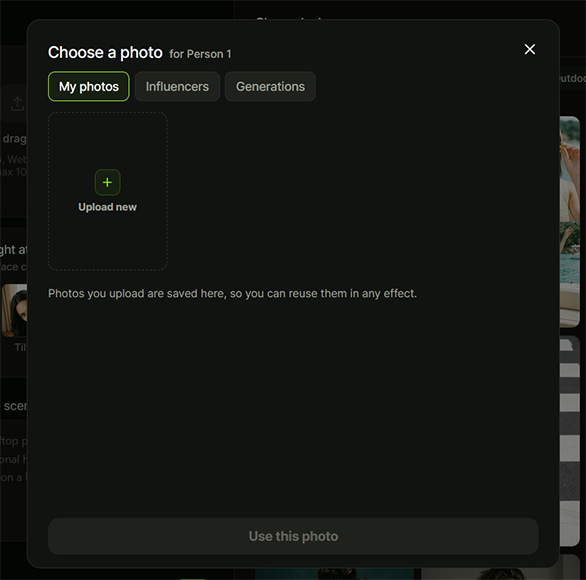
After uploading a reference image, I could either type a prompt describing the photo I wanted to create or choose one of the many templates Pose AI offers.
The templates are neatly divided into various categories, such as “Travel & Lifestyle,” “Urban & Street,” and “Creative & Studio.”
You can also create your own templates by uploading another reference image, and the AI will try to incorporate you into it naturally.
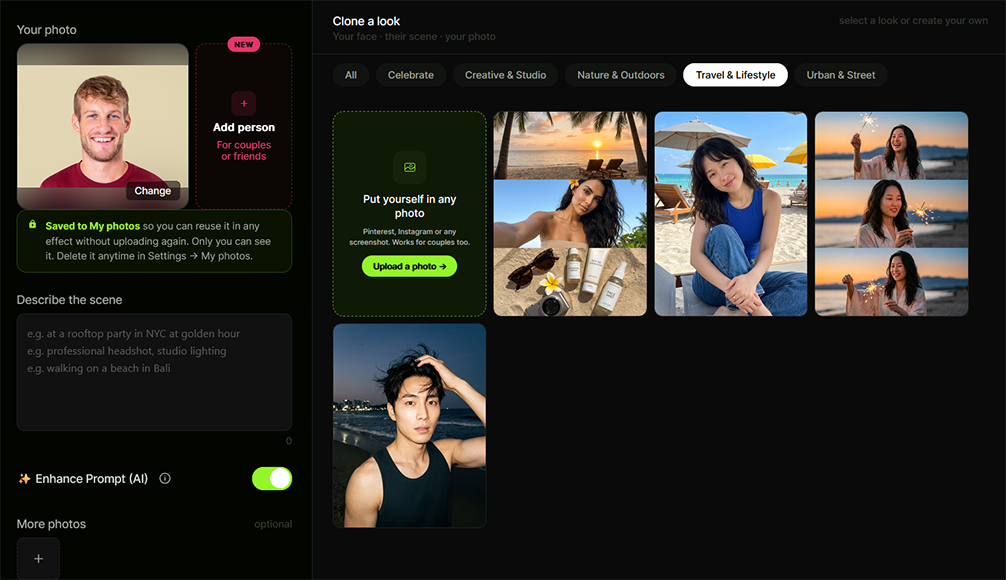
You can also select how many pictures you want to generate at a time and choose from different image types, like close-ups, portraits, etc.
Once you’ve configured all the settings, exactly as you want them, all that’s left to do is hit the “Generate” button and wait for your pictures to appear.
I tried this several times with different subjects and a range of prompts and templates.
Each time, the process was incredibly fast; Pose AI generated multiple images in a matter of seconds, so I didn’t have to wait long for the results.
As for the results themselves, most were quite impressive. The technology works quite well at understanding what someone looks like from a single selfie and transposing their image onto other templates and scenes.
At the same time, there were some instances where I felt that the generated images looked a little unnatural, almost as though the subject’s head had been quite crudely cropped out and pasted onto a pre-existing image.
Other users have reported similar impressions. As such, I feel that even though Pose AI is certainly capable of creating realistic and high-quality pictures, you have to accept that they’re not all going to be perfect.
Video Studio
Pose AI isn’t just for images.
It can also create video content, again using only a single picture as a reference point.
To access this, all I had to do was head over to the “Video Studio” section of the platform. From there, I was given various options, such as “text to video” generation, which uses simple text prompts, or “image to video,” which can turn a selfie or other picture into a clip.
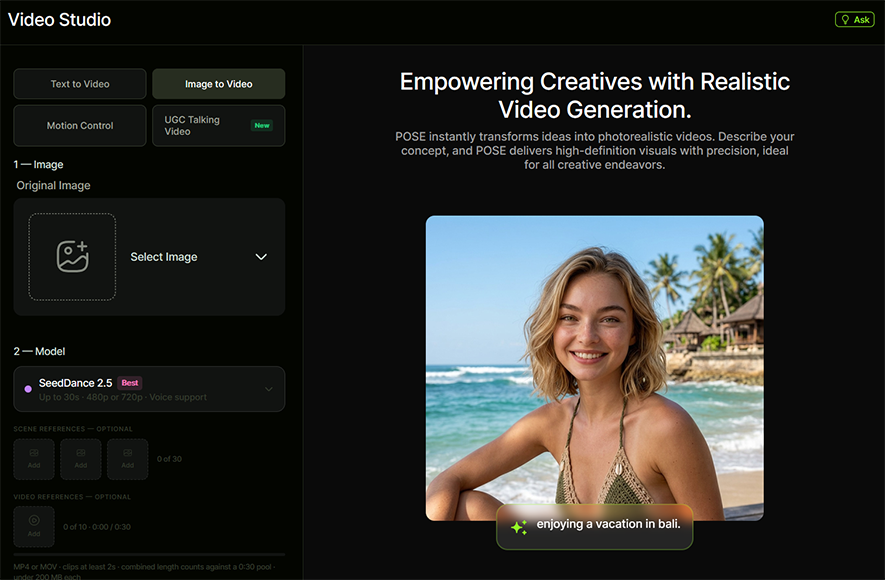
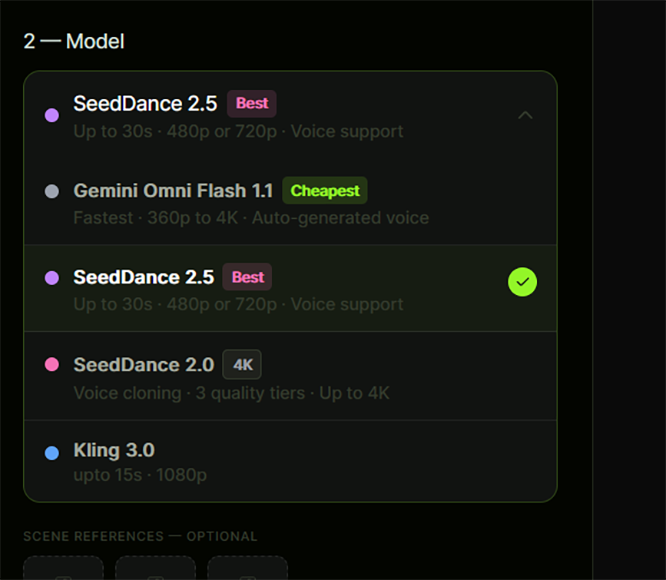
After uploading a reference image, I was able to choose between various AI models, including some of the latest third-party options, like Kling and SeedDance. It’s worth noting, however, that the model you choose has a big impact on how many credits you have to spend to make your video.
Finally, I was asked to type a prompt describing what my video should include and to set its duration, aspect ratio, and resolution. Naturally, longer and better quality videos cost more credits to make, so it’s important to get the balance right if you want to avoid using up your credits too quickly.
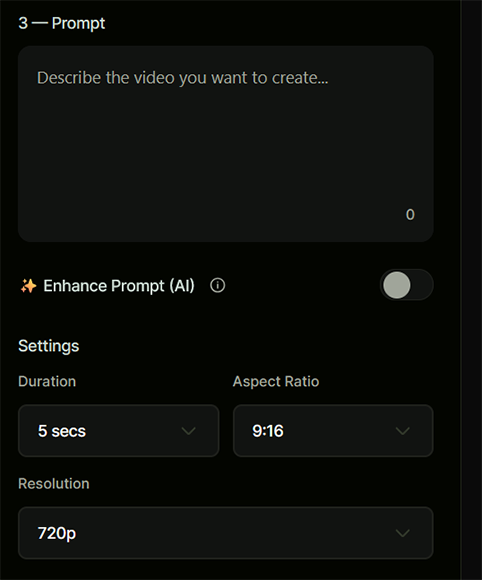
I played around with the video generation feature and found that it produced similar results to other platforms I’ve worked with in the past.
The overall quality of the content depends largely on which model you pick and how detailed your prompts are, so new users may have to spend some time (and credits) experimenting.
Product Studio
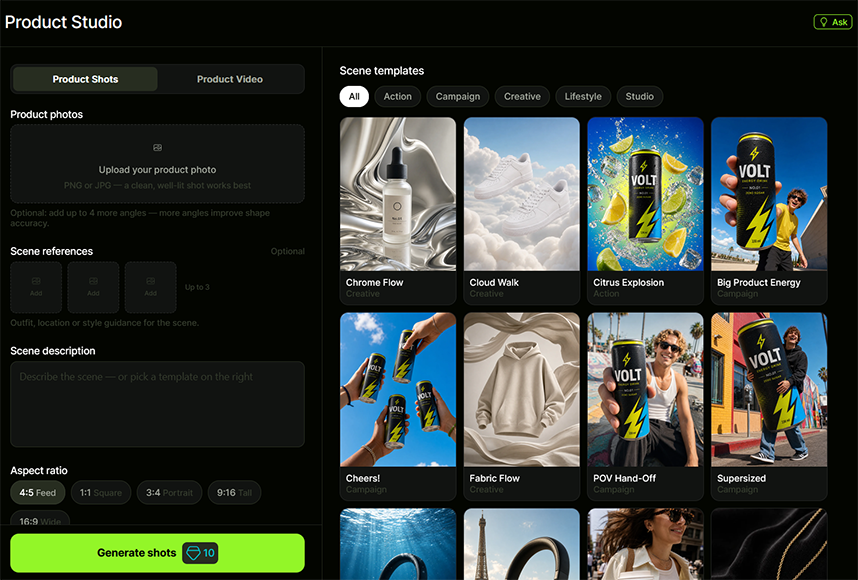
Pose AI also offers a “Product Studio” feature, which is aimed more at brands and marketing teams, rather than casual users or content creators.
It allows you to make product shots, advertisements, or short video clips, showing off objects rather than people.
You can upload one or more pictures of your chosen product, as well as other reference images, or select from the various scene templates to generate stylish and engaging product content in seconds.
I tested it out with a couple of pictures and found it to be relatively impressive.
It’s worth considering if you don’t have the budget or resources to take your own product photos, or if you want to create marketing content to promote a product on social media at a low cost.
Pricing
Having tested many AI tools and platforms, I know that many offer several pricing plans or “tiers” to choose from. Each tier typically offers different amounts of credits that users can spend to use the platform’s various AI features.
Pose AI has just one subscription plan, which costs $4.99 for your first week and then automatically renews at $14.99 per week after that, unless you decide to cancel. Once you’re signed up, you also get the option to purchase additional credits, as and when you need them.
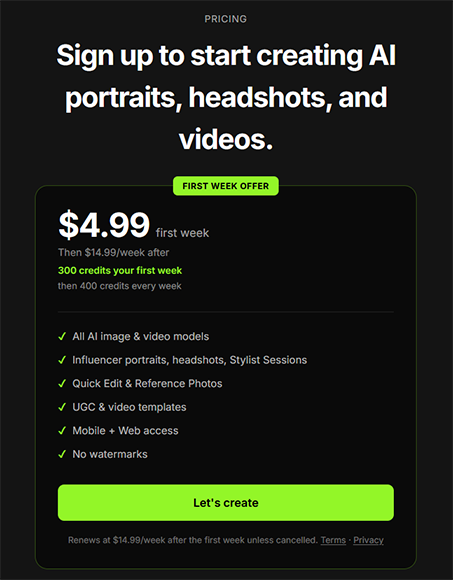
Whether or not you need them will depend on how heavily you use the platform. You’ll get 300 credits your first week and 400 each week after that, and it costs around 10 credits to make an image or anywhere from 25 to several hundred credits to make a single video.
On the one hand, I appreciate the simplicity of Pose AI’s pricing system. Some AI platforms have pricing structures that can confuse or overwhelm users, potentially leading them to choose the wrong plan.
Pose AI is much more straightforward. Since there’s only one plan to pick from, there’s no cause for any confusion, and I appreciate the fact that the platform allows you to top up credits when you need them, rather than having to wait for your next weekly or monthly batch to arrive in your account.
At the same time, I do have some issues with this platform’s pricing. Firstly, it’s frustrating to see that there’s no free trial; you can create an account for free on Pose AI, but you won’t get any credits to work with, so you have to pay up if you want to see what the platform actually has to offer.
In addition, it might be nice to see a slightly cheaper, beginner-friendly plan or a monthly option that new users could try out, rather than committing to spending $14.99 every single week on an app that they might not actually get much use out of.
The Final Word – Is Pose AI Worth It?
Overall, having spent a little time with Pose AI and tested out its features, I’m left with mixed impressions. There’s certainly a lot to like about this app, but there are still several caveats and issues that hold me back from recommending it to everyone.
On the positive side, I love how easy it is to work with. I tried both the web app and the mobile version, and both have neat and tidy interfaces with clear menus that are simple to navigate and no needless distractions.
When it works well, Pose AI is a joy to use. With high-quality selfies, it can create professional-looking images, such as corporate headshots and influencer-style content, very quickly.
So, if someone wants to get a new set of portraits or pictures to share online, without having to hire a real photographer or spend time and money on real-world photoshoots, this is a very cheap and straightforward option to consider.
I appreciate that Pose AI has expanded to include features such as Product Studio and poster creation. While I don’t have much use for them personally and feel that there are better options out there, it’s still good to see a more diverse array of tools for different users to enjoy.
Moving on to the downsides, one of my issues with this platform, and with generative AI technology in general at the moment, is that results can vary quite widely. One picture will look hyper-realistic, but the next may look quite clearly fake.
You can’t always be sure how good your images will turn out, but you have to spend credits each time and hope for the best. That leads me to my second issue: the pricing system for this platform may be simple, but it’s easy to use up your weekly credit allowance quite quickly, forcing you to pay for more.
In summary, I feel Pose AI is worth trying if you want some high-quality images of yourself (or another subject) in a specific style or setting very quickly. However, make sure to test the app thoroughly in your first week to help you decide if you want to stick with it before the auto-renewal kicks in.
More: Guide to Headshot Photography: 13 Tips for Perfect Headshots

As the General Manager of Shotkit, India Mantle brings with her a lifelong love for photography that she developed during her childhood, watching her father document their family moments with his Nikon EM. In her free time, you find her enjoying the awe-inspiring natural beauty of her home, Northern Rivers, Australia.
👋 WELCOME TO SHOTKIT!
🔥 Popular NOW:
