







How to Use Secure Cloud Storage to Back Up Your Photos Safely
Learn how photographers safely back up RAW files with secure cloud storage and modern workflows. Practical advice to protect your photos from loss.
Learn | Paid Partnership | By Jeff Collier
Shotkit may earn a commission on affiliate links. Learn more.
Losing photos is every photographer’s nightmare.
It doesn’t matter whether you’re shooting weddings every weekend or just covering the occasional family event – hard drives fail, laptops get stolen, and files get deleted by accident.
If your images exist in only one place, it’s not really a question of if something will go wrong, but when.
Whether photographing events professionally or just shooting grandchildren’s birthday parties, I’ve realised just how important storage and backup are to a photographer’s workflow.
Without a reliable way to store and protect your RAW files, your whole workflow becomes fragile.
Let’s have a closer look at what the problem is with RAW file storage, and more importantly, what actually works when it comes to safely backing up your precious photos.
The Problems with RAW File Storage in 2026
Modern cameras produce incredible image quality, but they also generate enormous RAW files. The Sony Alpha 1 cameras shoot uncompressed RAW files that weigh in at over 100MB+!
No matter what camera you’re using, a single event can easily produce thousands of images. It doesn’t take long before you’re dealing with hundreds of gigabytes from a single job and multiple terabytes across a year of shooting.
Even if you’re not working professionally, the same problem appears over time. A few family events, a couple of trips, some personal projects, and suddenly your storage fills up and your archive becomes harder to manage.
The challenge isn’t just where to put the RAW files. It’s how to keep them safe, accessible, and organised long term without slowing down your workflow.
Most photographers start with external hard drives. They’re affordable, fast, and easy to expand as your archive grows. For working storage, they still make a lot of sense.
But any photographer who has been shooting long enough has probably experienced a drive failure.
Sometimes the drive stops mounting. Sometimes files become corrupted. Sometimes the device simply disappears from your system one day.
Even if nothing fails, there’s always the risk of theft, physical damage, or simple human error. If your only backup lives on a single drive sitting next to your computer, it’s still a single point of failure.

I still use external drives daily, but I no longer trust them as the only line of defence.
Some photographers move to RAID or NAS systems for additional protection. These setups mirror data across multiple drives and provide large storage capacity, which can be reassuring when you’re dealing with a huge archive.
They’re excellent for working environments, and they reduce the risk of losing data from a single drive failure.
However, they still live in one physical location. Fire, theft, flooding, or electrical damage can still wipe out everything.
Local storage alone, no matter how sophisticated, doesn’t fully solve the problem.
How to Use Cloud Storage As a Part of the Modern Workflow

This is where cloud storage starts to make sense.
Instead of keeping your photos in just one physical location, cloud storage creates an off-site copy. Even if your local hardware fails or disappears, your images still exist somewhere else.
For photographers, this changes the level of risk significantly. It means your work isn’t tied to a single device or location.
You can access files from different computers, recover lost data, and maintain a safer archive overall.
Of course, cloud storage isn’t perfect. Uploading large RAW files can take time, and storing huge libraries can become expensive.
However, as internet speeds improve and storage costs slowly drop, more photographers are treating cloud backup as a standard part of their workflow rather than an optional extra.
Most people now use some combination of local drives and cloud storage rather than relying on just one.
Many photographers start with familiar services like Google Drive, Dropbox, or iCloud. These platforms are convenient and easy to set up, and they work well for smaller image sets or personal work.
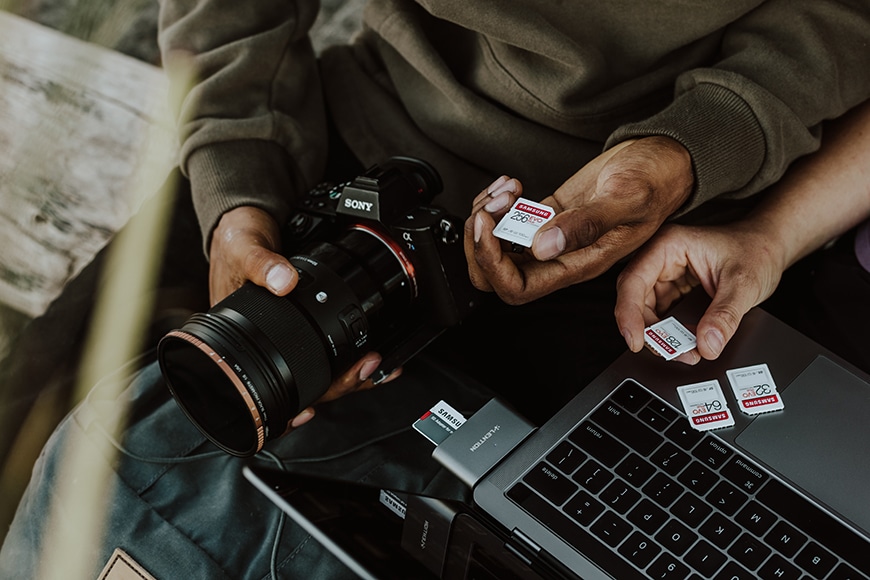
Image: Samsung Memory
The problem appears when you try to use them at scale. Uploading thousands of RAW files can feel slow, storage fills up quickly, and the workflow often feels separate from the editing process.
You still have to remember to upload files manually, which brings us back to the same human error problem as manual backups.
They protect files, but they don’t necessarily make life easier.
That’s why newer tools are starting to approach cloud storage differently.
A more recent development is cloud storage that integrates directly into the photography workflow, so backup happens automatically while you work.
One example is Imagen’s cloud storage system, which is built specifically for photographers dealing with large RAW files.
Rather than uploading files as a separate task, images are backed up as part of your editing workflow.
The system can store files in different formats, including compressed RAW versions to reduce storage size, and makes them accessible later from anywhere.
What makes this approach interesting is that it removes friction. Backup becomes something that happens in the background while you’re already culling or editing, which reduces the chance of forgetting or postponing it.

Image: Plann
I’ve found this kind of workflow particularly useful when dealing with large event shoots. Instead of worrying about copying files to multiple locations manually, the backup process runs automatically while I’m working.
It doesn’t replace local storage or long-term archiving, but it adds an extra layer of security and convenience.
Like any cloud solution, it still depends on internet speed and reliable connectivity, but it shows how storage is becoming more integrated into the overall photography workflow rather than sitting outside it.
Over time I’ve settled on a layered approach to storage.
After a shoot, images go straight from memory cards to a fast local drive where I can review and edit them quickly. At the same time, an automatic cloud backup ensures there’s a second copy stored off-site.
Once the job is complete, the files are archived to long-term storage.
This kind of setup reduces risk without adding much complexity. If one system fails, another still holds the files. It also removes the pressure of remembering to create backups manually.
The exact tools matter less than the principle: your photos should exist in more than one place, ideally without requiring constant attention.
Final Words
Secure storage isn’t the most exciting part of photography, but it quietly supports everything else we do. When your archive is protected, you can focus on shooting and editing without worrying about losing important work.
For professionals, reliable backup protects your reputation. For hobbyists, it protects memories that can’t be recreated. Either way, the value of a good storage system becomes obvious the moment something goes wrong.
Modern workflows increasingly combine local drives, automated backups, and cloud storage working together.
The technology will continue to evolve, but the core idea remains simple — your photos should never exist in just one place.

Check out these 8 essential tools to help you succeed as a professional photographer.
Includes limited-time discounts.

Jeff Collier is an experienced film photographer who enjoys experimenting with modern digital photography equipment, software and apps. He’s also an ex-world champion triathlete and avid cyclist, clocking hundreds of km each week in the beautiful Tweed Valley of northern NSW, Australia.
👋 WELCOME TO SHOTKIT!
🔥 Popular NOW:
