






6 Best SSDs for Editing 4K Video on the Road
If you need to transfer large files or even work on video, here are some of the best SSDs for editing 4K video on the road.
Accessory Guides | Camera Gear Guides | By India Mantle | Last Updated: October 6, 2026
Shotkit may earn a commission on affiliate links. Learn more.
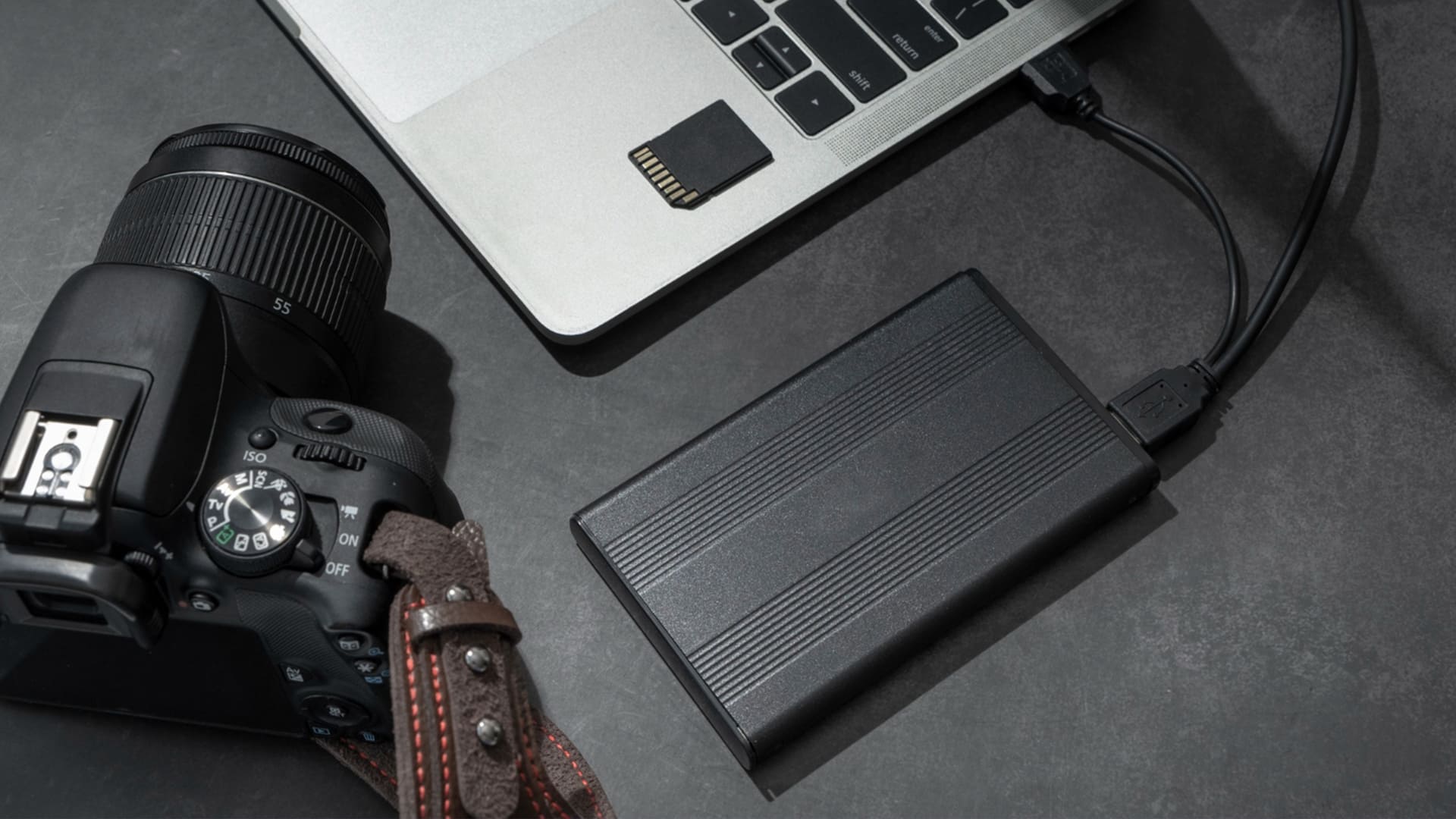
Editing 4K video on the road usually means you’re moving huge files between a microSD card, a laptop, and possibly an external drive. The storage component here is crucial, because a laptop can only access media as fast as its storage connection and drive allow.
But not every SSD works the same way on every laptop, and advertised speeds might only apply to specific ports that a computer might not even have.
Then there’s the question of transporting the drive or what your actual workflow is. An SSD that you take out in a comfy hotel room will need to be less rugged than one you take out on the backseat of a car or in a tent.
I’ve picked out the best external SSDs for editing 4K video on the road, most from prominent SSD manufacturers, where the choice is between capacity, ruggedness, and speed.
What Are the Best SSDs for Editing 4K Video on the Road in 2026?
For most of the choices, they exceed 500 MB/s of sequential throughput, while several support 10Gbps, 20Gbps, or 40Gbps interfaces. The deciding factors will be the size, warranty, slimness, or how rugged the drive is (when compared to the price point).
Additionally, most of the purchase links will go to a specific size of the drive. You can find other sizes in the listing or recommendations, as most models are available in 1TB, 2TB, or 4TB.
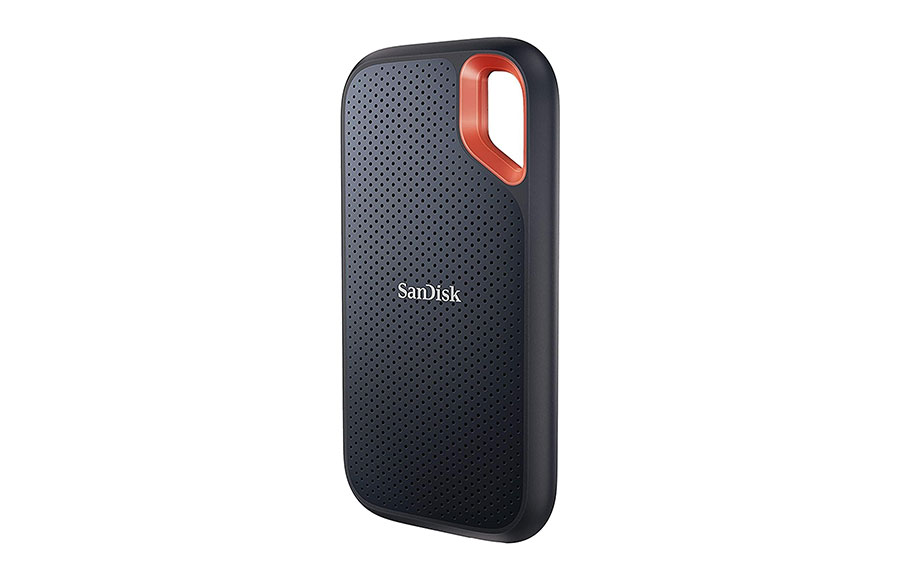
1. SanDisk Extreme PRO Portable SSD V2 – Best Overall Pick
- Up to 2000 MB/s read and write
- Machined as a heatsink for prolonged top speed
- IP65 dust and water resistance
- Carabiner loop for strapping to a bag
- Full speed needs a 3.2 Gen 2×2 port
- Relatively heavy
If I had to pick one SSD to pack in a bag before every shoot for the foreseeable future, it would be the Extreme PRO V2. It hits up to 2000 MB/s for read and write, which is more than enough to edit 4K footage straight off the drive from a hotel desk.
The part that makes it stand out for travel is the forged aluminum body that works as a heatsink, so the drive can keep up with its nominal read and write speeds even for slightly prolonged use. SanDisk also rates the rugged shell for IP65 dust and water resistance and drops of up to around 10 feet, which should be more than enough for the outdoors.
Notably, this is technically the old model (V2), while the V3 appears a bit further below. I’ve rated the old model better because there aren’t that many improvements for the jump in price, and it’s still available in some online stores.
As is, the V2 has the best balance between speed, performance, durability, and price, but the catch is the port, as the nominal speed only applies to PCs with a 20Gbps Gen 2×2 port. Macs don’t support that standard (even the ones with Thunderbolt), so the drive drops to around 1000 MB/s there.
The drive is compatible with macOS, but Macs generally don’t support USB 3.2 Gen 2×2, so a V2 connected to a compatible Mac port will typically fall back to a slower interface speed.
However, even with the 1000 MB/s cap on a Mac, that’s still fine for most 4K work, and you still get the benefit of an excellent SSD.
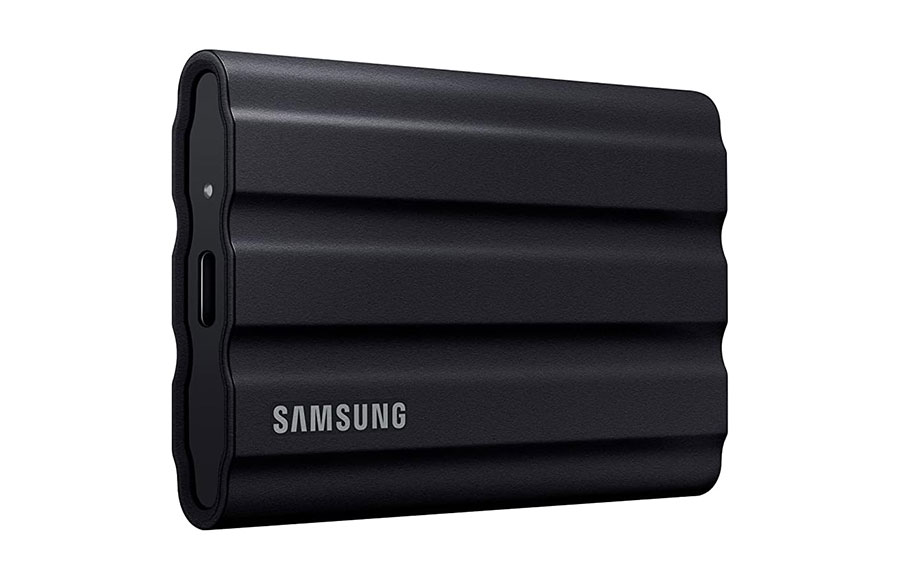
2. Samsung T7 Shield – Premium Rugged Option
- IP65 dust and water resistance
- Survives drops of around 10 feet
- Full speed on both Macs and PCs
- Grippy rubber shell
- Tops out at 1050 MB/s
Samsung is practically the king of memory drives, so it’s no surprise that a ruggedized Samsung SSD would rank highly on the list. The T7 Shield is specifically the most notable version of its ruggedized T-series, and one you can happily toss around in a bag for hours on end, then plug into a laptop.
The rugged design is rated IP65 for dust and water protection and can survive drops of up to 9.8 feet, which should be more than enough for outdoor enthusiasts.
The downside of the T7 Shield is its relatively poor read and write speeds. Both top out around 1,000 MB/s, which is appropriate for a 10Gbps USB connection and enough for many 4K editing workflows.
However, this isn’t so bad, as it still allows you to work comfortably and transfer camera footage. And since even older laptops have a compatible port, you won’t have any issues plugging it in and getting the wrong speed.
The T7 also has what’s called a “Dynamic Thermal Guard,” which keeps the drive at a steady temperature so it doesn’t throttle as quickly during long transfers. It should keep the interior of the SSD relatively comfortable while not having as much heat on the outside.
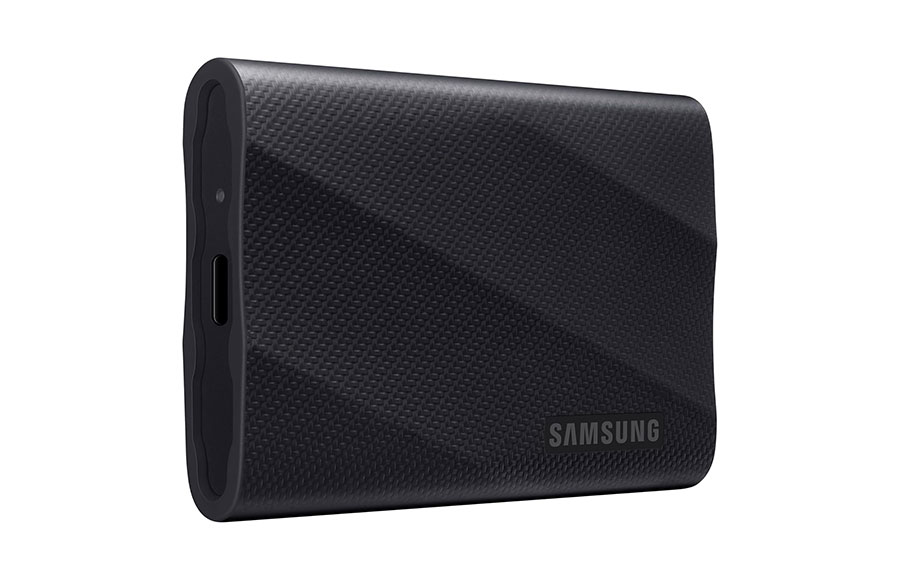
3. Samsung T9 – Premium 20Gbps Drive for Windows Laptops
- Up to 2000 MB/s speed
- Sustains a 1000 MB/s write speed
- Drop-resistant up to 9.8 feet
- Premium-looking build
- No IP rating
- Relatively expensive
The T9 is Samsung’s high-speed USB 3.2 Gen 2×2 portable SSD and roughly twice as fast as the T7 family, at up to 2000 MB/s read. It’s meant for Windows devices that have a USB 3.2 2×2 port with 20Gbit/s throughput.
Independent testing has found sustained write speeds can fall to around 1,000 MB/s after the cache fills during long transfers. This is supposedly due to increased and improved cache that handles the read-write operations.
As such, the T9 is one of the few that should be able to keep up with the more demanding projects out of the box.
The SSD has a ruggedized rubber shell similar to that of the T7 Shield, complete with the accompanying 3-meter drop protection (or 9.8 feet). However, it doesn’t have an official IP rating and shouldn’t really be put into adverse weather conditions.
As with other 20Gbps USB drives, it also falls back to 10Gbps speeds on a Mac.
4. Corsair EX400U Survivor – Smallest and Fastest Overall Pick
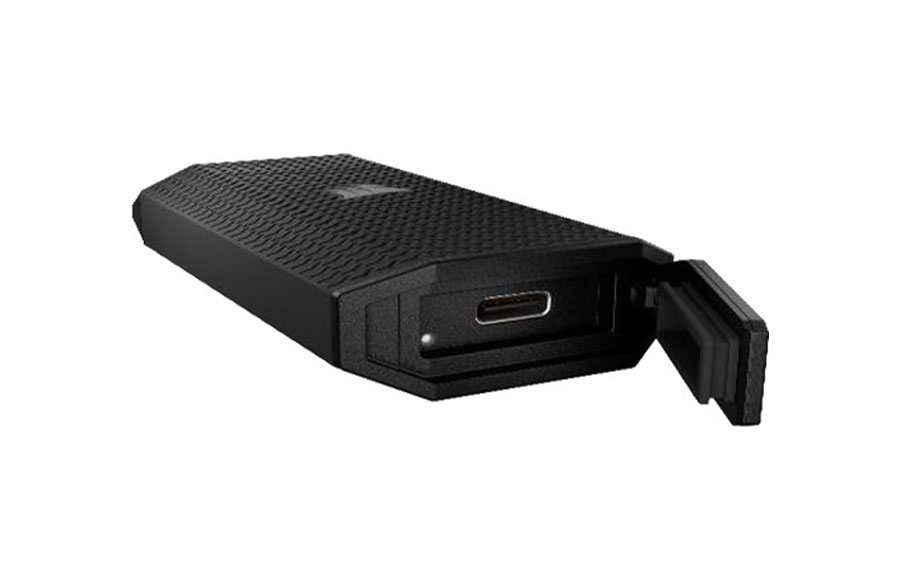
- Up to 4000 MB/s read, 3600 MB/s write
- Works with Thunderbolt 4 and USB4
- IP55 dust and water resistance
- Thumb-drive-sized
- Comes with a lanyard hole
- Not fully rugged
- Slightly heavier
If you want to emphasize “portable” in “portable SSD,” then there are not many choices other than the Corsair EX400U. It’s the pinnacle of something the size of a thumb drive managing capacities and speeds of an actual SSD, and it has a lanyard that also helps in allowing it to attach to a backpack or bag.
The drive uses a USB4 40Gbps interface and is rated for up to 4,000MB/s read and 3,600MB/s write, all over Thunderbolt and USB 4. This matters because unlike with previous picks, Macs have a Thunderbolt port that can actually make use of all that speed.
The “Survivor” moniker supposedly comes from its IP55-rated housing, which makes it more durable against dust and water. However, it’s not a true ruggedized SSD, as the IP rating is relatively low and it doesn’t have a rated drop resistance.
5. SanDisk Professional PRO-G40 – Toughest Thunderbolt Drive
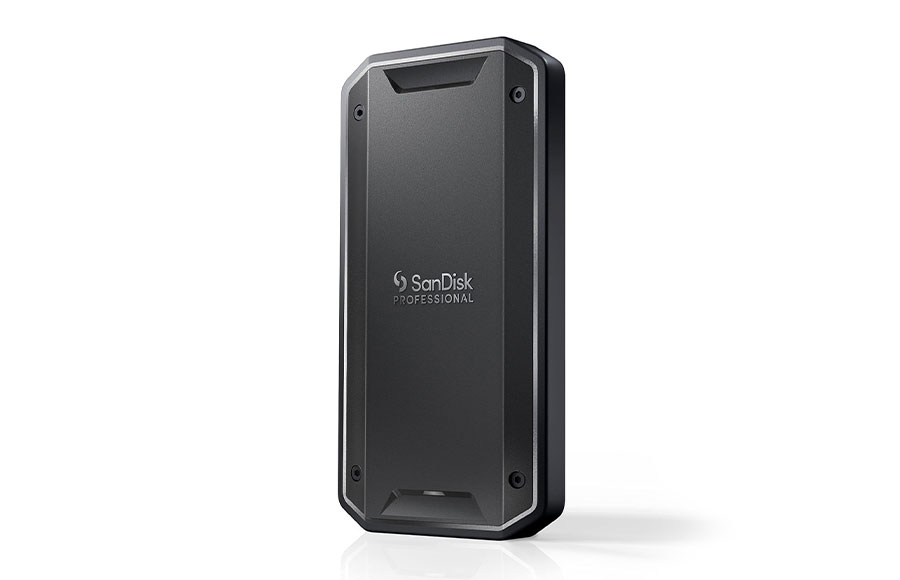
- Up to 3000 MB/s via Thunderbolt 3
- IP68 dust and water resistance
- Crush resistant
- Also works over regular USB-C
- Runs hot during long sessions
- The APFS version needs reformatting for Windows
For editing in genuinely rough conditions, the PRO-G40 is in a league of its own. It has IP68 dust and water resistance, with the immersion limits defined by the applicable testing conditions, survives drops of up to 9.8 ft, and can supposedly even take 4000 lbs of crushing force, making it the most rugged option in this roundup.
This SSD is also quick, as it uses Thunderbolt 3 to reach speeds of 3000 MB/s read and 2500 MB/s write, which is fast enough to use as a laptop scratch disk. Note that not all non-Mac laptops have a Thunderbolt port, in which case the speed drops to a still-respectable 1050 MB/s.
This is paired with a relatively small form factor, on par with the Corsair Survivor above, making it also one of the most portable options on the list.
However, this drive doesn’t have a specific thermoregulation method or a rubberized exterior, so it can get quite warm when you edit off it for long stretches. It also comes pre-formatted for use with Macs, so it needs to be re-formatted for Windows or other operating systems.
6. SanDisk Extreme PRO SSD V3 – Lightest Rugged Drive
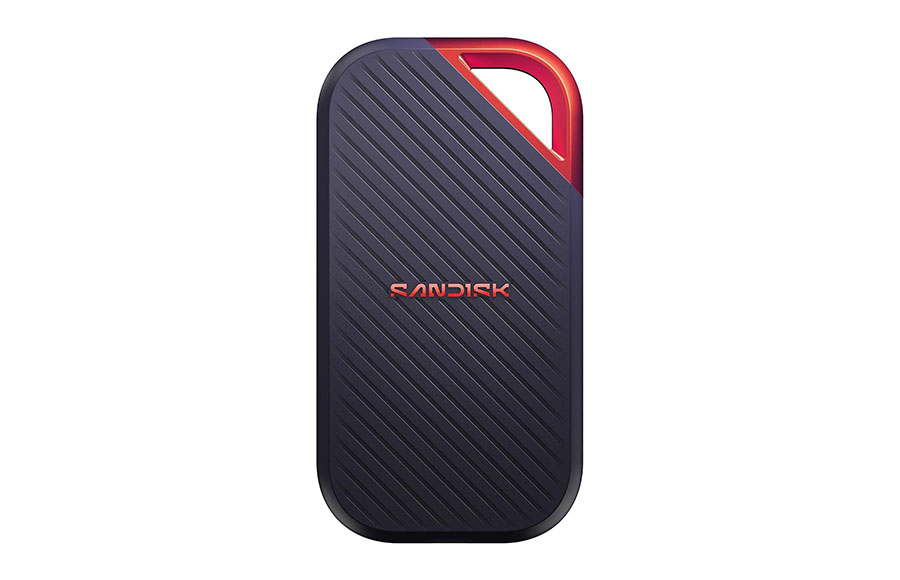
- Weighs only 2.3 oz
- Up to 4000 MB/s read and 3800 MB/s write
- 3100 MB/s sustained write
- IP65 dust and water resistance
- Carabiner loop
- Limited to 10Gbps speeds on Macs
If you want a supercharged SSD that is also ruggedized, then the SanDisk Extreme PRO V3 is the premium option.
Thanks to its USB connection, it reaches top speeds of around 4000 MB/s for read and write. SanDisk also claims the improved model has a sustained speed of around 3100 MB/s, making this one of the few genuinely fast claims.
However, the drive uses USB 3.2 Gen 2×2 rather than Thunderbolt, so it won’t take advantage of a 40Gbps Thunderbolt connection as a Thunderbolt SSD would. This means that while the device should be compatible with a Mac, it might get its speed throttled to 1000 MB/s.
This still leaves the device with a solid IP65 dust and water protection rating and solid resistance to drops.
How to Choose the Right SSD for Editing 4K Video on the Road
There are a few benchmarks here that are practically vital, while others are “need-to-have” rather than musts.
How Fast Does an SSD Need to Be for 4K Video Editing?
If you need to edit 4K video, one of the benchmarks that you’ll absolutely need is the throughput speed (both read and write). In most cases, that’s at least 500 MB/s of practical sequential throughput.
That’s why most of the external drives on the list start at 1000 MB/s or 10 Gbit/s.
Internal SSDs are a separate consideration, since upgradeability depends on the specific laptop model. For an external SSD, the laptop’s available USB or Thunderbolt port is a key part of the performance equation.
USB 3.2 Gen 2 vs. Gen 2×2 vs. Thunderbolt vs. USB4
A Gen 2 port tops out at around 1050 MB/s regardless of what the SSD can actually support. Gen2x2 supports speeds of around 2000 MB/s, but Macs don’t support it.
Thunderbolt 4 provides up to 40Gbps of bidirectional bandwidth, while Thunderbolt 5 raises that to 80Gbps. Thunderbolt 5 can also provide up to 120Gbps in one direction with Bandwidth Boost for display-heavy workloads.
Meanwhile, USB4 can support different speed levels depending on the implementation, with USB4 40Gbps being common on high-performance systems.
Note that this is as much a function of the cable that you use to connect the laptop and SSD as it is of the device, so if you’re getting less-than-advertised speeds, you may need to check the cable.
How Much Storage Do You Need?
For active 4K projects, I wouldn’t go anywhere below 1TB.
While you can find excellent 500GB drives, and they are arguably the most budget-friendly options, their low capacity means they usually won’t work for much beyond photos.
With that in mind, 2TB should be a comfortable minimum while 4TB gives you more breathing room on longer trips. Remember that SSDs also tend to slow down as they fill up, which is just the more reason to go “up a size” if budget allows.
How Does Ruggedness Work?
IP55-rated SSDs should handle light splashes and dust. IP65 implies complete dust sealing as well as resistance to water streams (think showers more than waterfalls), while IP68 means the drive should also survive immersion in water. Drop ratings are even possibly more important, as SSDs get dropped from tables more than they get out in the rain.
Are Other Brands Worth It?
Prominent brands like SanDisk, Samsung, Kingston, Crucial, Corsair, Verbatim, and Western Digital are prominent for a reason. They have hundreds of brands and decades of trust to work with.
No-name SSD sticks might offer more perceived value for money, and some of them might be legitimate offers. However, you might get a memory without a proper DRAM controller or one that bottoms out the write speed fast.
What Do the Speeds Mean?
Note that for most of these models, advertised speeds are peak numbers, which are only accomplished at the very beginning of the transfer. For large folders, drives will use internal cache (that writes extremely quickly) and then bottleneck into a slower speed for the rest.
If possible, try to find a published “sustained write speed,” like the T9’s 1000 MB/s. If not, SSDs with metal bodies or heat management solutions help reduce their thermal load to improve sustained speed.
Quick Recommendations
- Best all-around drive for road editing: SanDisk Extreme PRO Portable SSD V2
- Rugged, affordable, and reliable: Samsung T7 Shield
- Small and fast on both Windows and Mac: Corsair EX400U Survivor
- Toughest drive for extreme conditions: SanDisk Professional PRO-G40
- Extreme speed for Windows: SanDisk Extreme Portable SSD V3
FAQs
Can you edit 4K video directly from an external SSD?
Yes. Any portable NVMe SSD running at 10Gbps or faster should be able to handle a standard 4K video straight off the drive.
Why is my 2000 MB/s SSD only hitting 1000 MB/s on my Mac?
Macs won’t support the 20Gbps USB 3.2 Gen 2×2 standard that applies to most 2000 MB/s portable drives, so those drives fall back to 1000 MB/s. To go faster on a Mac, use a USB4 or Thunderbolt drive.
Is 1TB enough for editing 4K video while traveling?
It can work for short trips or compressed 4K footage, but it fills up fast with higher-bitrate formats. For most traveling editors, 2TB is a more comfortable starting point.
Do I need a Thunderbolt SSD for 4K editing?
A 10Gbps or 20Gbps USB drive should handle most 4K work just fine. Thunderbolt and USB4 drives make the most sense for Mac users who want more than 10Gbps speeds and for editors working with multicam timelines or particularly large exports.

As the General Manager of Shotkit, India Mantle brings with her a lifelong love for photography that she developed during her childhood, watching her father document their family moments with his Nikon EM. In her free time, you find her enjoying the awe-inspiring natural beauty of her home, Northern Rivers, Australia.
👋 WELCOME TO SHOTKIT!
🔥 Popular NOW:
