







Why Adobe Firefly Appeals to Every Creator
Discover why Adobe Firefly appeals to creators, with powerful generative AI tools for creating and editing images, video, and more.
AI | Software | Paid Partnership | By Ana Mireles | Last Updated: November 2, 2026
Shotkit may earn a commission on affiliate links. Learn more.
Are you wondering whether Adobe Firefly is the right AI creative tool for you?
With so many AI platforms available today, choosing the one that fits your workflow, skill level, and creative goals can feel overwhelming.
Adobe Firefly takes a different approach. Rather than focusing only on generating images, it brings generative AI into an ecosystem that’s designed for photographers, videographers, designers, marketers, and anyone looking to turn their ideas into visuals.
In this article, I’ll explore why Firefly appeals to such a wide audience – from its seamless integration with the Adobe Creative Cloud and professional-quality results to its time-saving tools, advanced features, and accessible workflow.
By the end, you’ll have a clearer understanding of what Adobe Firefly can do, who can benefit from it, and whether it’s the right creative tool for your projects.
Why Adobe Firefly Appeals to Every Creator
The versatility of Adobe Firefly is what makes it appealing for such a broad range of creators.
Whether you’re a professional photographer, a business owner creating content for your brand, or simply someone looking to explore new creative possibilities, Firefly adapts to different workflows, skill levels, and goals.
But what exactly makes Adobe Firefly useful for so many different types of creators? Let’s explore the key reasons behind this growing appeal.
Designed for the Adobe Workflow
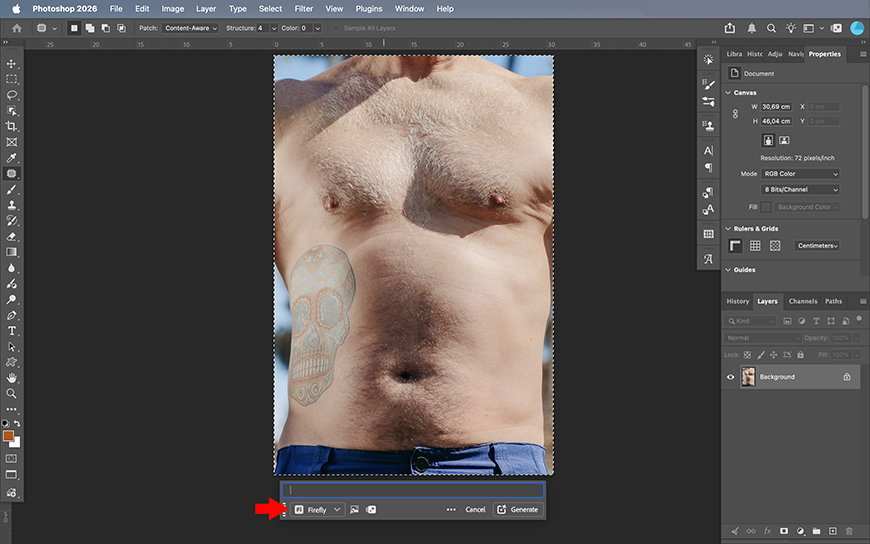
One of Adobe Firefly’s biggest strengths is its native integration for the Adobe Creative Workflow.
Of course, you can use Firefly as a standalone generator, but it also fits into a bigger workflow if that’s what you need.
For photographers, it’s easier to edit their photos in Photoshop while still leveraging Firefly-powered tools such as Generative Fill and Generative Expand.
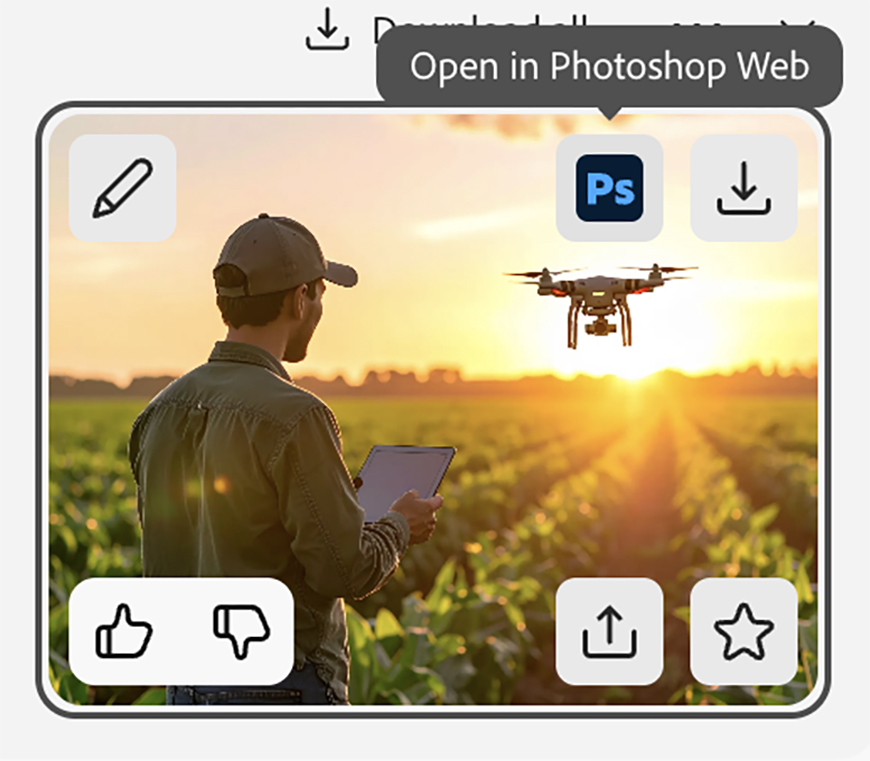
It’s also helpful that you can start on Firefly by generating an image and edit it online using Photoshop on the Web.
Designers can also benefit from Firefly within Illustrator, with features like Text to Vector Graphic and Generate Shape Fill. The same goes for those who work with InDesign.
Videographers aren’t excluded from this, as Premiere Pro also has AI-powered editing and generative video capabilities. So, every content creator can easily use Firefly without switching apps.
For beginners, this seamless integration removes much of the learning curve from professional Adobe apps. More experienced creators benefit by expanding their toolbox, accelerating repetitive tasks, etc.
High-quality results you can use with confidence
Adobe Firefly is built to create images that are more than just visually impressive; they’re also suitable for real-world projects.
Whether you’re producing marketing assets, illustrations, social media content, or concept art, Firefly delivers results while giving you the control to refine them as the project evolves.
You can also start off with small previews when using the Fast Mode so the process stays fast and responsive.
Then, you can choose your favorite iteration and ask it to generate it at a higher resolution. This not only saves time and credits, but it also avoids wasting precious resources.
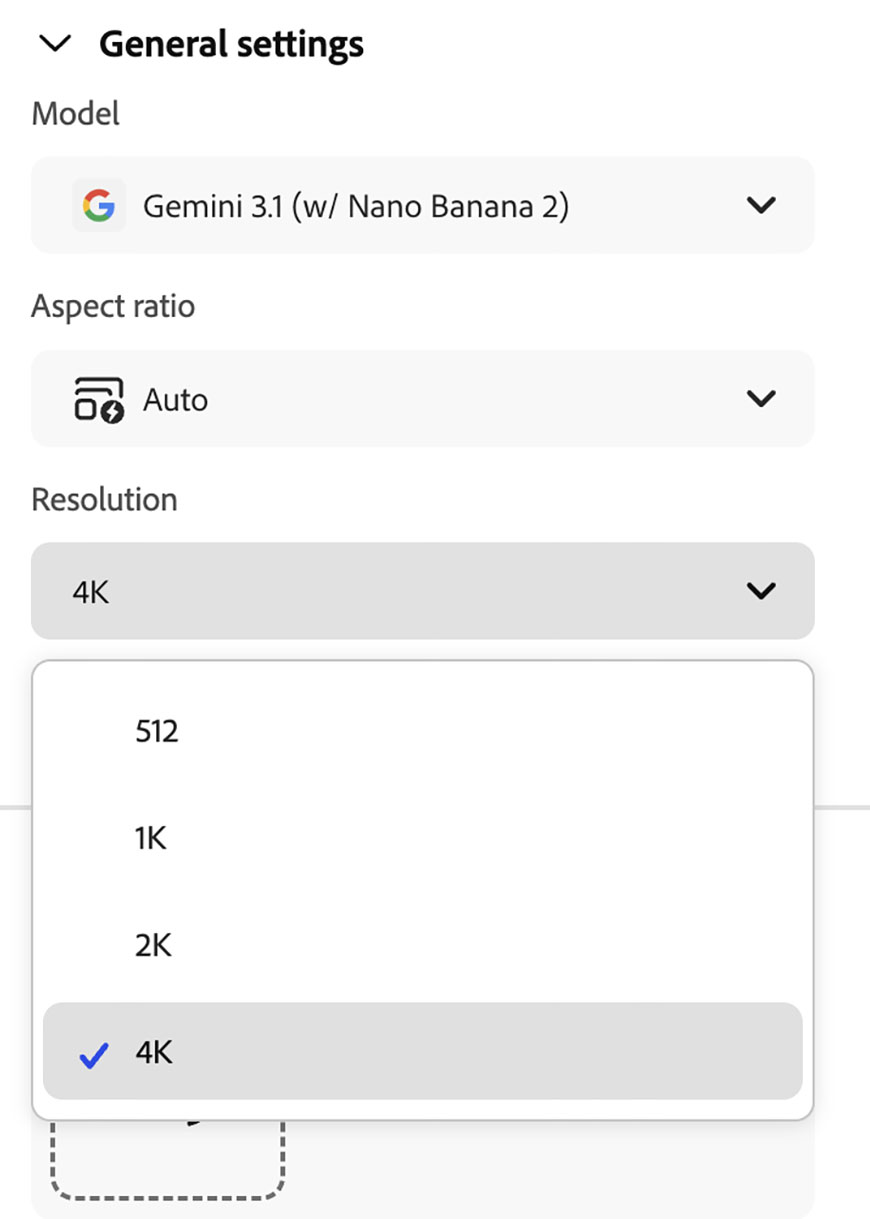
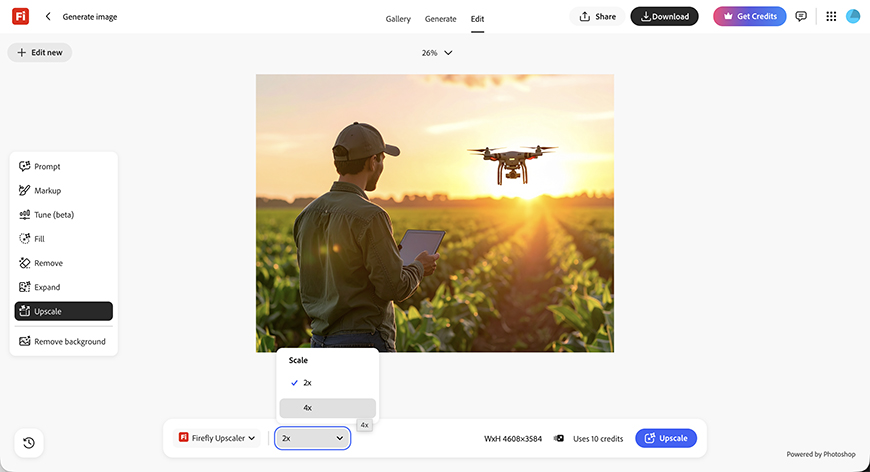
Firefly offers multiple resolution options that sometimes exceed those offered by many other AI online generators. If you need more detail, you can also use the Upscale tool to increase the size for print projects or other professional uses without leaving the app.
Beyond image quality, you can also use your creations with confidence in any type of project. Unlike other generators, Adobe Firefly models were trained on licensed content, including Adobe Stock, as well as public-domain images.
Another thing to give you peace of mind is that Adobe doesn’t use your content to train its AI. This means that you can upload your client’s sensitive content or your own private files to work without worries.
You’ll also deliver your clients’ projects without giving them legal trouble in the long run.

All in all, Firefly is a platform that balances speed, quality, and trust, which is valuable whether you’re a professional or a private user.
A faster way to create
In the previous section, I mentioned how Fast Mode helps accelerate the creative process by generating smaller preview images first.
This lets you quickly test prompts, compare ideas, and iterate without waiting for large files to render and spending tons of credits.
That philosophy of working more efficiently doesn’t stop at the image generation. The entire platform is designed to help you get what you need quickly and easily.
As soon as you land on Firefly, you have multiple Quick Actions to give you quick access to popular features such as Generative Fill, Cartoonize, Headshot Generator, and many others.

For professionals, you’ll also find features that will help with brainstorming and client interaction using Boards.
Here, you can use text prompts, generate iterations by merging multiple images, and many other tools using Firefly Boards.
Also, whichever Adobe app you use, whether that’s Photoshop, Lightroom, or Premiere Pro, you’ll find AI tools powered by Firefly that will make everyday editing tasks faster and smoother.
Ultimately, Adobe Firefly is not just about fast content generation; it’s about helping users work more efficiently every step of the way. By automating tasks, simplifying complex edits, and accelerating concept development, it gives you more time to focus on creating.
More than an AI image generator
One of the questions creators ask more often is, what’s the best AI image generator?
The truth is, the best generator depends on the project that you’re working on. Each AI model has its own strengths. Some excel at photorealistic images, while others are better for illustrations. Some are better for image generation, while others are better for editing or upscaling.
That’s one of Firefly’s biggest advantages. Instead of locking you into a single AI model, Adobe partnered with several leading AI developers to make multiple image-generation models available within Firefly.
This approach lets you work in a single environment, removing the hassle of switching between websites, juggling multiple subscriptions, or learning different interfaces.
That means fewer accounts to manage, a more consistent creative experience, and the convenience of having all your projects in a single place. It also gives you an impressive level of control over the images you’re generating.
Firefly isn’t just about simplifying things; it’s also about thinking bigger. Its versatility encourages experimentation.

Yes, you can make targeted edits, but you can also turn your image into a video, generate speech for that video, and so on. It removes barriers that once limited your imagination.
Learn, remix, and find inspiration in the Firefly community
Creating with AI is not only about having the right tool; it’s about translating ideas into reality.
However, it’s not always so easy to come up with great ideas. Have you ever arrived at an empty parking lot and you can’t choose a spot? Or browse a huge menu without knowing what to order?
Well, the same can happen with generative AI. Knowing that you can type anything and have it done can be overwhelming.
Whether you’re just starting or you’re facing a creator’s block, it’s easy to sit at the keyboard and not know what prompt to type.

This is where the Gallery comes in handy. You can browse other creators’ work and explore how they did it.
Simply click on an image you like, and it will open in the image generator. You’ll be able to see the prompt, the reference images, and the settings used to create it.
You can use this as a starting point for your own projects, but you can also use it to learn, gather inspiration, or discover what’s trending.
Ultimately, the Firefly Gallery makes the process less intimidating, giving you space to explore new workflows and keep improving.
Who Can Use Adobe Firefly?
The main thing I hoped I conveyed throughout this article is that Firefly doesn’t replace creativity; it makes it more accessible. This is why it’s built for every type of creator.
Because Firefly is available through the browser and the mobile application, creators can access it wherever their workflow happens.
The interface is designed to be approachable for beginners while still offering the level of control that experienced users expect.
So, let’s see a few practical examples.
Content creators and marketers: Whether you have a blog, manage social media accounts, or work in an advertising agency, you can use Firefly to quickly produce high-quality visuals safe for commercial use. Instead of just using templates or spending hours browsing stock libraries, generate unique content that matches your brand and message.
Photographers: You can use Firefly to explore new creative possibilities without changing the entire editing process. You can generate digital backgrounds, remove unwanted distractions, expand an image beyond the frame, experiment with composites, and make advanced edits without using time-consuming techniques.
Designers and illustrators: You can use Firefly as a brainstorming and production tool. It helps explore concepts, experiment with different visual directions, create layouts, generate vector graphics, and develop ideas faster before refining the final result.
Students, educators, and hobbyists: Firefly opens creative opportunities for people who may not have years of experience and may not even be interested in gaining it. You can easily turn ideas into polished visuals to generate a presentation for your class or express your creativity through your social media. You don’t need to be a professional to wish to see your ideas take shape.
Adobe Firefly Plans and Pricing
After exploring everything Firefly can do, the next natural question is: how much does it cost? And which plan makes sense for me?
One thing worth knowing is that you may already have access to Firefly. If you have an Adobe subscription, you may have credits included to use Firefly. This is on top of the Firefly-powered features included in whichever app you’re subscribed to.
For example, I have a Photography Plan. With it, I can use all the generative AI features inside Photoshop and Lightroom. However, I can also go directly to Firefly and use it as a standalone app on both my browser and my phone.
If this isn’t your case, or you want broader access directly to Firefly, Adobe offers several plans designed for different levels of use.
You can start with a free plan, which lets you experiment with limited daily generations and is a good starting point.
For more regular use, you can subscribe to get monthly credits and unlock limited access to different features, depending on the plan you choose.
Currently, the entry tier is US$9.99 per month, but it’s best to get the latest information from Adobe’s pricing website.
Ready to explore your potential with Firefly? Try a free Firefly AI image generator account, or unlock every tool by signing up for a membership with a free trial and start creating today.

Ana Mireles is a Mexican researcher that specializes in photography and communications for the arts and culture sector.
👋 WELCOME TO SHOTKIT!
🔥 Popular NOW:
