






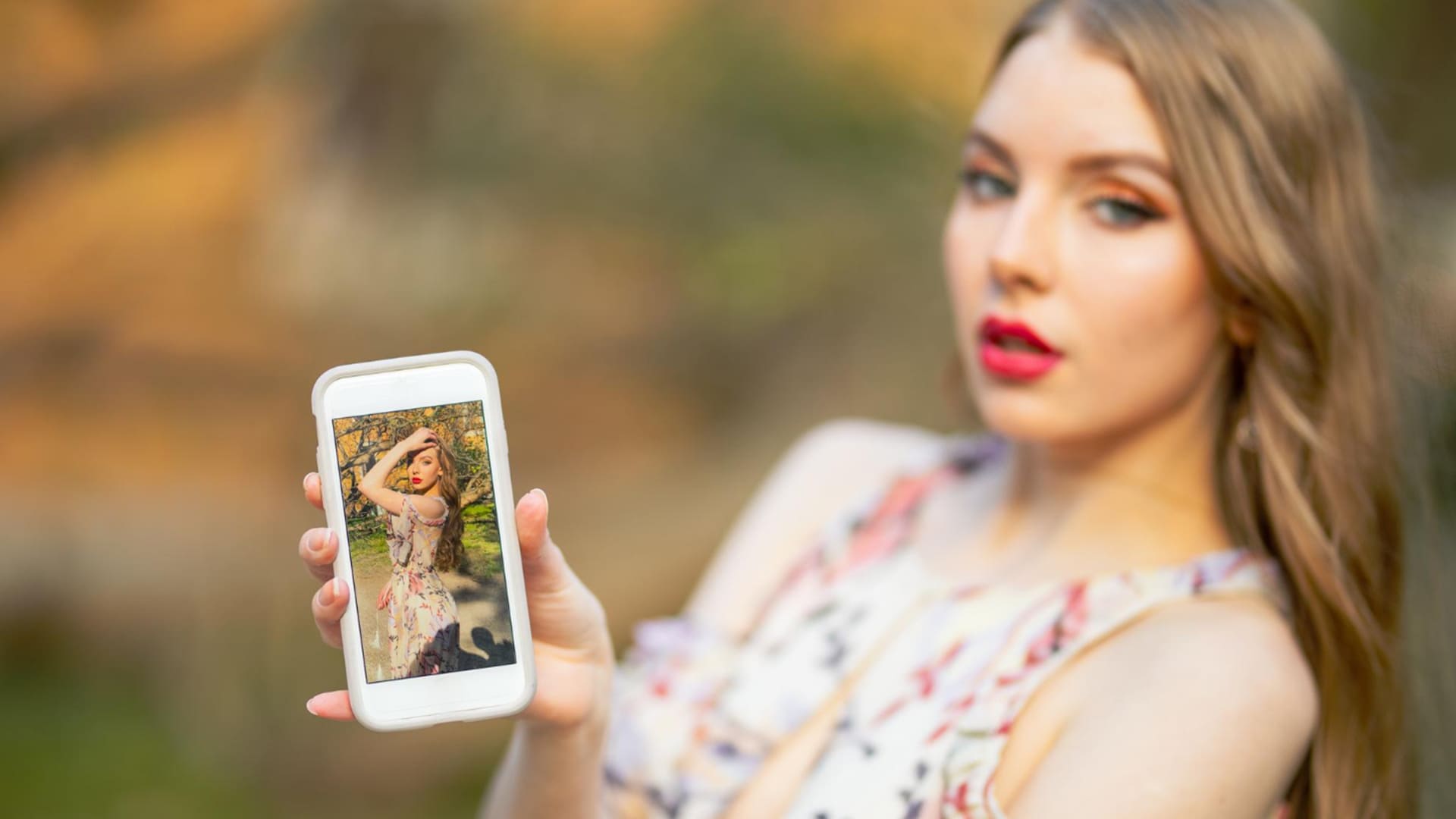
FARBA Review: How Realistic Are Its AI Portraits?
Can FARBA turn one selfie into a realistic AI portrait? Our FARBA review tests its editorial styles, likeness, privacy claims, and pricing.
AI | Software | By India Mantle | Last Updated: October 28, 2026
Shotkit may earn a commission on affiliate links. Learn more.
When it comes to app-based AI image generators, you get two distinct “tribes”: text-prompt generators and automatic selfie editors.
FARBA is one of the newer popular apps to take the second route, focusing on preserving your signature look or pose while giving it a studio-like or drawn quality. And it claims to be able to do all that in 30 seconds.
But while the artsy part with filters might be interesting for social media creators, photographers might be more intrigued by the portrait changer.
In ideal circumstances, it would allow you to take one studio photo and then change it to any other scene, setting, or context you need.
As for how well FARBA does that, read our FARBA AI app review to find out.
FARBA AI App Basics and Getting Started
FARBA is an AI photo and video generator for iPhone. It requires iOS 16 or newer, so it’s technically available for pretty much every device after iPhone 8 (all the way from 2017).
However, the app’s technical requirements mean it’s ideally used with a fairly recent phone.
The app’s iOS restriction is also arguably the first point against it when it comes to professional photoshoots. While you can technically make your iPhone a part of your studio workflow, if you’re using a dedicated camera to take shots, chances are you’re downloading the files in bulk to a laptop or PC.
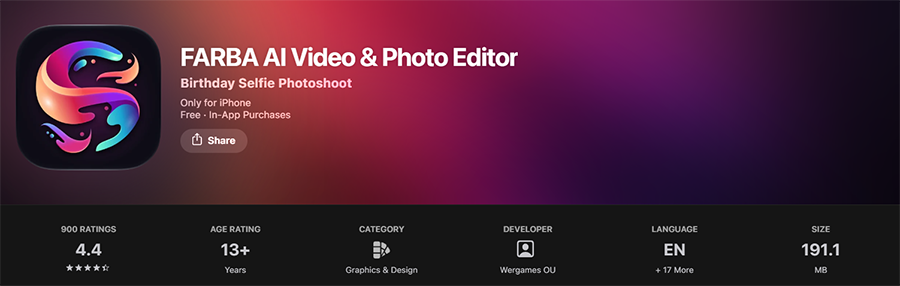
The app has also been around longer than its current branding suggests. One of its App Store page listings was “AI Image Generator FARBA Art” link, and when you go to the oldest user reviews from 2022 and 2023, you get descriptions such as “a nice mobile version of Stable Diffusion.”
As such, it appears to have evolved from a text-prompt-based image generator into a selfie-based image generator. Furthermore, as of October 2026, the App Store listing describes it as a ‘Birthday Selfie Photoshoot’ app rather than something broader.
What I do like about the app is getting started with creating in it. You don’t need to upload a set of 10 to 20 photos and wait for a model to train, which is how commercial AI creation suites tend to work.
Instead, you pick a style, upload one selfie (or take one on the spot since everything is done in the app), and generate.
The problem here is that one photo gives the AI very little to work with. If you decide to suddenly change the angle of the image, the AI will take increasingly more liberties inserting what it thinks is better.
And note that even if you do upload another image, they technically don’t combine. Each one is assessed separately and edited to fit a particular style or the requested edits.
FARBA’s advice here is to use a clear, well-lit photo with a natural expression, but I’d go further and use soft light from the front or slightly to the side.
Additionally, if you are using the iPhone’s camera to snap a photo on the go, you should remove all filters. If you’re using a dedicated camera or have a model, check out our guide on focal lengths and lenses for social media content.
AI Portrait Styles
FARBA has well over a hundred styles at this point, and new ones spawn each time there’s a new social media trend that the developers pick up on. In most cases, these are cartoonish or artistic.
However, I’ll focus more on the realistic styles since that’s where it competes with an actual studio session or the primary use case for a photographer.
Editorial and Fashion Portraits
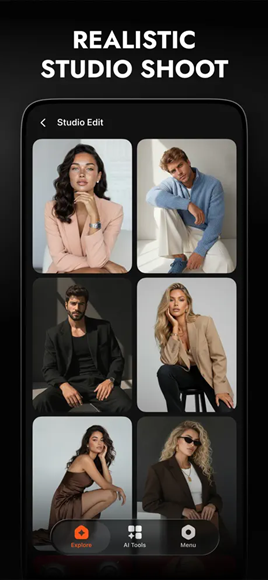
FARBA’s editorial styles are apparently inspired by magazines like Vogue, Harper’s Bazaar, and Elle, which presumably means at least some of its training data comes from crawling through similar content.
To reinforce this aesthetic, the styles come with photography-related names like Golden Hour, Sunset, Skyline, Chrome, Pink Haze, and Rose Garden. What is a bit off-putting is that the styles might not do what their names suggest, but the example image aligns pretty well with the result.
Some of these styles are free, but most are locked behind the subscription.
In testing, arguably the best part of these was how the app handled lighting. You get an image that appears to have been shot with a warm studio light, or one taken on the set on a skyscraper with a city panorama in the background.
However, most styles end up looking similar. Additionally, AI lighting tends to look perfect from all directions rather than having a specific focal point. This might look polished on a phone screen, but some images look off when zoomed in or displayed on a larger PC monitor.
Lifestyle (and Dating) Photos
The Lifestyle Photos feature generates social-media-style portraits and profile pictures from the same single selfie, and the dating photo generator takes it a step further with a six-photo set meant to look “candid-feeling.”
However, this is arguably where a photographer might do much more good.
In fact, FARBA’s own dating style page overfocuses on the specifics of how dating apps rank your photos in terms of what is in them (or what isn’t). As for the lifestyle photos, you get a focus on houses, bathrooms, or street imagery.
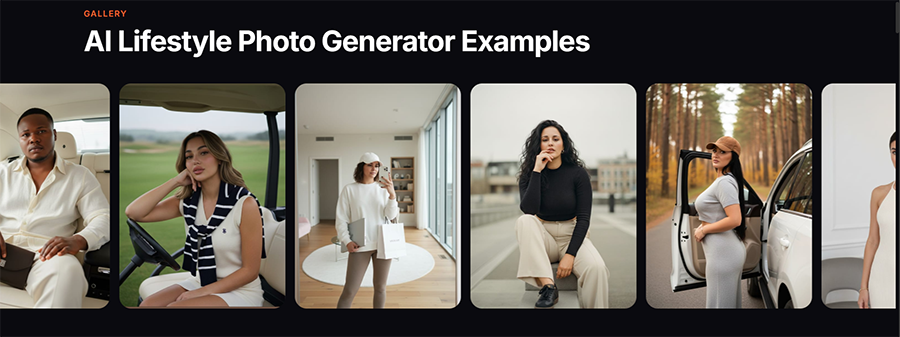
But none of those descriptions have any details on where the AI actually puts you or what kind of effect it’s trying to achieve.
Additionally, I wouldn’t recommend using an AI-generated image on a dating app if it places you in a location you’ve never visited. It could create the wrong impression if you actually never went there.
Instead, I’d argue that using a simple photo and having someone (or even AI) edit over it to remove distractions or the background might have better results.
Couples Photos
One of the few features that might be useful for photographers is the couples photos.
Here, the tool combines two uploaded photos into a single joint scene. In theory, it allows you to take two separate studio-quality photos and then join them up later.
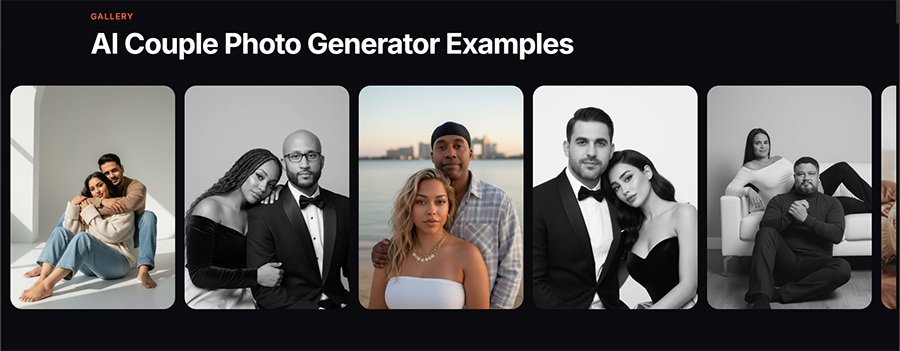
However, where the AI might stumble is trying to perfect the lighting, color composition, or fitting the models precisely in terms of height and overall size.
In practice, you might get limited results from this. The AI tends to create monochrome photos to avoid guessing colors, and the people might not line up height-wise if there’s even a slight perspective distortion between the two photos.
What this all means is that for you to get a good result, both images need to be taken in the same studio and in the desired pose. All the AI then does is combine them and add a background.
Artistic Styles
Cartoon, anime, Ghibli-style, 3D figures, collectible toys, Y2K, and seasonal themes for birthdays, Halloween, and Christmas make up the rest of the library.
These aren’t trying to be realistic, so they’re held to a lower standard. They’re also probably where most of FARBA’s users actually spend their time.
Most of the styles here also allow for more freedom. You can replace more things, ask for the AI to make more profound changes, or even outright replace your likeness with someone (or something) else.
All of this can be done with a chat prompt, one of the few ways you can influence the app through text.
The most prominent of these is the birthday photoshoot generator, as the entire app is listed as such in the App Store. It claims to be able to create an entire gallery from a simple selfie.
However, I don’t personally see the point here apart from vanity. If you already have a photoshoot, a professional photographer will likely get you the results you need while also giving every guest the same.
Image to Video
FARBA can also turn a photo into a short animated clip.
However, don’t let this description fool you.
You won’t get something that you can just post as a standalone Reel or TikTok video where you’re the main character in a grand adventure.
Usually, all the AI does is take a still photo and animate part of it, adding effects like lighting, sparkles, bubbles, or subtle movement to make it appear moving.
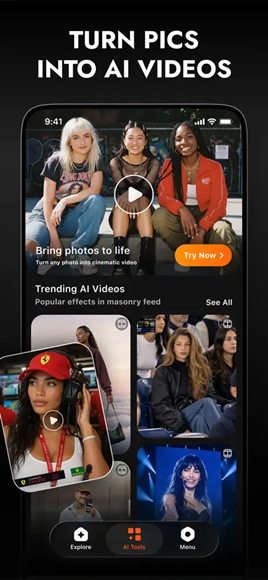
The duration of the video also leaves a lot to be desired. With most photos, you don’t get more than 8 to 10 seconds of content before you run into a hard wall where the AI refuses to make more or runs out of animations.
At best, consider it a social media promotional tool rather than a way to animate a portrait session. This does make it somewhat useful if you’re a photographer who wants a bit more behind-the-scenes content to prop up your Instagram page, but not for actual commercial work.
How Realistic Are FARBA’s AI Portraits?
The first test here is obviously whether someone who knows the model would be able to recognize them instantly.
With FARBA, barring any overly artistic changes where the goal is to create something otherworldly, the likeness holds well as long as the image has a similar angle or expression.
With skin and textures, though, the tool sometimes breaks down.
As with many AI portrait tools, the results often have excessively smooth skin, with blemishes ‘tastefully removed.” The result is something that looks clearly retouched even to an untrained eye, which is becoming more of a tell for AI tools as they get better.
Apart from the face, hands and hair could be problematic, too. The AI doesn’t particularly do well if the model doesn’t have neat hair, and it may even make uneven hairstyles for no apparent reason other than it aligning with the composition’s angles.
This is further propped up by the fact that the tool itself asks you to recheck these parts before you hit “Publish” or save the image for later editing.
Using FARBA Images
FARBA’s FAQ says photos are “processed securely on our servers and are never stored permanently or shared with third parties.” It also says images aren’t used to train AI models, and that data is encrypted in transit and at rest.
The privacy policy adds that face data is deleted from the servers “within one hour” and isn’t used for analytics or advertising.
That’s reassuring on paper, but the wording could be clearer. The FAQ says the app uses Apple’s Neural Engine for faster processing while also saying photos are processed on FARBA’s servers. The privacy policy says photos stay on your device, but also states that a face photo is transmitted to its server.
Additionally, the tool isn’t quite clear on what happens with images you make if you’re using the free subscription. The only tell is the fact that you’re given commercial rights usage when you pay for a subscription.
However, the difference in commercial-use rights does not, by itself, explain how free-tier images may be used. FARBA’s privacy policy says face data is not used for training, analytics, or advertising, although you should review the policy and terms before uploading personal photos.
FARBA App Pricing
FARBA is free to download, but the free version has a limited selection of styles and generations. Everything else sits behind an in-app subscription that promises unlimited generations, all styles, priority processing, and early access to new styles.
The main issue here is that the app doesn’t have a single easy-to-grasp subscription, and that not all subscriptions are made equal.
There’s FARBA Pro Weekly, FARBA Premium Weekly, a single-time credit pack purchase, and a long list of features that add particular styles like AI Image Generator, Creator Studio, and AI Art Generator.
The big problem is that you might only learn what you need to use when you attempt to launch a specific feature and run into a paywall, even if you’re using another type of subscription.
Weekly plans are also incredibly ungenerous. At $7.99 per week, you’d be paying over $400 a year for an app with an incredibly narrow use case. There is also a $19.99 monthly plan (or $4.99 per week).
Who Is FARBA For?
FARBA makes the most sense for casual users who want fun or stylized versions of themselves for social media with an occasional “glossy” studio-like picture.
However, at that point, the pricing is high enough that most people might subscribe for a week, get a few dozen images they need, and then unsubscribe for the next few months.
But for photographers who thrive on accuracy, realism, and actually getting a result, the app might be overshooting its claims. LinkedIn headshots, client work, or anything that’s supposed to represent how someone actually looks will still be better done by a real photographer.
As such, FARBA is mostly useful as a reference point. It shows what clients are getting used to seeing (perfect light, perfect skin, dramatic backdrops), and it can be a quick way to mock up a mood or lighting direction before a shoot.

As the General Manager of Shotkit, India Mantle brings with her a lifelong love for photography that she developed during her childhood, watching her father document their family moments with his Nikon EM. In her free time, you find her enjoying the awe-inspiring natural beauty of her home, Northern Rivers, Australia.
👋 WELCOME TO SHOTKIT!
🔥 Popular NOW:
