






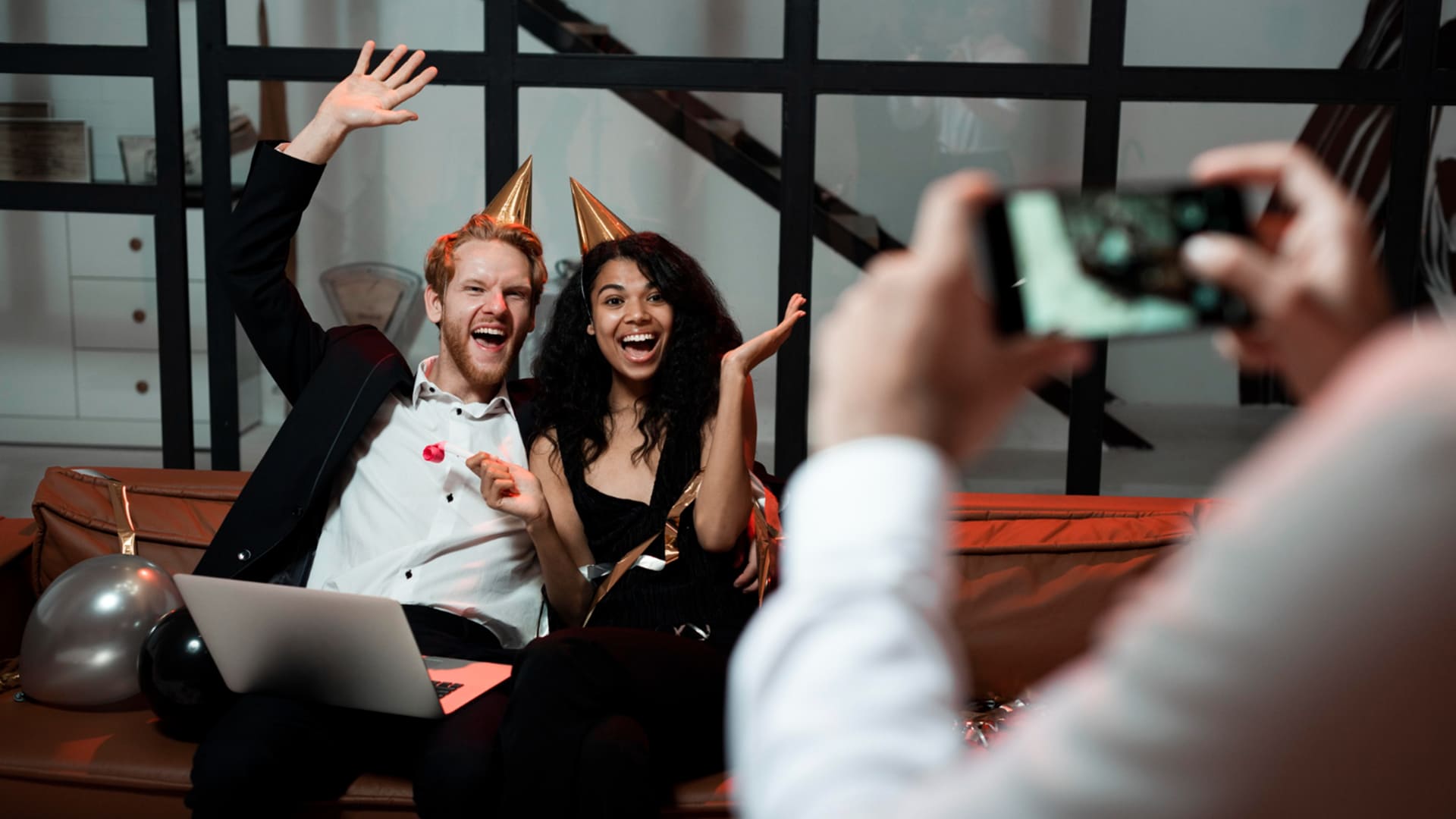
How Live AI Tagging Is Changing Corporate Event & Gala Photography
Live AI tagging uses face recognition to sort corporate event and gala photos by person as you shoot. Learn how it works and which tools to try.
AI | Software | By India Mantle | Last Updated: October 27, 2026
Shotkit may earn a commission on affiliate links. Learn more.
Corporate events have a photo delivery problem that has nothing to do with how well you shoot.
A two-day conference or an awards gala can easily leave you with a few thousand keepers. But someone is waiting for each one of those shots, and it is usually not the same person or goal.
The marketing team wants the keynote and the sponsor wall. HR wants the CEO handing out awards. And each of the 400 attendees just wants the photos they’re in sent directly to them.
For years, the “solution” was a shared folder and a polite email telling everyone to scroll, or having a dedicated assistant who sorted each photo out.
Live AI tagging aims to automate that and make the process much easier. Faces are detected and grouped as images come in, allowing the gallery to be organized by person before anyone opens it.
I’ll go through how it works, why corporate work is where it makes the most sense, a few tools worth testing, and where I think this leaves working event photographers.
What “Live AI Tagging” Actually Means
Strip away the marketing, and there are three steps happening under the hood.
First, the software detects every face in a frame.
Then, it turns each face into a long string of numbers describing its geometry that captures distinguishing facial features. Photos of the same person can produce similar representations, allowing the software to estimate whether they show the same individual.
Finally, it groups likely matches. That’s how a gallery can collect photos of the same person without anyone typing a name.
The “live” part is about timing. Instead of uploading the full set separately, images go from the camera to the gallery during the event, and the matching runs as they arrive.
On the client side, all it usually takes is a selfie. A guest scans a QR code, takes a quick photo of themselves, and gets a private gallery with only the images they appear in.
It’s worth splitting these tools into two camps, because they solve different problems.
Back-of-house tools help you sort, cull, and tag before delivery. Front-of-house tools let your client and their guests search the gallery themselves.
And the best setups will inevitably use both.
Why Corporate Events and Galas Are the Perfect Fit
Weddings get most of the attention in this space, but I’d argue corporate work is the stronger use case.
A wedding has one couple who’ll happily scroll through 800 images over a glass of wine, because they care about who attended, what happened, or the dress that aunt twice removed wore.
But a conference has hundreds of people, each of whom cares about maybe 10 people who attended.
At larger events, manual tagging can become increasingly time-consuming, particularly when hundreds of attendees need their own galleries.
Then there’s speed. Corporate photos have a short shelf life. People share them on LinkedIn the day after the event, or not at all.
But using software like SnapSeek, you can promise same- or near same-day delivery, which in turn increases how many of them are shared via social media.
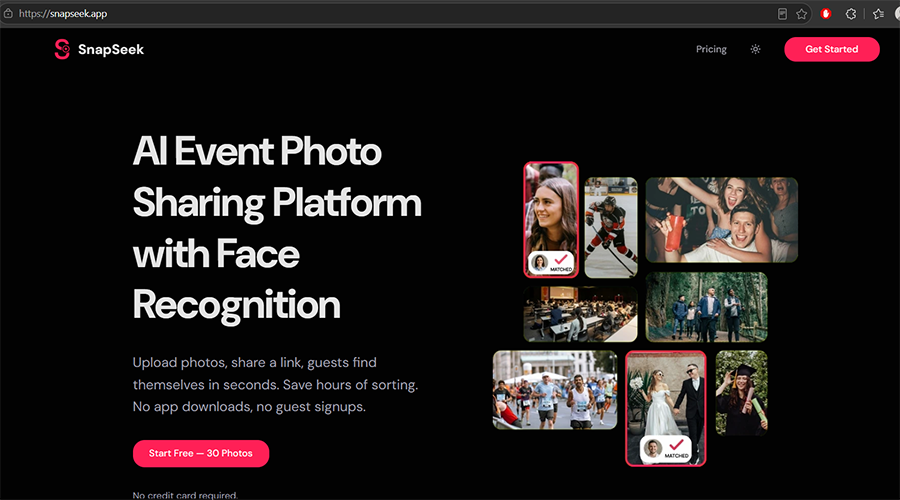
And the client is paying for those shares. A gala photo posted by 150 attendees with the company’s branding in the background is marketing that the event budget already covered.
The Advantages for Your End Client
Attendees Get a Personal Gallery
This is the obvious one. Nobody has to scroll through a thousand photos of strangers to find the two where they’re accepting an award.
It also changes how people feel about the photographer. Getting your own gallery delivered to your phone feels like a service, while a giant folder link feels like homework.
Marketing and HR Get a Searchable Archive
For the client’s internal team, the gallery itself is a precious database.
You can then ask for “every photo with regional directors,” and it takes a few additional button clicks before they’re brought out and highlighted for the execs over the next shareholder meeting.
Some platforms go even further than faces. For example, you can use a chat-like input to search by visitors and actions like dancing or hugs. Then, the images can be used for internal marketing or highlights.
VIPs and Sponsors Get Priority
Not every face in the room carries the same weight for the client, and the better systems account for that.
A few systems offer features for highlighting speakers or VIPs, while others support role-based access, allowing photographers to provide different sets of images to the press, staff, or sponsors.
That’s a small detail, but it solves a big sorting headache. You no longer need separate exports for the board, the press office, and the sponsors.
The Gallery Becomes Part of the Event
This is where “interactive experience” stops being a buzzword.
QR codes on tables or badges can send guests to a selfie search before the dessert course. Photogala mentions face-aware rotation for live photo walls, so the screen doesn’t show the same three extroverts all night.
FotoOwl also adds share buttons for Instagram, Facebook, and LinkedIn after a download.
For a corporate client, that’s a direct line from your photos to their social reach, and it’s something you can actually put in a proposal.
What Changes for You on the Day
Live delivery sounds effortless from the client’s side. From the photographer’s side, it adds a few new jobs.
The biggest one is connectivity. FotoOwl’s Beam uploader supports FTP or SFTP uploads from many Canon, Nikon, and Sony cameras and recommends an upload speed of at least 2–5 MB/s.
Anyone who has shot in a hotel ballroom knows venue Wi-Fi rarely cooperates. I’d treat a dedicated hotspot or a wired connection at the media desk as part of the kit, not an afterthought.
The second change is curation. When images go live as you shoot, you lose the comfortable buffer where you’d quietly bin the awkward mid-sentence frames.
My approach here would be to push only selects live (key moments, awards, posed groups) and deliver the full, edited set afterward. Guests get the instant gratification, and you keep control over what represents your work.
Back-of-House AI Tools for Sorting Before You Deliver
I’ve kept this list to tools Shotkit has already covered where possible. These handle the sorting on your end, before a client ever sees the gallery.
Aftershoot
Aftershoot is a culling tool first, and that’s where I’d start any event workflow.
It flags blurry frames, duplicates, and closed eyes, which matters a lot more when a few thousand images are about to be matched to real people. There’s no point in perfectly sorting a gallery full of blinks.
It’s also our top pick in Shotkit’s roundup of culling software, so it’s a safe first test.
Lightroom Classic
If you already pay for Adobe Lightroom Classic, its “People” view can detect faces and group photos by person. Once you name a person, Lightroom can apply that name as a People keyword to the associated photos.
For a corporate client who sends you a list of executives, this is a cheap way to build a named archive.
The downside is speed. Indexing a full catalog can take a while, so I’d limit detection to the event folder rather than your entire library.
Excire Foto
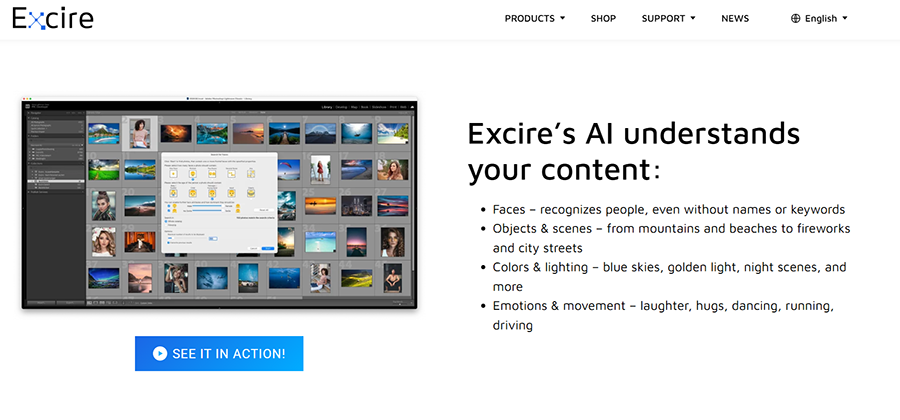
Excire Foto is a standalone photo manager with a “Find People” tool that pulls every image of a selected person from your library.
Shotkit’s review found it held up even with flare or shadows on faces, though it needs a decent view of the face to work. It also auto-keywords on import, which helps when the client asks for “all the stage shots.”
It’s a one-time purchase rather than a subscription, which I appreciate, though the AI keywords still need manual cleanup.
PhotoTag.ai
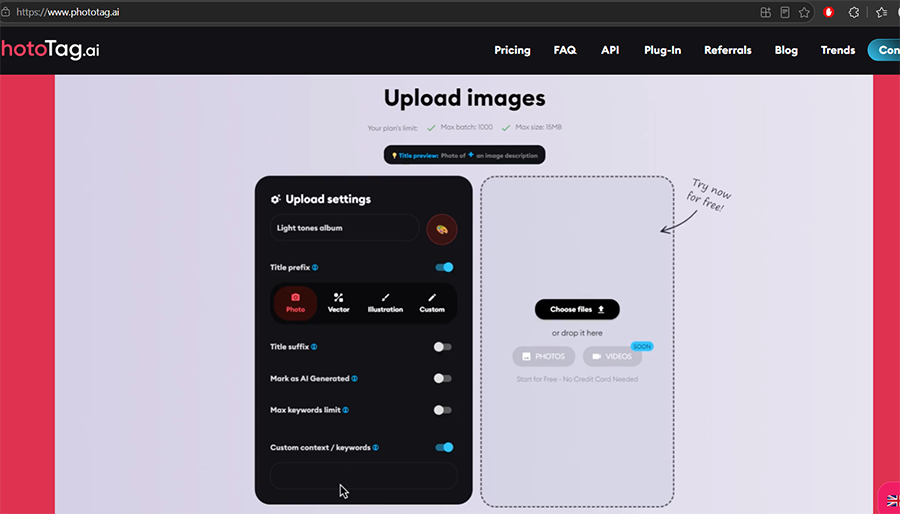
PhotoTag.ai doesn’t do faces. It generates titles, descriptions, and keywords, and it can send them into Lightroom Classic through a plugin.
I’d only bring it in if the client wants a searchable archive by content rather than by person. Shotkit’s review found it weaker on editorial and context-heavy images, so expect to check the keywords on event work.
Front-of-House AI Tools That Let Clients Search
These are the delivery platforms built around face search, where the tagging happens in front of your client and their guests.
Pic-Time
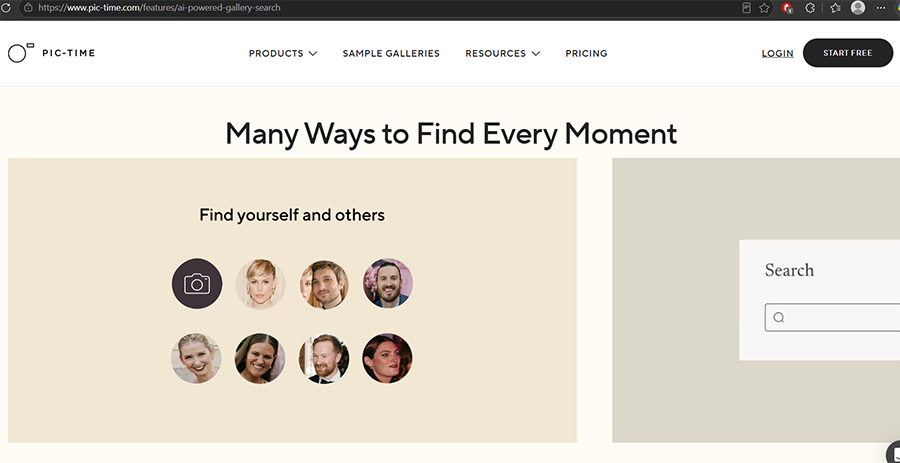
Pic-Time is one of the more complete client-facing options I’ve come across.
Visitors can click a face to find matching photos, search for moments using text, or take a selfie to find images the software matches to them. Pic-Time says that selfie-search data is not retained after the search session, so guests need to take another selfie when they begin a new browser session.
You can also make a face scan mandatory before guests view anything, limiting their access to photos the software matches to them. For a gala with a guest list full of executives, that can offer an additional layer of privacy, provided the feature is configured correctly.
The catch is that client-facing AI search is available on Pic-Time’s Advanced plan, so it may be a significant commitment if you shoot only a few corporate events a year.
Zenfolio Face Finder
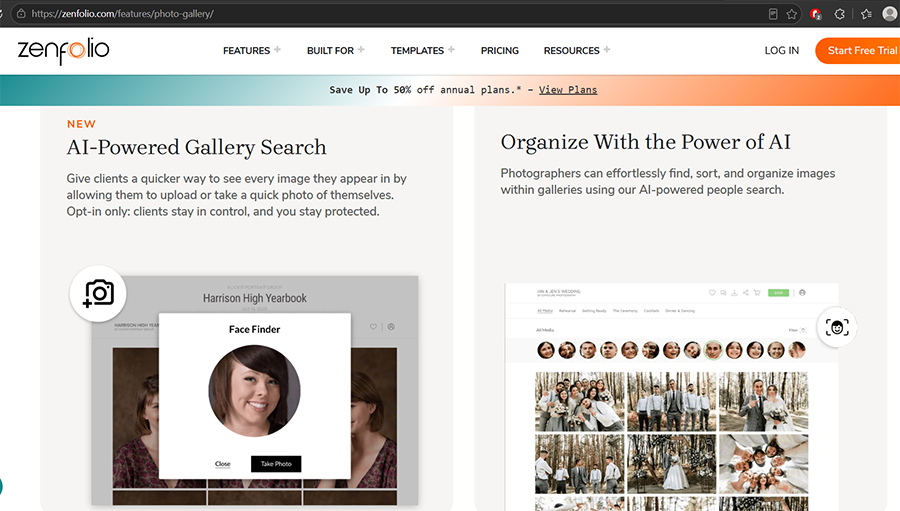
Zenfolio’s Face Finder works the same way from the guest’s side: upload a selfie or photo, and the gallery filters down to matches.
What I like is how it handles consent. Photographers toggle it per gallery, clients have to opt in, and Zenfolio says it automatically disables the feature where biometric data restrictions apply, such as in Illinois.
On the guest side, Zenfolio’s help center notes that visitors need a free account to use it, which adds a bit of friction for a one-off event.
FotoOwl

FotoOwl is the one built most specifically around live events.
Its Beam uploader sends images from the camera while you’re still shooting. Guests scan a QR code, upload a selfie, and get their gallery by link or WhatsApp. Guests can even upload their own photos, which go through a moderation queue before appearing.
Beam is priced separately from the main subscription, so factor that in. And as with most event-first platforms, you’ll be trading some of the polished portfolio feel of Pic-Time for speed.
Where AI Tagging Still Trips Up
Gala lighting is close to a worst-case scenario for this tech.
Photogala lists low light, motion blur, profile angles, and sunglasses as the main things that reduce accuracy. Swap sunglasses for colored stage lights and backlit podiums, and you’ve described most awards nights.
Accuracy claims vary by provider and testing conditions. SnapSeek boasts high accuracy, while Photogala takes into account such factors such as low light, motion blur, profile angles, and sunglasses that can reduce the face-matching abilities. Because results depend on the images and conditions involved, test each system on representative photographs from your personal images before relying on it.
AI also can’t tell which photos matter. A slightly soft shot of a retiring founder getting a standing ovation might be the most important frame of the night, but the AI will simply tag it and sort it like all others.
What’s Up Next for Event Photographers
My theory is that delivery is about to become the main thing corporate clients pay for, with the photography treated as the baseline.
Turnaround expectations will likely collapse first. Once a client has seen guests receive photos before the event ends, expect others to follow suit, so you’ll need to rely on AI tools to expedite delivery, even if that comes at the price of using AI entirely for sorting and identification.
That probably shifts pricing, too. I’d expect more quotes structured around attendee count, live delivery, and gallery features rather than hours on site, similar to how photo booths are sold today.
The role itself will expand. At bigger events, you may need an assistant (or two) to manage uploads, moderate galleries, and monitor the connection while the photographer keeps shooting.
This adds to the overall cost of the job. However, I’d argue it’s not all bad because with AI handling sorting and management, your technical skill moves front and center.
A faster photographer with a sharp eye for lighting and timing will get more things done, while the supporting AI systems pick up the slack of sending the photos out. After that, editing tools refine the product for later delivery or publishing outlets.
If you shoot corporate events, I’d suggest trying out at least some of the tools on existing galleries and seeing how they interact with your workflow. By the time a client asks for live tagging in the brief, you’ll want to be the photographer who’s already done it.
More: How Live Camera-to-Cloud AI Is Changing Event Photography

As the General Manager of Shotkit, India Mantle brings with her a lifelong love for photography that she developed during her childhood, watching her father document their family moments with his Nikon EM. In her free time, you find her enjoying the awe-inspiring natural beauty of her home, Northern Rivers, Australia.
👋 WELCOME TO SHOTKIT!
🔥 Popular NOW:
