






Luminar On Web And Other News From the Fall Update
Learn about Luminar on Web and the fall 2026 update, including free browser-based editing, smarter AI tools, mobile improvements, and built-in printing.
Luminar | Software | Paid Partnership | By Ana Mireles | Last Updated: October 27, 2026
Shotkit may earn a commission on affiliate links. Learn more.
The Fall 2026 upgrade for Luminar starts with a bang – Luminar is now available on the web, and it’s free!
You can now edit on any computer, wherever you are, just by logging into your Skylum account. If you don’t have one, no problem. Create a free account, and you’ll get all the essential editing tools.


Makes complex photo edits fast and easy with time-saving AI tools, cross-device editing, and flexible licensing options.
Of course, buying a license and subscribing to Prime gives you even more creative possibilities. So, I’ll break down more details about what’s included, pricing, and more throughout the article.
Plus, I’ll cover all the other features arriving this fall. So, let’s get started!
Luminar on Web
Luminar on Web launched on October 15th, 2026, and it revolutionized how Luminar users work by making editing more flexible than ever. Let’s see what this means for you.
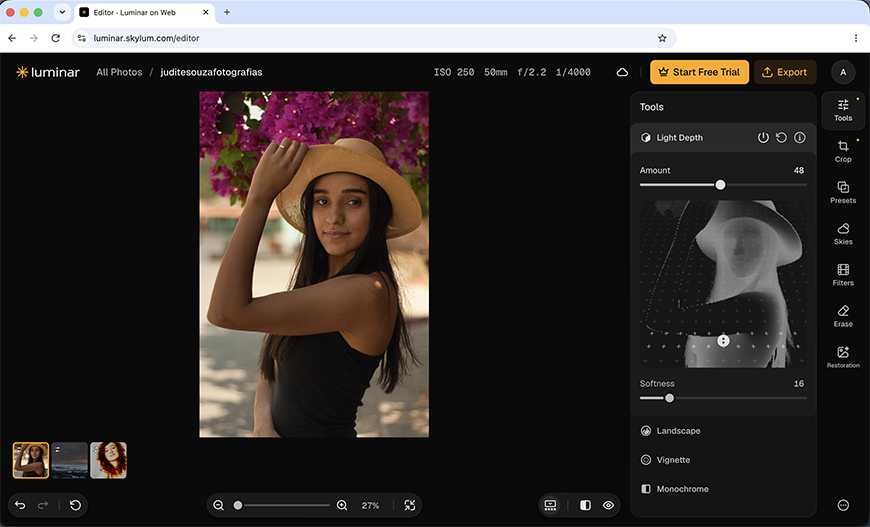
Luminar on Web main features
Luminar on Web makes photo editing available to everyone. You can enhance your photos by adjusting the exposure or fine-tuning colors. Whether you’re fixing problematic shots or exploring creative editing, all the essentials are there for you.
I have more good news, though. Luminar on Web, even the free version, doesn’t stop at the basics; it also includes powerful features like Light Depth. This is one of my favorite tools because it adds dimension to your images by shaping the light.
You can read more about Light Depth on Luminar desktop in our dedicated article, but you can try it for free online.
Furthermore, Luminar on Web also supports RAW editing. This means you can shoot in professional mode and get the most detail on every photo.
Premium Luminar on Web features
When you’re ready to take your editing one step further, you can access premium features like Luminar’s flagship Sky Replacement tool.
If you don’t know it, this tool uses AI to easily change the sky in your pictures, giving you full control to fine-tune it and achieve realistic results quickly and easily.
You’ll also get other AI-powered tools to enhance all sorts of images, with a special section dedicated to portraits. You’ll also get filters and presets.
Cross-device editing has been available since the mobile app launched. Now, you can add Luminar on Web to the mix. You can start working on your phone, move on to web, and finish off on your computer. Any edits you make on web or mobile will sync with the Luminar installed on your computer.
What Else is Coming With the Fall Upgrade to Luminar?
Luminar on Web is just the beginning. As the fall 2026 upgrade rolls out, more improvements are reaching all users.
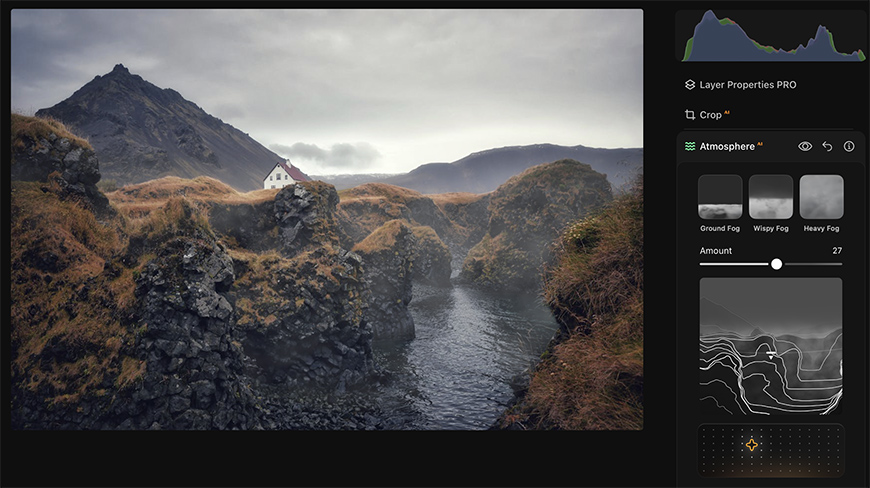
As of October 28th, Atmosphere 2.0 will be available. The key feature is Fog, which will now have a more realistic effect by working with a depth map, similar to the Light Depth tool.
This will give the fog a three-dimensional character, and you’ll have more options to control how the effect looks.
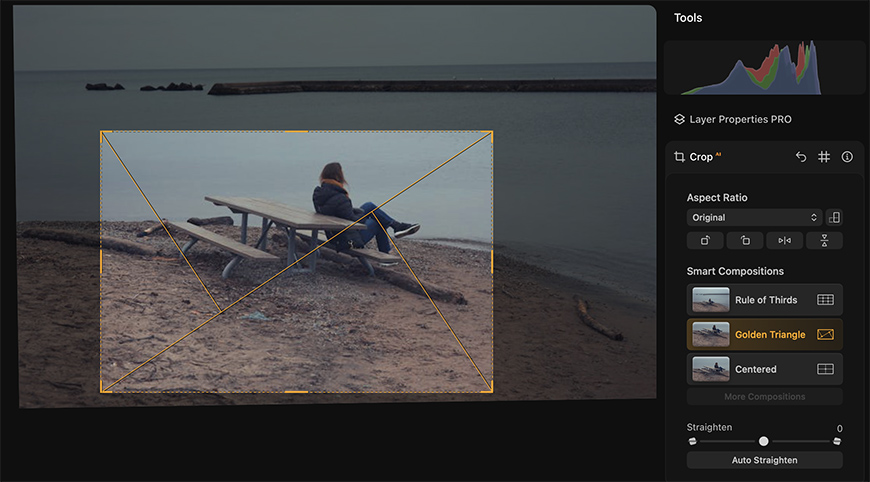
Then, Smart Compositions arrive to improve the Crop tool. This new AI-powered feature analyzes the image and suggests different crops that fit your scene.
You’ll be able to choose from different composition guidelines such as the golden triangles, the golden spiral, or the rule of thirds.
The Enhance AI tool is becoming smarter at interpreting the scene. It will prevent fringes and preserve the highlights even at 100%, making the most of your picture.
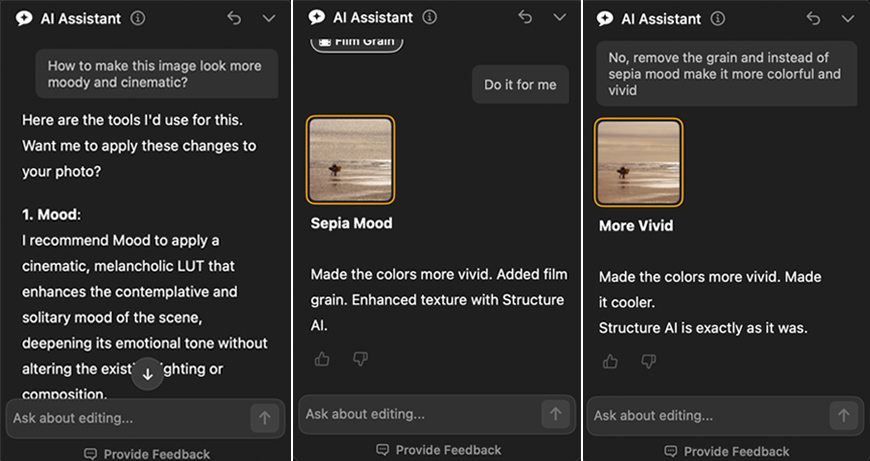
Speaking of becoming smarter, the AI Assistant is also upgrading. You’ll be able to interact with it using more natural language, and it will help you learn and edit your photographs.
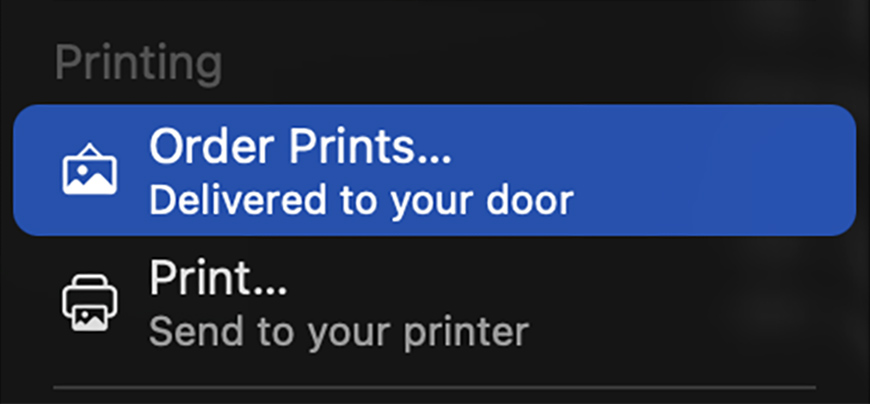
Another feature many have requested is a built-in printing feature. Now you’ll be able to send your photos directly to your printer with multiple control settings.
Plus, you’ll be able to order prints from a third-party service.
As if this wasn’t enough, another upgrade will roll out at the end of November that includes improved masking.
Mobile Update
If you enjoy editing on your phone, you’ll be glad to know the fall updates also cover the Luminar mobile app.
The interface gets an update that makes it cleaner and more intuitive. Plus, the GenErase tool is now available on your phone, as mobile users have requested it.
Last but not least, a new learning course will be available.
How the Luminar Fall Update Could Change Your Editing Workflow
What’s special about this upgrade is that it’s not just a list of improved features. I mean, features are getting better, but with a more comprehensive thought behind them.
The idea is to give you more freedom and flexibility to experiment and bring your creative ideas to life. Wherever you are, you can access your images and work on them; you don’t have to wait until you get home or go through a complex process to share images between your devices.
Having another platform to work with that doesn’t require an installation and syncs live makes your workflow easier and lets you focus on the creative side.
The evolution of Luminar is also moving you outside the screen with the possibility to print your favorite images right from the program. Whether you print at home or send them out to a professional lab, you don’t need to waste time changing platforms or give up control of the settings.
In other words, Luminar’s upgrades aim to meet every photographer however they prefer to work, whether it’s on the go, at home, or both.
How Do I Get the Latest Luminar Features And Luminar on Web?
Now is the best time to get Luminar because the Special Black Friday Offer starts on October 19th, 2026, and it gives you the best price of the year if you’re buying Luminar for the first time.
Remember that Luminar sells lifetime licenses across all platforms. So, once you buy it, you own it forever.
You can also get the Prime yearly subscription for access to AI tools, assets, and courses.
The great thing is that tools like Enhance AI, Atmosphere 2.0, and Smart Compositions remain available even after you cancel your Prime subscription.
Generative AI tools are available for a year with no limits and no extra credits. Every Prime renewal also renews unlimited access to the gen-AI tools.
These options are available year-round, but the Special Black Friday Offer offers the biggest discounts. Head over to the Luminar website to check the current prices and get Luminar today.
If you already own Luminar or another Skylum product, log in to your account to see custom offers. Don’t miss out!

Ana Mireles is a Mexican researcher that specializes in photography and communications for the arts and culture sector.
👋 WELCOME TO SHOTKIT!
🔥 Popular NOW:
