






Pixlr AI Review: Can a Free Browser Suite Compete With Paid AI Tools?
Pixlr AI’s free photo editor and image generator can be a great bargain, but can it match premium alternatives? Find out in my detailed review.
AI | Software | By India Mantle | Last Updated: July 18, 2026
Shotkit may earn a commission on affiliate links. Learn more.
The AI boom has brought a large number of exciting AI-powered platforms for photographers and editors to work with. However, many of these platforms come with quite high price tags attached, and not everyone wants to pay a sizable monthly fee to access an editing toolkit.
That’s where Pixlr comes in. It’s an AI-powered photo editor and image generator that gives users access to a diverse array of editing tools, all for free. At least, that’s how it’s marketed; but as I found out firsthand, the truth is a little more nuanced than that.
Read on to find out exactly how Pixlr AI’s pricing structure works, and learn about some of its key features and capabilities in my detailed Pixlr AI review.
What Does Pixlr AI Offer?
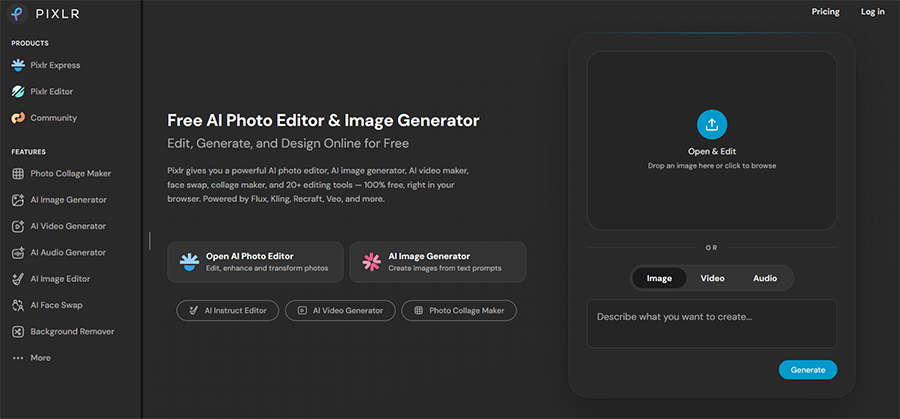
Before I dig into the details of what Pixlr can do, here’s a quick introduction to this platform for those who may not have heard of it.
Pixlr is a web-based photo editor and image generation platform that now includes a wide range of AI-powered editing tools. It was created by Swedish web developer and entrepreneur Ola Sevandersson and started as a simple online image editing tool when it launched in 2008.
It rapidly gained widespread popularity, thanks to its accessible features and user-friendly design, and remains easy to use to this day. But has changed quite dramatically – it’s now heavily oriented around AI features, offering AI video, image, and even audio generation, plus AI-powered editing.
As with other AI image editing platforms, Pixlr allows you to use AI to upscale your images, for example, remove unwanted objects, replace backgrounds, or make changes via simple text prompts, instead of complex Photoshop-style layer systems.
Despite its shift towards AI, the platform still offers manual, browser-based editing features, too. Users can crop, cut, and retouch their images the old-fashioned way, correct colors, apply filters, and so on, via either the quick and simple Pixlr Express tool or the more advanced Pixlr Editor.
With its mixture of manual and AI-powered editing, Pixlr effectively aims to offer the best of both worlds. It also strives to make many of its features free for users to enjoy, albeit with ads to help fund the platform’s hosting and development.
However, as you’ll see later on in the “Pricing” section of my review, not all of Pixlr’s features are free. Those expecting to enjoy AI-powered editing without having to pay may be sorely disappointed by how Pixlr actually works.
Key Features of Pixlr AI
Pixlr is a robust image editing platform, offering so many features that it would be impossible to list and detail them all. For this review, I’ll focus on what I believe to be the core features of the platform that appeal most to photographers and editors, including both manual and AI-powered tools.
Pixlr Express
Pixlr offers not one but two different editors for users to use: Pixlr Express and Pixlr Editor.
As the name suggests, Pixlr Express is the simpler of the two, aiming to provide rapid results via a more streamlined interface than Pixlr Editor.
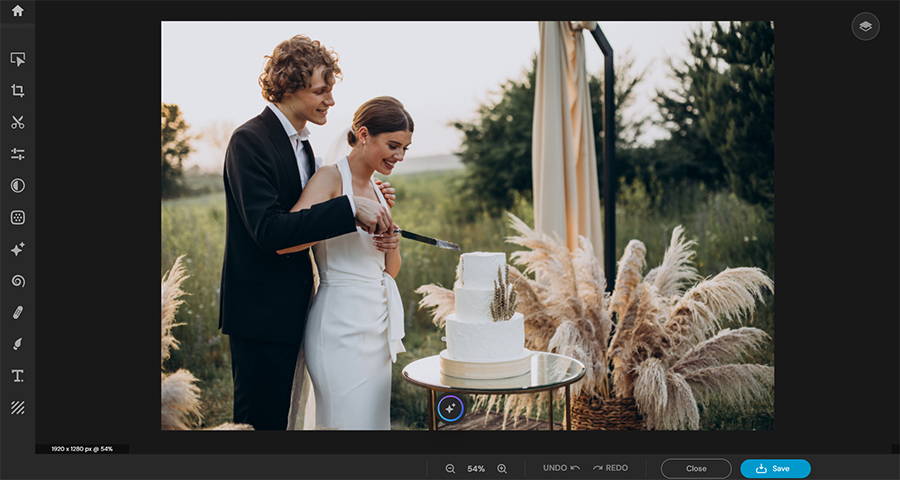
You won’t necessarily want to use this option for more in-depth editing, but for quick fixes and broad strokes, it’s an ideal choice.
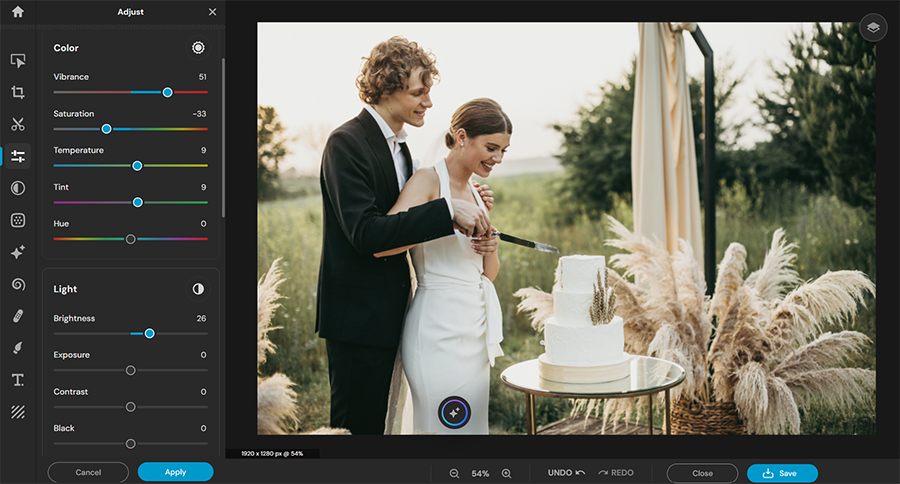
After I uploaded this image of a happy couple preparing to cut their wedding cake, for example, Pixlr Express offers options to crop the image, cut out individual elements, or apply a range of preset filters.
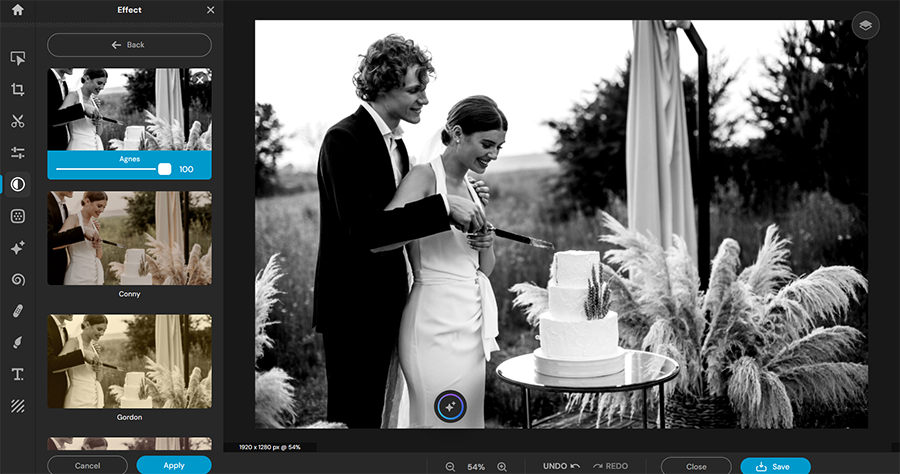
By clicking the “Adjust” button, I was also able to change aspects like vibrance, saturation, hue, brightness, contrast, and exposure with the help of simple sliders.
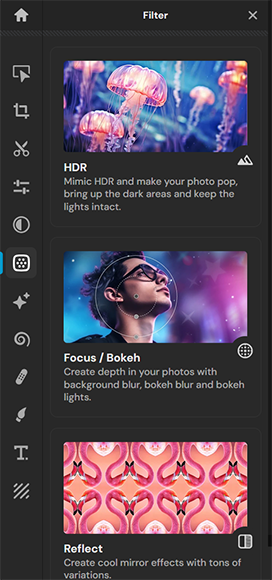
There’s even a special photographic effects menu, offering options like HDR imitation, bokeh effects, reflections, and dispersions.
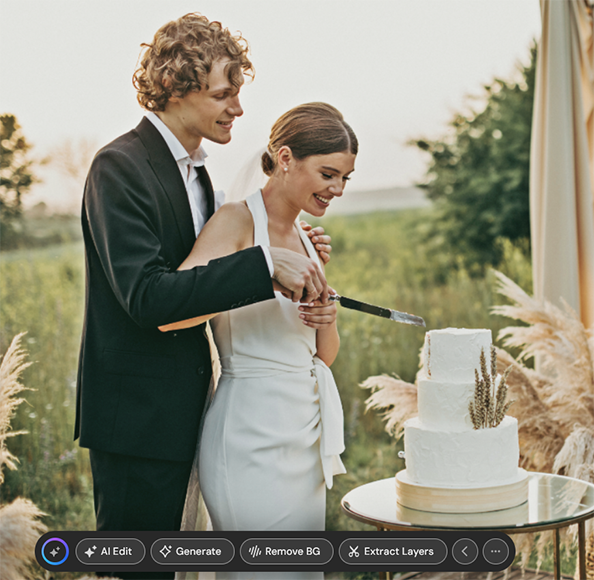
At any time, I can also press the “AI” button on the image itself to access an AI feature menu. This allows me to make edits via AI text prompts, generate new content to add to the image, and so on. There’s also a separate AI effects menu for swapping faces, expanding the image, or changing the background.
To provide an example of how this works, I asked the AI to add a decorative topper to the wedding cake:

The result looks a little unnatural, but it’s worth noting that I only used one of the simpler AI models to do this. Pixlr provides access to an array of generative models, some of which are much more advanced and accurate than others.
Pixlr Editor
If you feel like Pixlr Express is a little too basic for your tastes or needs, you can switch over to Pixlr Editor with a single click. It’s a much more advanced tool, with an interface that will feel particularly familiar to users of Photoshop and similar tools.
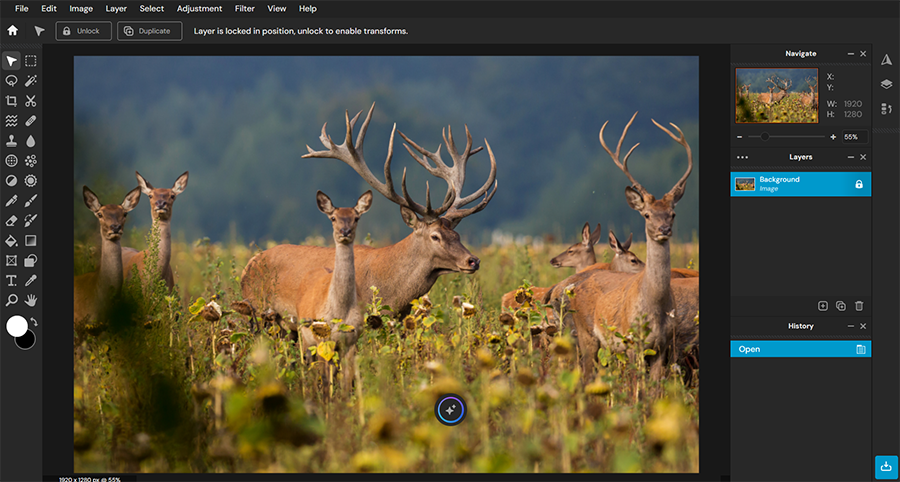
Many users will feel right at home with this interface, but if you’re new to this type of editing, you can hover your cursor over any of the icons in the sidebar for a quick explainer. There are also quick keyboard shortcuts for all of the different tools.
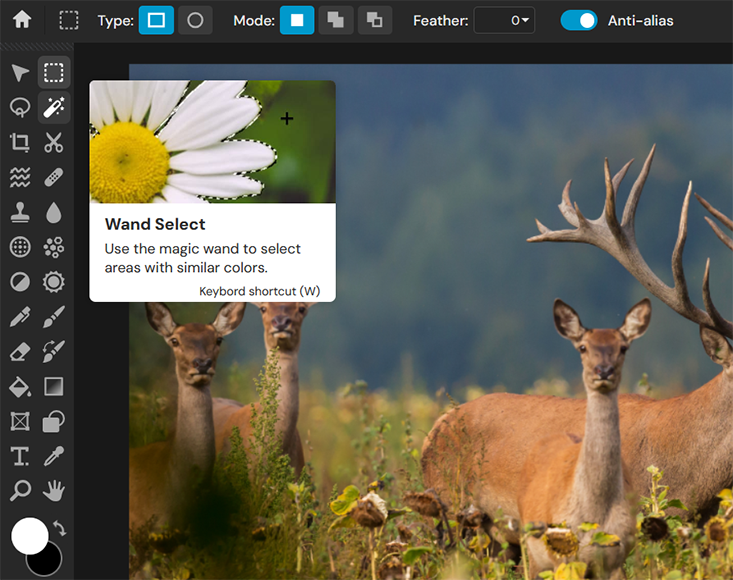
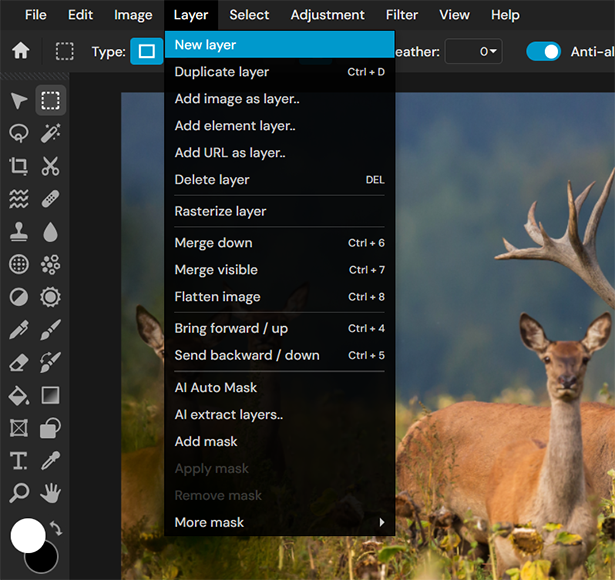
Like Photoshop and other tools, the Pixlr Editor uses layer-based editing. This allows users to separate elements into different layers, or sheets, and edit or rearrange them individually. It’s a popular editing method for making precise adjustments without impacting the broader image.
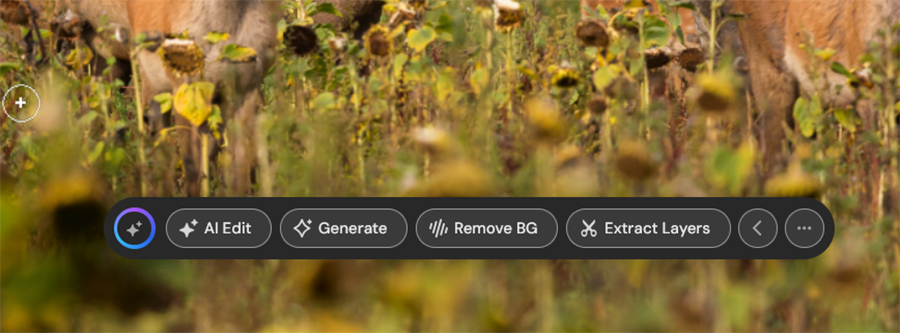
This editor also offers all of the tools and functions you can find in the Express editor, including the AI button, which appears near the bottom of the image, providing instant access to AI-powered editing.
Having worked with Photoshop, I felt comfortable with the Pixlr Editor. It functioned very well and generated the kind of results I’d expect from a tool of this kind, though I have read reports from other users who experienced lag and other technical issues due to the browser-based nature of this app.
Community
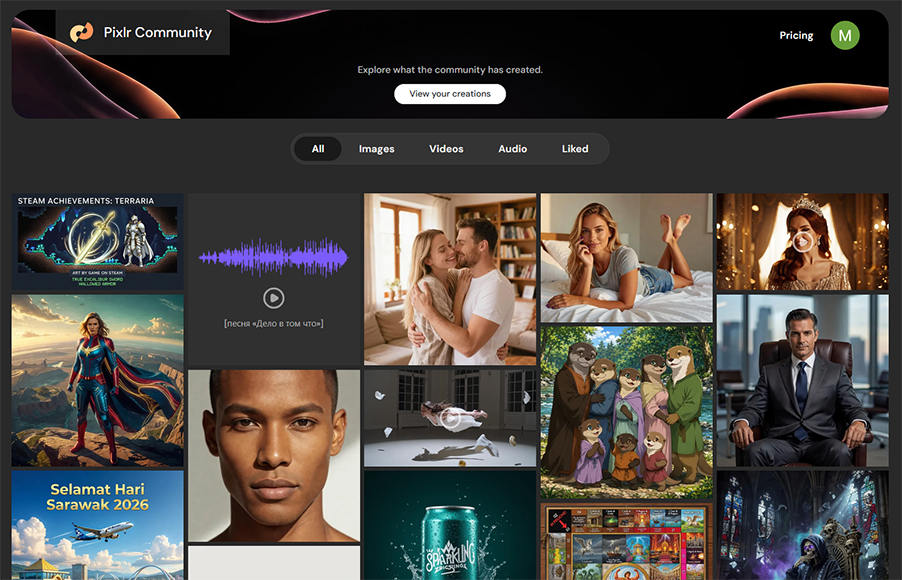
The Community tab is the section of Pixlr reserved for users to show off their content or find out what other users have been creating. It may not be of interest to everyone, but others may find it quite engaging or even inspirational.
You can sort content to focus on images, video, or audio files, or simply see the latest and most liked posts. You can also click on any individual post to learn more about it, finding out who made it, which AI model they used, what prompt they used, etc.

There are even options to “Remix” or edit other users’ images, or copy their prompts, which may be helpful for users who want to create something but aren’t quite sure where to start.
AI Image Generator
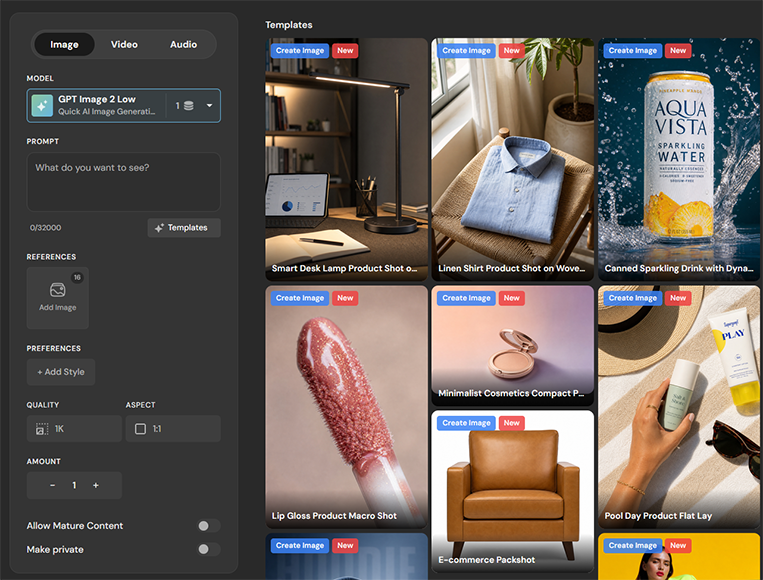
If you want to create your own original content from scratch, you can use Pixlr’s AI Image Generator to do so. It works just like countless other tools of this kind; you choose a model, enter a prompt, customize some settings, and let the AI work its magic.
Pixlr offers access to some of the best generative models on the market today, like Seedream, Nano Banana, and Wan Image Pro, though some are more expensive to use than others. It also lets you add reference images, choose from an array of styles, and customize quality and aspect ratio.
AI Image Editor
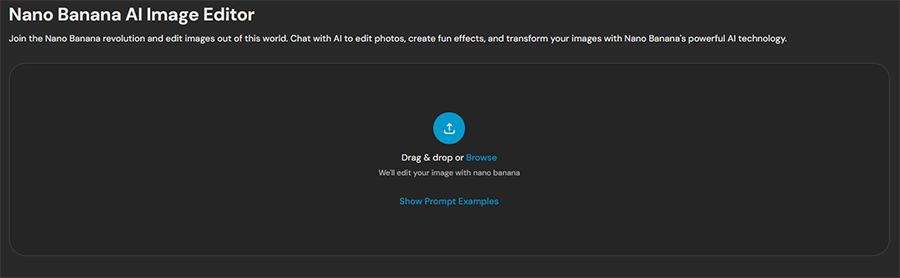
If you’d prefer to let AI do your editing for you and don’t want to rely on conventional tools and manual methods, you can head directly to Pixlr’s AI Image Editor.
This uses the highly-rated Nano Banana generative model to make image edits on-demand. You can simply upload an image, type in some text to explain how you want to change it, and let the AI do the hard work for you.
Having used Nano Banana before, I know how effective it can be, but it may take some time for new users to figure out exactly how to word their prompts in order to get the best results from this tool.
Pricing
Next, let’s talk about how much you have to pay to use Pixlr, because this platform has long been popular because it’s free to access. Pixlr is even marketed as a “free AI photo editor,” which may lead users to believe that you can enjoy its AI features without having to pay for the privilege.
In reality, it doesn’t quite work that way.
A large number of Pixlr’s features are free to use. You can access Pixlr Express and Pixlr Editor for free, for example, and make manual changes to your images, such as correcting colors or cropping, without having to spend any money at all. You may, however, see some banner and sidebar ads as a free user.
However, as soon as you use any AI-powered feature, you’ll have to spend credits to do so, just like on every other AI-powered platform. Generating images, changing backgrounds, and removing objects are all examples of AI-powered features that cost credits to use.
Free users receive a limited number of AI credits, which can be used up quickly because many AI features consume several credits per use. Once you run out of credits, many of the platform’s features will be locked off to you unless you buy more or sign up for a paid plan.
It’s worth noting, also, that free members are restricted in terms of how many saves they can make per day. That effectively means that you can’t simply edit and save hundreds or even dozens of images per day; you’ll only be able to work with a few pictures before you hit the save limit.
These restrictions mean that even though Pixlr is marketed as free, users often feel pushed towards one of the platform’s three paid plans:
- Plus: This plan starts at $1.99 per month if you pay the annual fee in full and provides an ad-free experience and removes the free plan’s save restrictions. You’ll also receive 960 AI credits to use over the course of a full year.
- Premium: Starting from $7.99 per month (again, paid annually), this plan gives you access to all AI models for image, video, and audio generation, plus AI-powered editing. It also provides 12,000 annual credits and a large library of fonts, templates, and elements to work with.
- Ultra: The high-end plan starts at $19.99 per month (paid annually) and provides 120,000 credits per year. You’ll also be able to process images faster on this plan and export images in high resolution, as well as generate up to eight AI images at a time.
I have mixed feelings about Pixlr’s pricing structure. It’s good to see that the platform offers a reasonably useful free plan, but users shouldn’t be under the impression that they can rely on that plan indefinitely, as it’s only good for very casual usage.
If you’re a serious photographer or editing enthusiast, you’ll likely have no other choice but to pay up for a subscription. Even if you don’t want to use the AI features, the save limit is still a harsh restriction that drastically limits how much editing free users can do.
The prices themselves, however, aren’t bad at all. I feel that the Premium plan is very fairly priced for what it offers, especially when compared to subscription costs and license fees for popular editing applications.
The Final Verdict: Can Pixlr Keep Up With Paid Tools?
It’s easy to see why Pixlr has developed a reputation as one of the best web-based Photoshop alternatives. It’s smartly designed and relatively easy to learn, with a great range of editing features that can appeal to both beginners and more experienced users.
The introduction of AI technology to this platform makes it more powerful and effective than ever before, and I was pleased to see that Pixlr uses some of the best AI models to support its editing tools, such as Nano Banana Pro and Seedream.
It provides a well-rounded editing toolkit you can access at any time, on almost any device, directly via your browser. At the same time, this means that you’ll need a stable internet connection to use it, and some users may experience slowdown and even crashes when working with high-res images.
Overall then, my impression of Pixlr is mostly positive, but if we return to my titular question: can the free version of this app compete with paid tools? The answer, sadly, is no – the free version is simply too restrictive to be viable for serious users, and you will have to pay to get the most from this platform.

As the General Manager of Shotkit, India Mantle brings with her a lifelong love for photography that she developed during her childhood, watching her father document their family moments with his Nikon EM. In her free time, you find her enjoying the awe-inspiring natural beauty of her home, Northern Rivers, Australia.
👋 WELCOME TO SHOTKIT!
🔥 Popular NOW:
