







Luminar Just Leveled Up – And There’s More to Come
Luminar's summer update brings new features to make editing faster — and there's more on the way this fall. Here's what's changed.
Luminar | Software | Paid Partnership | By Ana Mireles | Last Updated: September 10, 2026
Shotkit may earn a commission on affiliate links. Learn more.
Like every year, Luminar has a big fall upgrade planned. But this year, there’s an extra surprise.
In 2026, Skylum decided to add a summer upgrade as a gift to all its users, bringing a first wave of improvements earlier in the year.
That summer upgrade is already here, as it launched on August 5. The fall upgrade is still to come, but it’s already available for preorders.
So, what exactly is changing? I’ll tell you all about it in this article, from the most visible changes to the under-the-hood improvements that make Luminar easier, cleaner, and more efficient.
Let’s get started.
Luminar Summer Upgrade
Luminar’s summer upgrade officially rolled out on August 5 for all users – both existing users at no extra cost and new users joining Luminar.
Some changes are easy to spot, such as the interface upgrade, but not everything is immediately visible. Some improvements are happening behind the scenes to improve the user experience.
In this section, I’ll cover everything new and already available. In the next one, I’ll cover what’s coming in the second phase: the fall upgrade.
Luminar Neo becomes Luminar
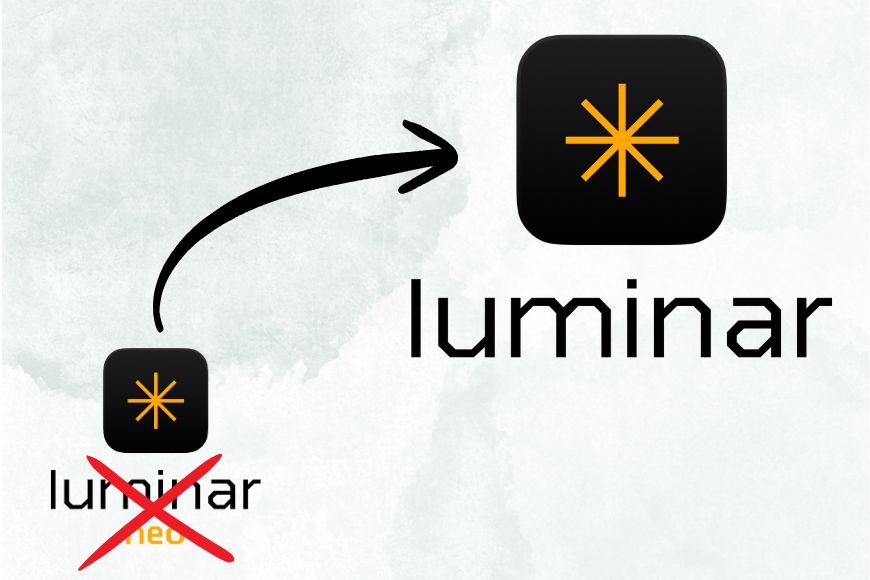
You might have seen news saying that Luminar Neo is gone and wondered what it means for you. I have good news: Luminar Neo is not over; it’s simply evolving into Luminar.
This is more than a name change. It reflects where the product is heading: a creative experience that’s cleaner, more streamlined and more efficient whether you’re editing on your phone or your computer.
Since 2024, Skylum has started introducing a mobile app and the ability to edit across devices. This was the first step into offering the chance to work wherever inspiration strikes.
The name Luminar better reflects this evolution.
A cleaner interface
Another thing you might notice when you upgrade to Luminar v. 1.28 is the interface upgrade designed to make editing more intuitive and the experience smoother.
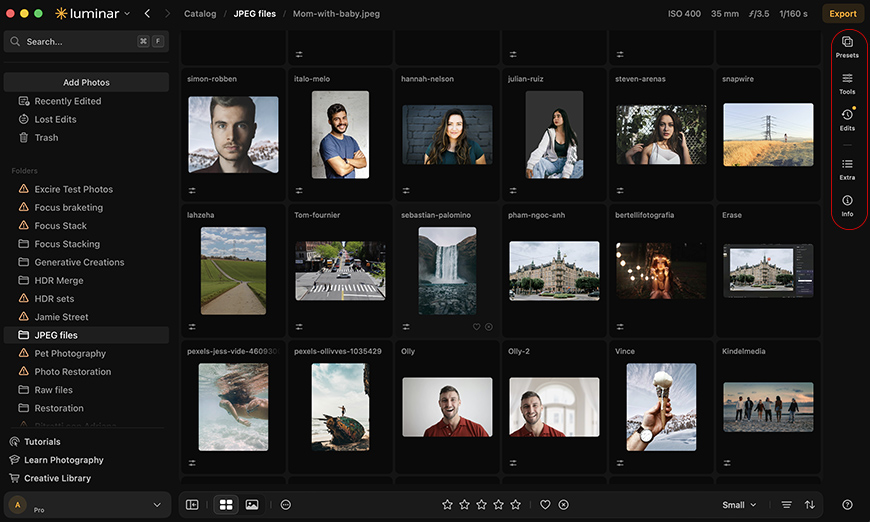
You won’t find three different workspaces to separate the Catalog, Presets, and Edits. Now, everything is integrated in a single space with a left panel to navigate the Catalog, and a right panel to open the tools, presets, edits, and extras.
Things are easier to find now, and the workflow is more efficient since you don’t have to switch workspaces. It will also make it easier for users with experience in other editing software to navigate.
This is just the first step into improving the user experience.
Improved Generative AI
Generative AI keeps improving, and Luminar certainly wasn’t going to stay behind. With this summer upgrade, the generative tools got better, and the results are now more natural and believable.
Whether you’re removing an unwanted object with GenErase, adding or replacing elements with GenSwap, or extending the frame with GenExpand, the results now blend more convincingly with the original.
These improvements mean that you have to spend less time fine-tuning your creations.
Faster and Lighter Masking
Masking allows you to make local adjustments with full control. Using complex masking can help you achieve pixel precision, but it can put strain on your computer.
With the latest upgrade, masking in Luminar is significantly more efficient, using up to 33% less RAM. In practice, this translates into a smoother, more responsive experience when working with detailed masks even on laptops or when you have other applications running in the background.
This behind-the-scenes improvement isn’t as obvious as the interface upgrade, but you’ll definitely feel it in your editing workflow.
Faster Preset Previews
Presets are all about making editing quick and effortless. You can choose a look, see how it looks on your picture, and move on to the next photo or to more complex edits using the preset as a starting point.
Either way, you don’t want to spend too long looking for the perfect preset. If it takes too long to load, browsing them becomes frustrating, and the whole creative process suffers.
This is why this upgrade made preset previews up to 4x faster. Now you can try different looks, compare them, and choose the right one without your inspiration being stifled by waiting times.
Using presets just became smoother, more efficient, and a lot more fun.
Faster Exports
By now, you might be thinking, what’s the point in having faster edits if I have to waste time on exports? And you’re right; that’s why the new upgrade also tackled this issue.
Now, whether you’re exporting a single image or an entire photoshoot, Luminar exports up to 25% faster than before.
More cameras are now supported
As new cameras hit the market, you’ll want to be able to shoot and create without worrying about compatibility. Luminar understands this and evolves to stay up to date.
As of v. 1.28, Luminar expanded its camera support to include the Panasonic Lumix DC-L10, Sony A7 V (Compressed RAW), and Sony A7R VI.
Luminar Fall Upgrade

The summer upgrade is only the first phase of the Luminar evolution. Phase two is coming this fall with even bigger news.
The fall update will be split into two parts. Some new improvements will be available to everyone at no additional cost, while others will be paid upgrades for eligible users.
Since these haven’t been released, I can’t give you many details. However, I can tell you what to expect.
Free upgrades available for everyone
- Improved Masking
- Improved Presets
- Printing
- Export with watermarks and frames
Paid upgrades available for eligible users
- Atmosphere 2.0 (Fog)
- Crop 2.0 (Composition Variations)
- Improved Enhance AI
- AI Assistant 2.0
- Web Editor
Now’s a good time to jump in — try Luminar today and you’ll have it ready before the paid fall upgrades roll out.

Ana Mireles is a Mexican researcher that specializes in photography and communications for the arts and culture sector.
👋 WELCOME TO SHOTKIT!
🔥 Popular NOW:
