







Recommended Photo Editing Software for Sports Photography
Photo editing software for sports photography, including tools for fast culling, batch editing, noise reduction, and AI-assisted workflows that save time on action shots.
Software | Paid Partnership | By Jeff Collier
Shotkit may earn a commission on affiliate links. Learn more.
I’ve done my fair share of sports photography over the years… not at the Olympics, but on muddy sidelines, in harsh midday sun, and under terrible floodlights while my grandchildren played soccer!
If there’s one thing sports photography teaches you quickly, it’s this: you don’t just need good gear. You need fast editing software too.
When you come home with 1,200 frames from a single match, with many of them near-identical bursts, the wrong software can turn an enjoyable afternoon into a late-night grind.
Trust me on that one!
Here’s what I’ve used (and what I’d recommend) for sports photography, whether you’re shooting professionally or just capturing the kiddies.
Recommended Software for Editing Sports Photography
Adobe Lightroom Classic (Workflow & Image Management)
For me, Lightroom is still the backbone for sports editing, and it's hard to imagine a serious sports photography workflow that doesn't involve it at some stage.
Sports photography is repetitive by nature: same field, same lighting, same jerseys, same angles. That's exactly where Lightroom shines.
I can correct one frame for exposure and white balance, sync it across a burst, and move on to the next sequence in seconds. When you're dealing with hundreds or thousands of frames from a single match, that kind of efficiency is a necessity.
The newer AI masking tools have also changed the game for sports work. You can lift a subject slightly, e.g., brighten a player's face, pull detail out of a dark kit, etc., without making the whole field look radioactive.
Combine that with solid noise reduction and a well-organised catalog system, and Lightroom remains the most complete day-to-day tool for sports shooters.
Best for: High-volume shooters who want speed and consistency across large match galleries.
Pros: Fast batch syncing across bursts; AI subject masking; reliable noise reduction; easy organisation and keywording; widely supported in newsroom and agency workflows.
Cons: Subscription model can be costly over time; not built for heavy retouching or compositing work.
Imagen (AI Photo Editing for Sports & Volume Photography)
Once your images are selected, the next biggest time sink in sports photography is getting hundreds of frames to look consistent and polished. That’s where Imagen fits into the workflow.
Imagens AI‘s photo editing platform is built for high-volume workflows like sports and school photography. It automates time-consuming tasks such as colour correction, subject isolation, portrait crop, smooth skin retouching, horizon straightening, and more, helping you deliver polished galleries fast rather than edit every frame manually.
It includes pre-built AI profiles tailored to sports and school portraits, and the ability to create your own custom style profile.
Used alongside Lightroom, it becomes a powerful way to reduce repetitive work while maintaining a consistent look across entire galleries.
Best for: Team, school, and volume sports photographers who need consistent, professional edits across large batches of images without spending hours on individual adjustments.
Pros: AI-driven colour enhancement and exposure correction that improves lighting and tone automatically; automated portrait crop to consistent aspect ratios; subject mask that isolates athletes and students for targeted adjustments; smooth skin and teeth whitening for portraits; automatic horizon straighten; includes tailored AI profiles to match specific use cases and styles.
Cons: Not a dedicated manual editing suite – deeper retouching still requires apps like Lightroom or Photoshop; cloud-based workflow means uploading large galleries; editing style may vary slightly from your manual edits until a custom profile is trained; additional optional features (like subject mask and straighten) may incur small extra per-photo costs depending on pricing tier.
Adobe Photoshop (Precise Individual Retouching)
Photoshop is what I reach for when I want to properly polish a single image, maybe one that captures a winning goal, a raw emotional moment, or a technically strong frame that just needs a little extra work before it goes to print or gets shared.
Where it really earns its place in a sports workflow is object removal and background cleanup, for example bright orange cones sitting in the corner of the frame, a stray ball boy wandering into the background, a distracting advertising board that pulls the eye away from your subject – Photoshop's generative fill and clone tools handle all of that with far more precision and control than anything Lightroom can offer.
That said, nobody is opening 800 match photos in Photoshop. It's a tool for your final selects – the handful of images you want to present at their absolute best.
Think of it less as part of your editing pipeline and more as the finishing room you visit before the work goes out the door.
Best for: Hero images, final selects, and any shot that needs detailed retouching or background cleanup before publication or print.
Pros: Precise object removal and generative fill; advanced retouching and compositing tools; total creative control over every pixel; excellent integration with Lightroom for round-trip editing.
Cons: Slow and impractical for bulk editing; overkill for everyday match photos; requires a subscription as part of the Adobe Creative Cloud ecosystem.
Photo Mechanic (Fastest Culling)
If you've never used Photo Mechanic for sports, you might not realise how much time you're losing, and how much of that lost time happens before you even open your editing software.
Photo Mechanic loads previews almost instantly, even from large RAW files, which sounds like a small thing until you've sat waiting for Lightroom to render thumbnails at midnight after a long shoot.
It lets you rate, tag, and colour-label images at real speed, so you can tear through a 1,500-frame burst session and get down to your selects in a fraction of the time it would otherwise take.
It's also the tool of choice for anyone delivering images with captions and metadata. Clubs, newspapers, wire agencies, and stock libraries all benefit from Photo Mechanic's strong IPTC tools, which let you embed captions, credits, and copyright information quickly and consistently.
If speed and organisation matter at the front end of your workflow, this is where to invest.
Best for: Rapid culling under deadline pressure, high-volume burst shooters, and anyone delivering captioned images to clubs, publications, or agencies.
Pros: Extremely fast RAW preview loading; excellent rating and tagging workflow; strong IPTC metadata and captioning tools; pairs perfectly with Lightroom or any external editor.
Cons: No real editing tools built in; an additional cost on top of your main editor; the interface is functional but noticeably dated compared to modern software.
DxO PhotoLab (Great for High ISO)
Indoor sports and evening matches can be brutal on image quality, and if you've ever shot under floodlights you'll know the specific kind of pain it causes: high ISO noise that turns fine detail into mush, strange colour casts from mixed artificial lighting, and skin tones that go a muddy, desaturated grey that no amount of basic slider work seems to fix properly.
DxO PhotoLab is the best tool I've found for dealing with exactly these problems. Its DeepPRIME and DeepPRIME XD noise reduction engines are genuinely in a different league from what you'll find in Lightroom or Capture One , using AI processing to separate actual image detail from noise.
This means you can push high ISO files much further before things start to fall apart. If you regularly shoot at ISO 6400 and above, the difference is significant and immediately visible.
It also includes excellent lens correction profiles and strong colour science, which helps bring consistency to files shot under difficult mixed-light conditions.
It's not built for speed in the same way Lightroom is, so most sports photographers use it selectively for their most challenging low-light frames rather than as a primary batch editor.
Best for: Low-light sports, indoor arenas, evening fixtures under floodlights, and any high ISO file where noise is a significant problem.
Pros: Industry-leading DeepPRIME noise reduction; strong lens corrections and optical profiles; excellent detail retention at high ISOs; great colour science for difficult mixed lighting.
Cons: Less commonly used in fast-turnaround newsroom workflows; slower processing than Lightroom for large batches; the interface and workflow feel quite different if you're used to Adobe tools.
ON1 Photo RAW (A Solid Lightroom Alternative)
If the Adobe subscription model doesn't sit well with you, ON1 Photo RAW is one of the most practical all-in-one alternatives to Lightroom I've come across.
It covers the full editing workflow in a single application: RAW processing, AI masking, noise reduction, local adjustments, and even layered editing for when you want to do something more involved without bouncing between multiple pieces of software.
The AI masking tools are capable enough that you can isolate subjects and make targeted adjustments in a way that would have felt out of reach in non-Adobe tools just a few years ago.
The one-time purchase option is the headline draw, and for photographers who don't want a monthly bill tied to their editing software, it's a compelling reason to make the switch.
It's not quite as fast or as polished as Lightroom for very large sports shoots, and the community and third-party plugin ecosystem are smaller, but for many shooters, it covers everything they need at a price that makes long-term sense.
Best for: Enthusiasts and semi-pros who want a capable all-in-one editor without committing to Adobe's subscription pricing.
Pros: One-time purchase option available; AI masking and subject selection; layered editing built in; covers culling, editing, and output in a single app; regular updates included.
Cons: Can feel slower when processing very large sports shoots; smaller plugin ecosystem and user community than Adobe; some advanced features don't quite match Lightroom's speed and polish for high-volume workflows.
Final Thoughts
There isn’t one perfect piece of software for sports photography. Instead, there’s a workflow that suits how you shoot.
When I’m choosing tools for sports photos, I’m not chasing perfection. I’m chasing efficiency.
Here’s what matters most:
- Fast culling: Finding the sharp frame with the best expression.
- Batch consistency: Syncing edits across bursts and scenes.
- High ISO performance: Cleaning up noisy files without turning them to mush.
- Quick export: Getting images out to family, clubs, or socials without fuss.
If you’re mostly photographing the grandkids, Lightroom alone might be plenty.
However, if you’re shooting for a club or delivering galleries regularly, adding faster culling or AI assistance can save hours over the course of a season.
Either way, the goal is the same: spend less time staring at near-identical frames, and more time enjoying the sporting moments you actually capture.
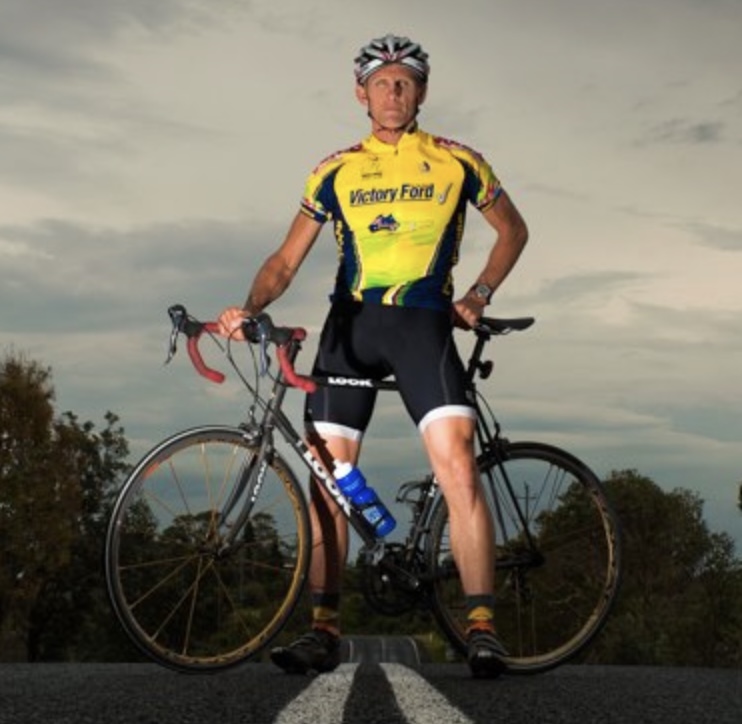
Jeff Collier is an experienced film photographer who enjoys experimenting with modern digital photography equipment, software and apps. He’s also an ex-world champion triathlete and avid cyclist, clocking hundreds of km each week in the beautiful Tweed Valley of northern NSW, Australia.
👋 WELCOME TO SHOTKIT!
🔥 Popular NOW:
