PHOTOGRAPHY SOFTWARE REVIEWS

Not sure which photography software to use? Check out these reviews and guides. They’re specially designed to make your life easier! When we think about photography gear, software isn’t the first thing that springs to mind.

Browse All Software

Popular Software Reviews & Guides
Recent Software Reviews & Guides

Best iPad Video Editing Apps in 2025
Best Digital Art Software in 2025 (Drawing & Painting)
Photoshop for iPad – What You Can Do & What’s Missing
Best Photo Animation Apps of 2025 (Android, iOS, & Web)
Best Apps to Turn Photos into Cartoons Easily
Best Adobe InDesign Alternatives in 2025
Best Light Meter App in 2025 for Film Photography & Video
Best Photo Recovery Software in 2025 (Desktop & Mobile)
How to Use Tone Curves in Lightroom The Right Way
Wondershare Recoverit Review: Data Recovery Made Easy
8 Best Online Video Editors in 2025 (Free & Paid)
How to Stabilize Video in Premiere Pro
How to Sharpen Photos in Lightroom
Photoshop AI Generative Fill Tool (Tutorial + Tips)
Best Adobe Photography Plan Deals in 2025
10 Best Video Editing Software Programs for Beginners
Best Free Passport Photo Apps in 2025: Take Your Own Picture
How to Outline Images in Photoshop (4 Simple Steps)
How to use Photoshop with Lightroom Effectively
How to Edit in DaVinci Resolve (Tutorial for Beginners)
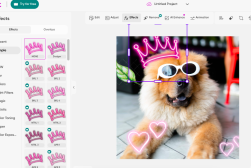
How to use Picsart for Photo Editing & Design
How to Mask in DaVinci Resolve (Best Methods)
How to add Keyframes in Premiere Pro
Create Picture Lighting Effects in Luminar with Magic Light AI
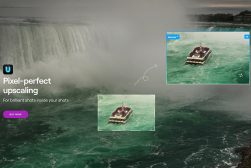
Best Image Upscaler in 2025 (Enlarge Images with AI)
The History of Adobe Photoshop Versions
15 Apps to Turn Photos into Sketches & Drawings
How to Zoom in Davinci Resolve (2 Best Ways)
How to use Luminar Noiseless AI to Preserve Photo Details
LR Enfuse Guide: Free Lightroom HDR Plugin
How to Edit in Filmora (A Guide for the Absolute Beginner)
How to Timelapse in Filmora (Fast or Slow)
How to Mask in Filmora (Objects and Background)
Best Mobile Video Editing App in 2025 (iOS & Android)
How to Cancel Your Adobe Subscription (+ Avoid Fees)
How to Crop in Filmora (Entire Video or Frame)
How to Export in Filmora (Save or Share)
How to Overlay in Filmora (Videos and Effects)
How to Render in Filmora (Manually or Automatically)
How to Blur in Filmora (Including Motion Blur)
How to Zoom in Filmora
How to Export Adobe Audition to MP3
How to edit videos in Lightroom
Adobe Media Encoder: What It Is & How to Use It
How to use Luminar Supersharp AI to Fix Misfocus and Blur
Best Apps for Printing from Your iPhone
Impossible Things Review: AI RAW Photo Editor
How to Use Luminar Upscale AI to Enlarge Any Photo
What’s the Best Way to Buy Lightroom in 2025?
Is Lightroom Free in 2025? (2 Main Options)
How to Use the Canva Mobile App (Design on the Go)
How to Use Adobe Animate for Graphics & Animations
Adobe Illustrator vs Photoshop: Key Differences in 2025
9 Best Photoshop Apps in 2025 for Editing on the Go
6 Most Aesthetic Photo Editing Apps in 2025
Best Snipping Tools For Mac in 2025 (+ Tips & Tricks)
Affinity Photo vs Photoshop: What’s the Difference?
How to Cut a Video in DaVinci Resolve (and Delete)
How to Render in DaVinci Resolve (+ Best Export Settings)
Adobe Audition Review | Powerful Audio Editing Software
Affinity Photo 2 Review | Subscription-Free Photo Editor
How to Remove Background Noise in Adobe Audition
inPixio Photo Studio vs. Photoshop: Key Differences
11 Best Video Editing Software Programs for Mac
How to Record Audio Files in Adobe Audition
Best Video Editing Software for Chromebook (Free and Paid)
Top 5 Features of inPixio Photo Studio for Photographers
How to Fix Common Lightroom Problems
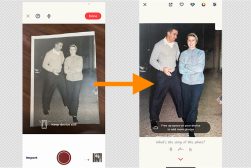
How to Bring Old Photos to Life with Deep Nostalgia
How to Use Content-Aware Scale in Photoshop
How to Stretch an Image or Layer in Photoshop (3 Ways)
How to Crop Video in Premiere Pro (and Resize it)
How to Render in After Effects (Fastest Way)
How and Why to Use the Channel Mixer in Photoshop
How to Make a Background Transparent in Canva (Fast & Easy)
How to Remove Unwanted Objects from Your Photos with inPixio
How to Download Video from Canva (and Share It)
How to use Canva for Beginners (Start Here! Easy Guide)
Guide to iPiccy Photo Editor, Collage Maker & Graphic Designer
How to Remove Objects in Lightroom in a Few Clicks
How to Automatically Select People to Edit in Lightroom
ACDSee Photo Studio Ultimate Review: How Does it Stack Up In 2026?
How to Upload Fonts to Canva (Step-By-Step Guide)
Building a consistent portfolio with Imagen Talent AI Profiles
How to Cancel a Canva Subscription (or Pause It)
Photoshop vs. Photoshop Elements: What’s the Difference?
Using Gradients in Lightroom for More Dramatic Images
A Beginner’s Guide to Using inPixio Photo Studio
How to Group Things on Canva (and Ungroup)
How to Print from Canva (Home Printing or Canva Prints)
How to Curve Text in Canva (Fast & Easy!)
How to Use Frames in Canva (Including your Own)
How to Draw in Canva (Plus Freehand Drawing)
How to Make a Table in Canva (Two Options)
How to Create an eBook in Canva (and Sell It!)
How to Highlight Text in Canva (Easy Steps)
10 Ways to Enhance Your Photos with inPixio Photo Studio
How to Benefit from the Lightroom Community & Academy
How to Organise Photos More Efficiently in Lightroom
What’s The Best Way to Buy Luminar in 2025?

And yet, editing and post-processing are a huge part of digital photography. So which software you use and how you use it can really make a difference to your final images.

On top of that, the software side of things goes even further. There are so many ways that different programs can be incorporated into your photography workflow.

Editing and retouching is, of course, one of them. Software also determines how you store and organise your digital images.

Then there are creative programs for adding filters and presets. Programs for running a photography business and showcasing photobooks online. And many others.

Here, we look at both paid software and free alternatives. We go in-depth with reviews so you can work out which ones are best for you. And we give you the tools and tips you need to make the most of them.

Ready to get started? Read on!