Skylum Luminar

Looking for helpful Luminar reviews and guides? That’s exactly what you’ll find right here. Skylum’s Luminar has risen up the ranks of photography software to become a first choice for many and a formidable foe to the likes of Lightroom.


How to Improve Photo Composition in Luminar Neo
How to Achieve The Orton Effect in Luminar Neo
How to Use Layers in Luminar Neo (Step-by-Step Tutorial)
Luminar Neo Spring Upgrade: Cross-Device Editing & New Portrait Tools
How to Replace the Background in Luminar Neo
How to Save Presets in Luminar Neo (Step-by-Step Guide)
How to Extend Canvas using GenExpand in Luminar Neo
How to Use the Color Transfer Tool in Luminar Neo
How to Use Luminar Neo Sky AI for Realistic Sky Replacement
Luminar Neo GenSwap: Easily Replace Objects in Photos Using AI
Luminar Neo AI Assistant Explained: Faster, Smarter Photo Editing
How to Use the New Light Depth Tool in Luminar Neo
Luminar Neo Spaces: Create Free Web Galleries in Seconds
Luminar App for Android Review: Exploring Its Features & Tools
How Does the New Cross-Device Editing in Luminar Work?
Luminar Neo’s Photo Restoration AI: Restore Old Photos in Seconds
Luminar Neo Fall Update 2025: Everything You Need to Know
Photoshop vs Luminar Neo for AI Photo Editing
Lightroom vs Luminar Neo for AI Photo Editing
Does Luminar Neo’s AI Remove Photographers From The Creative Equation?
What are Luminar Extensions (Do They Still Exist?)
Luminar Ecosystem: A Powerful Alternative to Subscription-Based Editing
Testing Luminar Background Removal AI Tool
How to Use the Luminar Focus Stacking Tool
I’ve Used Lightroom Extensively, but Here’s How Luminar Neo Is Different
Pro Vs Amateur: Who Is Luminar Neo Really For?
Luminar Neo Vs Aperty: Can You Edit Portraits With Both?
The Best Luminar Pro Tools For Your Editing Workflow
How To Make The Most Of Cataloging and Workflow in Luminar Neo
AI Generated Vs Manual Editing In Luminar Neo
Luminar Neo Review (My Latest Test Results)
Skylum Unveils Spring 2025 Update for Luminar Neo
Best Luminar Presets in the Skylum Marketplace
Luminar Neo vs ON1 Photo RAW for Photo Editing
Capture One vs Luminar Neo for Photo Editing
Luminar for iPad Review: Edit Like A Pro On The Go
Create Picture Lighting Effects in Luminar with Magic Light AI
How to use Luminar Noiseless AI to Preserve Photo Details
How to use Luminar Supersharp AI to Fix Misfocus and Blur
How to Use Luminar Upscale AI to Enlarge Any Photo
What’s The Best Way to Buy Luminar in 2025?
Best Luminar Neo Tutorials to Help You Improve Your Editing
How to Fix Blurry Photos in Luminar Neo
How to Speed up Luminar Neo on Windows & Mac
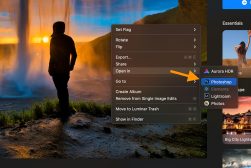
How to use Luminar Neo with Photoshop (Via the Plugin)
How to Clone in Luminar Neo to Remove Objects FAST
How to Install or Uninstall Luminar Neo
How to Use Luminar Neo in 2025: Beginner’s Guide
How to Use Luminar Neo HDR Merge
Luminar Neo vs Luminar AI: 6 Key Differences to Know in 2025
How to Remove a Background in Luminar Neo
How do you mask in Luminar Neo?
Luminar vs Lightroom for Photo Editing (7 Key Differences)
Can you batch edit in Luminar Neo?
How to Work with the Catalog in Luminar Neo
Luminar Neo vs Luminar 4 (Seven Key Differences)
How do you dodge and burn in Luminar Neo?
Does Luminar Neo have Templates?
Does Luminar Neo work with Lightroom?
Is Luminar Neo better than Photoshop?
Luminar Discount Codes for ALL Versions (Save up to $15!)
Luminar AI Review – Can Artificial Intelligence help you Edit your Photos?
How to Create a Watermark in Luminar
Luminar 4 Tutorial for Beginners
Luminar 4 Review
Luminar 4 for Wedding Photographers
Luminar vs Affinity for Photo Editing: Key Differences
Luminar Flex Review
Luminar Tips to Boost your Photography

The question is whether it’s the right software for you.

That’s one of the things we’ll answer with our Luminar reviews. We go deep (like, really deep) on each new version of the software, running it through its paces and testing out every little feature.

And then we give you an honest, real-world rundown of all the strengths and weaknesses so you can decide whether it’s worth the investment.

We also take you through comparisons between Luminar and other software so you can see specifically how they stack up side by side.

If you’re looking for guides on how to use Luminar, or tips and tricks to get more out of it, we also have you covered.

Whether you’re a newbie or a Luminar pro, there’s plenty of useful stuff for you right here.

So read on, and be illuminated about Lumiar!