PHOTOGRAPHY SOFTWARE REVIEWS

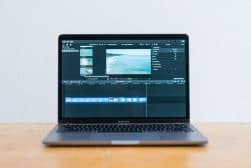
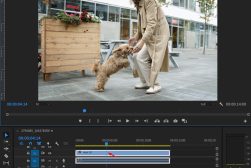
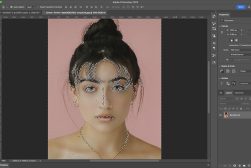
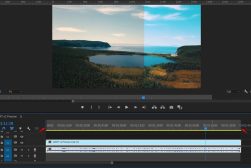
Not sure which photography software to use? Check out these reviews and guides. They’re specially designed to make your life easier! When we think about photography gear, software isn’t the first thing that springs to mind.

Browse All Software

Popular Software Reviews & Guides
Recent Software Reviews & Guides
How to Type on a Path in Photoshop (Make Text Follow Shapes)
How to Rasterize in Photoshop (and When to do it)
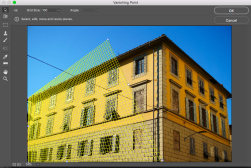
How to Use Vanishing Point in Photoshop for Perspective Editing
How to use Lightroom Classic and Mylio Photos for seamless photo organization
How Mylio Photos’ new editing features will save you time in 2025
Save Drive Space and Reduce Clutter with Mylio Photos’ DeDupe Feature
How Mylio Photos helps you take control of your own data, save money and stay private
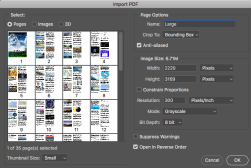
How To Import, Edit & Save a PDF In Photoshop (3 Easy Steps)
How To Invert A Selection In Photoshop (Plus Keyboard Shortcuts)
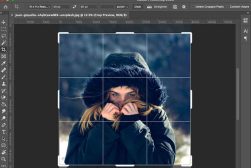
How to Crop an Image in Photoshop (In 4 Simple Steps)
Best Photo Editing Software for Wildlife Photography in 2025
How to Use Adobe Super Resolution to Englarge Your Images
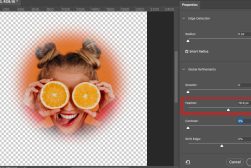
How to Create the Vignette Effect in Photoshop (Two Easy Methods)
How to Remove Background in Photoshop (6 Foolproof Ways)
How to Resize an Image in Photoshop (Without Distortion)
How to Buy Adobe After Effects Permanently (Or Get it Free)
How to Draw Straight Lines in Photoshop (3 Simple Methods)
Learn How to Layer Mask in Photoshop in 4 Simple Steps
How to Zoom in on Photoshop (+ What To Do When It Doesn’t Zoom)
ShootProof Review: Pros & Cons – Should You Use It In 2025?
How to Make a Transparent Background in Photoshop in 3 Easy Steps
How to Deselect in Photoshop (5 Quick & Simple Methods)
How to Flip an Image or Layer in Photoshop (3 Simple Ways)
How to add text into Premiere Pro
How to Create Fine Art Black & White Photos with Radiant Photo
How to Add Transitions in Premiere Pro (+ 4 Main Types to Use)
Set.a.light 3D Review: Lighting Simulator for Photographers & Filmmakers
Final Cut Pro Review: Powerful Video Editing Software for Mac
How to zoom in on Premiere Pro (3 Simple Methods)
How to Get Started with Radiant Photo (A Beginners Guide)
Best Alternatives to Luminar (Replacement AI Image Editors)
How to Change Skin Tone Color in Photoshop
How to Export Video from Premiere Pro (Best Rendering Settings)
How Much RAM Do You Need For Photoshop? (To Run Smoother)
How Mylio Photos Helps You Celebrate Special Occasions with its Memory Slideshow Features
Stellar Photo Recovery Review: Tool To Recover Deleted Photos
Can you batch edit in Luminar Neo?
How to Work with the Catalog in Luminar Neo
Luminar Neo vs Luminar 4 (Seven Key Differences)
How do you dodge and burn in Luminar Neo?
Does Luminar Neo have Templates?
Does Luminar Neo work with Lightroom?
Is Luminar Neo better than Photoshop?
Best Photo Scanning Software for Multiple Photos in 2025 (Free + Paid)
Best Editing Software for Real Estate Photography in 2025
DaVinci Resolve vs Premiere Pro (Key Differences to Know)
Best Apps to Add Text to Photos in 2025 (iPhone, Android, Online)
Topaz Video AI Review: Upscale & Enhance Videos
Is Adobe Lightroom worth it?
What app is like Lightroom but free?
What Photo Editing Software Do Photographers Use in 2025? (Survey Results)
Radiant Photo Review: Fast & Fully Customisable AI Photo Editor
Wondershare Filmora Video Editor Review: Better Than Adobe?
Final Cut Pro vs Adobe Premiere in 2025: Which Video Editor?
10 Best Apps to Hide Photos from Prying Eyes in 2025
Best Adobe Illustrator Alternative in 2025 (Free & Paid Options)
ON1 vs Lightroom: Which Photo Editor is Best in 2025?
Photomyne Review | App to Scan, Restore & Share Old Photos
8 Apps to Remove People from Photos for Free (iPhone & Android)
Top Figma Alternatives in 2025 (Since Adobe Bought It!)
Capture One for iPad Review: Powerful Mobile Photo Editing App
How photographers can benefit from a Capture One workflow
Best Photo Management Software for Organizing Your Photos in 2025
Best Photo Editing Software for Macs in 2025 (Free & Paid)
Adobe Premiere Elements Review | Easy Video Editing Software
Vegas Post Review: Professional Video Post Production Suite
How to Use Adobe Express for Designing, Editing & Sharing
Best Online Photo Storage Service in 2025 (Free & Paid)
How to Use Photoshop Smart Objects in 2025: Create, Edit & Fix
Photo Editing With GIMP: 10 Popular Techniques
Picflow Review | Professional Client Gallery & Proofing Service
Top 11 Alternatives to GIMP in 2025 (Free, Open-Source & Online)
How to Remove Background of an Image Using GIMP (4 Easy Ways)
Best Photoshop Plugins for Photographers in 2025 (Free & Paid)
Boris FX Optics Review: Visual Effects Plugin for Photography
Luminar Discount Codes for ALL Versions (Save up to $15!)
Mylio Photos Review: Privately Store & Organise Photos & Videos
Topaz Denoise AI Review: Noise Reduction App
Topaz Gigapixel AI Review: Image Upscaler
How to Buy Adobe Premiere Pro in 2025 (Options for all Budgets)
Best Photography Culling Software to Speed Up Your Image Selection Workflow
Where to Download the Best Free Photoshop Brushes (+ How to Make Them Yourself)
Excire Foto Review: AI Powered Photo Management Software
FilterPixel Review | AI Photo Culling Software
10 Best Graphic Design Software of 2025 (Free and Paid)
Narrative Publish Blogging Software Review
Best Mobile Photography Apps for Planning, Shooting & Editing Photos
10 Best Photo Editing Apps for iPad in 2025 (Free & paid)
SmartAlbums Review – Album Builder for Photographers
ON1 Photo Raw Photo Editor Review
Narrative Select Review (AI Image Culling Software)
Exposure X7 Review
CyberLink PhotoDirector Review
Adobe Premiere Pro Review | Mac & Windows Video Editing Software
Best Camera App for iPhone
How to Create a Radial Blur Effect In Photoshop (Show Movement)
How To Change The Color Of An Object In Photoshop
How to Make a GIF in Photoshop (+ 8 FREE Methods)
How to Use Grids & Guides in Photoshop
NIK Collection 3 Review

And yet, editing and post-processing are a huge part of digital photography. So which software you use and how you use it can really make a difference to your final images.

On top of that, the software side of things goes even further. There are so many ways that different programs can be incorporated into your photography workflow.
Editing and retouching is, of course, one of them. Software also determines how you store and organise your digital images.

Then there are creative programs for adding filters and presets. Programs for running a photography business and showcasing photobooks online. And many others.

Here, we look at both paid software and free alternatives. We go in-depth with reviews so you can work out which ones are best for you. And we give you the tools and tips you need to make the most of them.

Ready to get started? Read on!