PHOTOGRAPHY SOFTWARE REVIEWS

Not sure which photography software to use? Check out these reviews and guides. They’re specially designed to make your life easier! When we think about photography gear, software isn’t the first thing that springs to mind.

Browse All Software

Popular Software Reviews & Guides
Recent Software Reviews & Guides

Discover your editing style with Imagen’s Talent AI Profiles
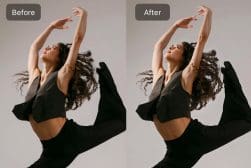
7 Popular Lightroom Editing Styles to Try Today
Best Luminar Neo Tutorials to Help You Improve Your Editing
Beginners Guide to Using Pixelmator Pro for Editing
How to Fix Blurry Photos in Luminar Neo
How to use Adaptive Presets in Lightroom
How To use Adobe Fresco for Drawing and Painting
How to use Premiere Pro: Video Editing Software Tutorial
How To Create Web Galleries in Lightroom To Share Photos
How to Sync Lightroom Across Your Devices (Desktop + Mobile)
How to use Lightroom on the Web to Edit Your Photos Online
Beginners Guide to Using Affinity Photo for Mac, Windows & iPad
How to Speed up Luminar Neo on Windows & Mac
How to Use the FreePrints App
Using SVG Files in Photoshop (What, Why, and How)
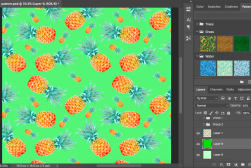
How to Create a Seamless Pattern in Photoshop (6 Quick Steps)
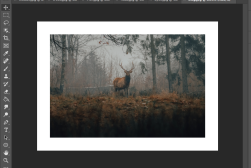
How to Make Borders in Photoshop (Colored or Decorative)
How To Get Through a Busy Wedding Photography Season
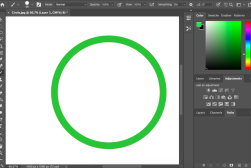
How to Draw a Circle in Photoshop (Outline or Fill)
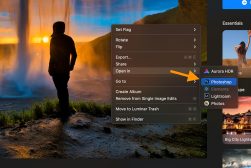
How to use Luminar Neo with Photoshop (Via the Plugin)
How to Use Foap App to Sell Your iPhone Photos
How to Clone in Luminar Neo to Remove Objects FAST
How to Cut in After Effects (+ Keyboard Shortcuts)
How to Locate a Missing Toolbar or Panel in Photoshop
How to Copy and Paste in Photoshop to Save Hours of Time
How To Blur Background in Photoshop Elements
A Comprehensive Overview of Depositphotos
How to use Lightroom Profiles (vs Presets) in 2025
How to Use Adobe Audition in 2025 for Better Audio
How to split a clip in Premiere Pro
How to Invert Colors in Photoshop (Two Options)
How to Make a Custom Shape in Photoshop
How to Add Lighting Effects in Photoshop
Best Photography Workflow Software in 2025 (Studio Management)
How To Photoshop Wheels On A Car in Record Time
How to Use Hipstamatic to Add Retro Effects to Photos
How to Install or Uninstall Luminar Neo
How to Use Luminar Neo in 2025: Beginner’s Guide
How to Use the Eraser Tool in Photoshop (All 3 Versions)
How to Use the Lasso tool in Photoshop (All 3 Versions)
How to Use Prisma App to Turn Your Photos into Art
How to Undo and Redo in Photoshop (Three Methods)
How to Use Luminar Neo HDR Merge
How To Edit Photos With Afterlight (Beginner’s Guide)
How to Type in a Circle in Photoshop in Just 3 Steps
How to Use Lightroom on Multiple Computers (3 Solutions)
25 Best Lightroom Plugins & Extensions In 2025
Luminar Neo vs Luminar AI: 6 Key Differences to Know in 2025
Best Alternatives to Adobe Audition in 2025 (Free & Paid)
Photoshop Elements vs Lightroom (7 Differences in 2025)
What’s The Best Way to Buy Photoshop in 2025?
How to Whiten Teeth in Photoshop Elements
Pixieset Studio Manager Review | Book Clients, Get Paid & Grow
How to Insert Images in Photoshop The Easy Way
How to Remove a Background in Luminar Neo
How do you mask in Luminar Neo?
How to create an efficient post-production workflow with Imagen
Snapseed: Ultimate User Guide + Tips (2025 Update)
How to Create a Rainbow Gradient in Photoshop (& Save as a Preset)
How to Outline Text in Photoshop (+ Make It Transparent)
How to Use the Paint Bucket Tool in Photoshop
13 Useful Photoshop Elements Tutorials for Beginners
How to Photoshop Pictures (Simple 3 Step Beginners Guide)
How to use Filters in Photoshop Elements
How to Use the Subject Masking Feature in Imagen
How to Remove a Shadow in Photoshop (Two Easy Methods)
How to Extend a Background in Photoshop (3 Techniques)
How to Outline Text in Photoshop Elements
Best Apps to Superimpose (Overlay) One Picture Over Another
How to Merge / Blend Two Images in Photoshop
How To Use Content Aware Fill In Photoshop
Download Free Lightroom Presets (Mobile & Desktop)
How to Remove Background in Photoshop Elements
How to Cut Out an Image in Photoshop
10 Best After Effects Alternative in 2025 (Free & Paid)
Best Duplicate Photo Finders & Cleaners
How to Sharpen edges and remove noise in Radiant Photo
How to Color grade in Radiant Photo
How to Use Selective Color in Photoshop (In 4 Quick Steps)
How to Use Photoshop Elements 2025 (Beginners Guide)
How to Photomerge in Photoshop Elements
Táve Studio Management Software Review | CRM for Photographers
5 Free Online Apps for Improving Photo Quality
How to Change DPI in Photoshop (Plus More Tips)
How to Create a Pattern in Photoshop (For Overlays & Backdrops)
Best Video Editing Software Tools in 2025 (User Tested)
What’s the Best Way to Buy Adobe Audition in 2025?
How To Use Toning Tools in Radiant Photo
7 Best Apps to Change a Picture Background (Add Background to Photos)
How to Change your Brush Size in Photoshop (with Shortcuts)
How to use Radiant Photo Smart Presets
How to Add a Vignette Effect in Photoshop Elements
Can You Make Money Using PicFair? Review & User Guide
How to Use DaVinci Resolve in 2025: Beginner’s Guide
Luminar vs Lightroom for Photo Editing (7 Key Differences)
16 Apps To Fix Blurry Photos in 2025 (Free & Paid)
How to enhance Landscape Photography with Radiant Photo
How to Optimize Faces with Radiant Photo
How To Use the New Mask Tool in Lightroom
ScanMyPhotos Review: Easy Way to Digitize Old Prints

And yet, editing and post-processing are a huge part of digital photography. So which software you use and how you use it can really make a difference to your final images.

On top of that, the software side of things goes even further. There are so many ways that different programs can be incorporated into your photography workflow.

Editing and retouching is, of course, one of them. Software also determines how you store and organise your digital images.

Then there are creative programs for adding filters and presets. Programs for running a photography business and showcasing photobooks online. And many others.

Here, we look at both paid software and free alternatives. We go in-depth with reviews so you can work out which ones are best for you. And we give you the tools and tips you need to make the most of them.

Ready to get started? Read on!